Overview
Workflow Designer
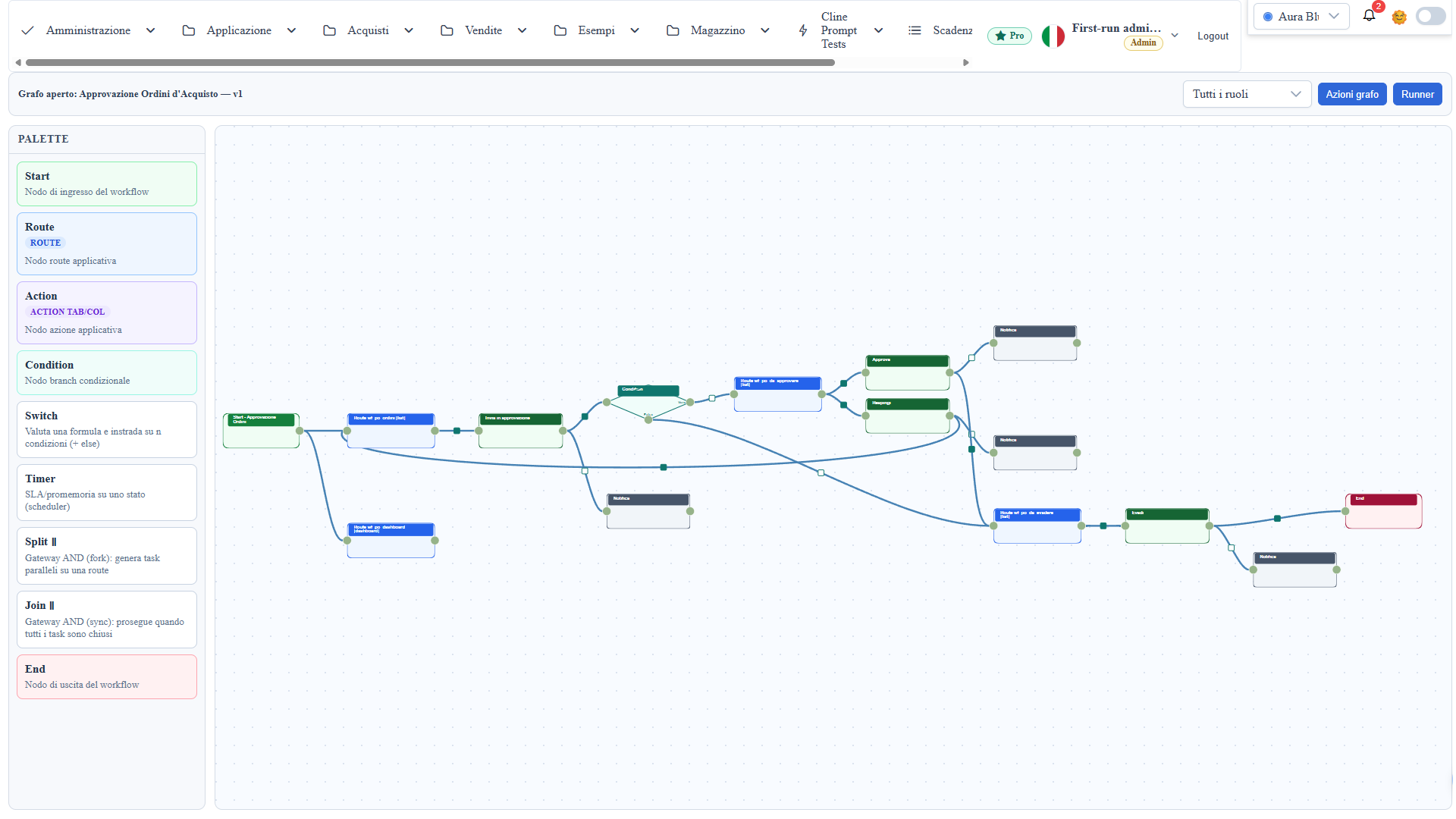
Visual workflow designer on route #/workflow-designer. It models a process as
a graph of nodes and connections, saves it as metadata and executes it through
the workflow runner (#/workflow-runner/<graph-id>).
Scope
- Workflow graph modeling with nodes, connections and operational metadata.
- Assisted authoring: starter templates, graph validation, guided
configuration dialogs, inline guide.
- Configuration of reusable processes executed by the workflow runner.
Workflow Palette
- Start: process entry node (with optional menu entries).
- Route: a step where users work the records of an app list.
- Action: application operation (table action, row action or chained
internal action) triggered from a step.
- Condition: logical branching with true/false paths on a record expression.
- Switch: N-way branching — a JS formula computes a value and each
condition tests it (resultExpression token); the first branch whose test is
true routes the flow, otherwise the else branch is followed. Each added
condition creates a new output socket (a polygon vertex, with the condition
as tooltip).
- Timer: reminder / SLA on a state, projected onto the scheduler.
- Split ∥ / Join ∥: parallel gateways — the split spawns parallel tasks on
a route, the join proceeds once all tasks are closed.
- End: explicit flow termination.
Assisted authoring
The designer supports building a workflow from scratch:
- Starter templates: "New from template" generates a ready-made graph for
the common patterns (simple approval, claim/release queue, threshold chain,
parallel tasks). Pick the main route and — where needed — the state field:
graph, actions and transitions are created already wired.
- Graph validation (lint): "Validate graph" reports issues before saving
(start with no outlets, unreachable nodes, action without target, empty
condition, dead branch, incomplete timer/split, permission with an unknown
role). Clicking a finding focuses the canvas on the affected node. Saving is
never blocked: with open findings a summary appears with "Save anyway".
- Guided configurations: timer and split dialogs use dropdowns and a route
autocomplete (same source as the designer properties) instead of free-text
fields typed from memory.
- Onboarding and guide: a fresh canvas shows a first-steps checklist; the
palette has descriptive tooltips; the "Quick guide" entry shows the shape
legend and a glossary (bundle, transition, guard, permission, internal action).
Transitions and permissions
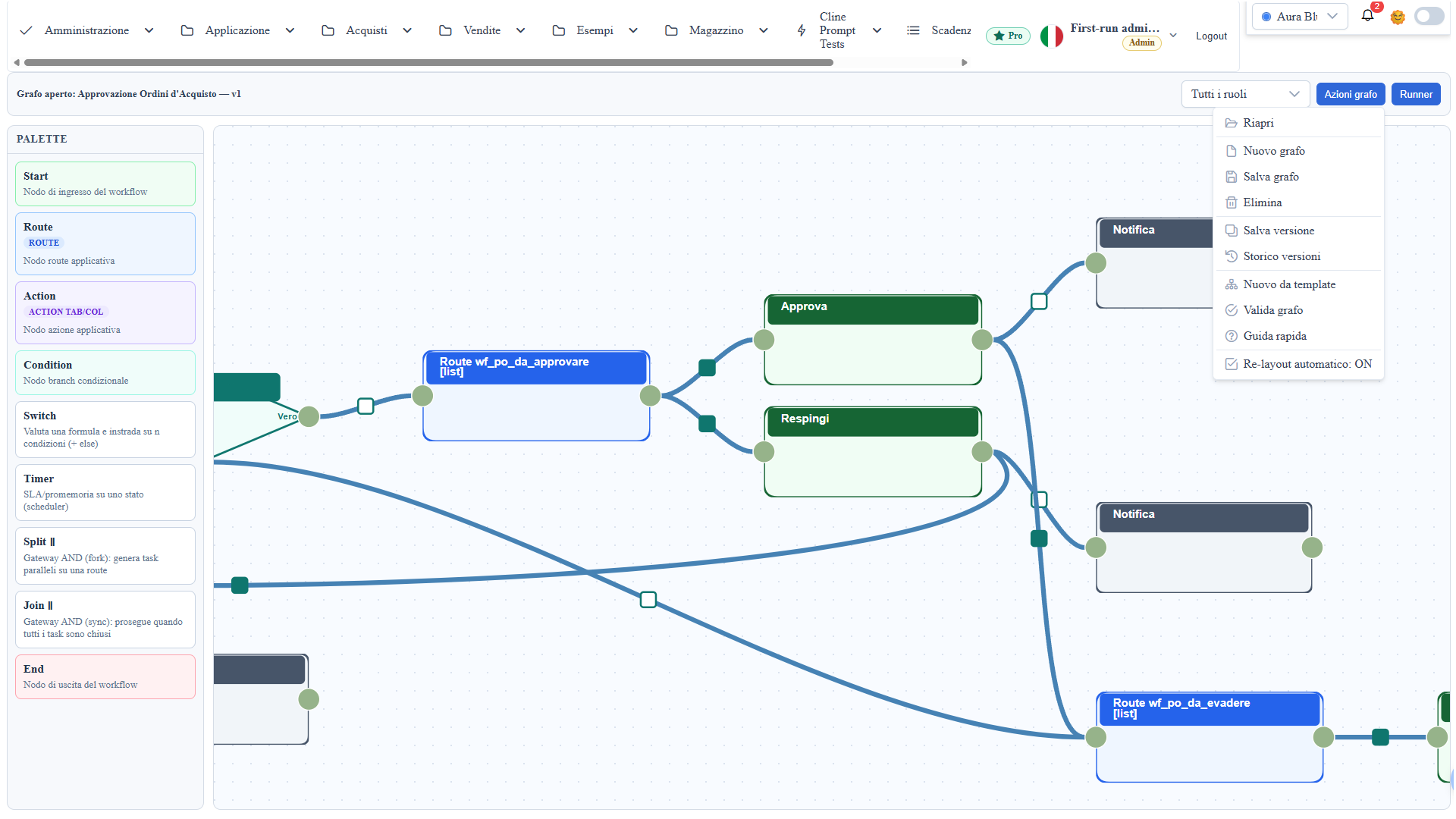
- A transition is metadata authored on a connection (click the small
square at the arc midpoint): event, guard (JS expression on the record) and
permission.
- Permissions work in two ways: on a route→action arc they hide the action
from non-allowed roles; on the navigation path they block the transition.
Granting mode (only the selected roles) or denying (everyone except the
selected ones).
- On save, transitions are projected onto a queryable table; the graph remains
the source of truth.
Action chain and payload
Connecting an action's output socket to other internal actions
(scope "Internal (chained)") builds a chain that runs in order after the
click, handing a payload from link to link.
The payload contract
- Trigger action (the toolbar button): the callback body lives inside a
Promise — the payload is delivered with `resolve(value)`, NOT with
return (a return exits the executor without resolving: the payload
would arrive as undefined).
- Internal actions: the callback receives the `payload` variable in
scope (the previous link's value) in addition to `datasource, metaInfo,
record, wtoolbox. A **return value`** works here and becomes the payload
of the next link; no return (or undefined) = pass-through (the
previous payload continues unchanged).
- The chain only follows actions with the "Internal" scope (plus the Split ∥,
which receives the payload and returns it enriched with tasksCreated): a
regular action connected downstream is not auto-executed — that arc carries
navigation/transition semantics, and the chain stops there.
- An error in an internal action is reported but does not block the rest
of the chain.
- Each link stores its payload per node: any callback can read it back with
wtoolbox.getWorkflowRouteNodePayload('<nodeId>') (useful to retrieve the
trigger's value in a long chain).
Example:
// TRIGGER action callback (toolbar button)
const row = wtoolbox.unwrapEntity(record);
const esito = await wtoolbox.dataService.update(
  Object.assign({}, row, { po_stato: 'APPROVATO' }), row, datasource);
resolve(esito);                       // <-- hands the payload to the chain

// INTERNAL action callback connected to its out socket
The callback and formula editors (condition/switch) are Monaco: right-click → Snippets inserts ready-made blocks (CRUD, notifications, email, skeletons), including the payload of a graph node picked by name — the id is filled in automatically. For CRUD use wtoolbox.dataService.update/insert/delete(entity[, pristine], datasource): with scope = datasource the provider and the workflow routeContext are resolved automatically (manual AsmxProxy only for routes other than the current step).
Payload in condition and switch expressions
The guard expressions of Condition and Switch nodes also have in
scope, besides record (the current row), the `payload` variable: the
value produced by the previous action in the chain. To make it available, the
callback passes it as the third argument of navigateToNextStep
(typically the same value later handed to resolve):
// action callback: the graph picks the branch, based on record AND payload
const esito = await wtoolbox.dataService.update(entity, row, datasource);
wtoolbox.navigateToNextStep(record, null, esito);
resolve(esito);- Condition:
payload.stato === 'approvato'— or mixed expressions such as
record.totale > 1000 && payload.ok.
- Switch: the formula can use both (
return payload.score), and so can the
case conditions (resultExpression > payload.soglia).
- Note on the pre-click gate: guards are also evaluated BEFORE the action
runs (to immediately block a disallowed navigation); at that point the
payload does not exist yet, so expressions referencing payload are
deferred — they do not count at the gate and are applied when the branch
is chosen in navigateToNextStep.
- Return value of
navigateToNextStep:trueif it started the navigation,
false if the action has no links in the graph (the callback can handle a
fallback), 'blocked' if links exist but no branch can be taken (guards or
permissions not satisfied): the user sees a warning with the failed guard and
nothing is navigated. 'blocked' is truthy, so a fallback written as
if (!wtoolbox.navigateToNextStep(...)) does not fire when the graph blocked.
Driving the designer from chat (assistant)
The RAG assistant (the floating button on every page) can create and edit the
graph from a natural-language prompt, as it already does for the dashboard
designer and the 3D scene. Examples: "build an approval skeleton on the cities
route", "add a condition node after the cities route", "insert an action
between the route and the end", "configure the switch formula". The assistant
proposes a structured action; the Apply chip runs it on the canvas — nothing
is persisted until you save the graph. It covers adding every node type,
inserting at intermediate points, configuring nodes
(condition/switch/timer/callback), removal and connections. Route names come
from the app's real routes.
Versioning
- Save version creates a snapshot; History reopens a previous version.
The designer title shows the current version.
Runtime (workflow runner)
The runner executes the graph step by step and applies the configured behavior:
- Instance timeline: record state transitions are logged and shown as a
history.
- Timer / SLA: timer nodes generate reminders or escalations on the
scheduler.
- Assignees: assignee resolution from hierarchy/field and delegation.
- Parallel tasks (split/join): task materialization and continuation once
all are complete.
- Email: sending (or queueing) notifications from process steps.
- Menu badges: the runner menu entry can show a counter (e.g. queued
items).
Client/Server Integration
- Client:
- graph drawing, canvas interactions, node and transition configuration;
- graph validation and assisted authoring.
- Server:
- persistence of the workflow structure and executive metadata;
- runtime execution of the graph through the workflow runner.
Operational Notes
- Keep node naming semantic and stable for debugging.
- Use "Validate graph" before publishing: it prevents orphan branches, empty
conditions and incomplete configurations.
- Verify the runner after every significant structural change.
Screenshot