Overview
Pattern: Full autogeneration
The entire application flow (list, edit, chart, ...) is derived from the data model via the framework's scaffolding. You write no frontend code nor server code: you describe the object, and the pages are immediately functional, navigable, and linked to the menu.
When to Use It
- Standard CRUD on tabular entities, with 1-N relationships and lookups already modeled.
- Demos, prototypes, rapid MVPs.
- Internal panels (admin, back-office) where the default UX is sufficient.
- Cases where release speed beats visual customization.
Architecture
Three actors, one thing you do (scaffolding):
- Developer: runs scaffolding on the object. No code.
- Framework: produces metadata, exposes the routes, renders the pages.
- End user: navigates the menu, accesses auto-generated list / edit / chart / spreadsheet.
What You Do
Open Administration → Scaffolding. The page has four cascading pickers — connection,
database, table, column — plus a Create Menu checkbox. Pick the connection, the database and
the table, leave Create Menu on so the route lands in the navigation, then press Scaffold Table
(Scaffold DB exposes every table of the database, Scaffold Columns realigns the columns of a
route that already exists).
The framework automatically creates the metadata for the page and all its columns with sensible defaults. The new route appears in the menu and is immediately navigable (#/<route>/list, ...). #/<route>/spreadsheet requires a license that includes the spreadsheet feature: without it, navigation falls back to the list. Dashboards are not a route archetype: you compose them with the Designer.
Re-running scaffolding on the same object is idempotent: it adds new things (e.g. new columns) and preserves customizations already applied. For environment bootstrap see Initial Scaffolding.
Trade-offs
| Pros | Cons |
|---|---|
| 0 code to write and maintain | UX/layout fixed by standard archetypes |
| Model changes are live (no rebuild) | Deep customizations require leaving the pattern |
| Free CRUD + filters + paging + sort + export | Optimal performance up to medium datasets (server-side paging and row-virtualization in list-grid mitigate) |
| Centralized permissions and audit | Specific business logic must be modeled as callbacks in metadata or on the backend side |
Live Examples in WuicTest
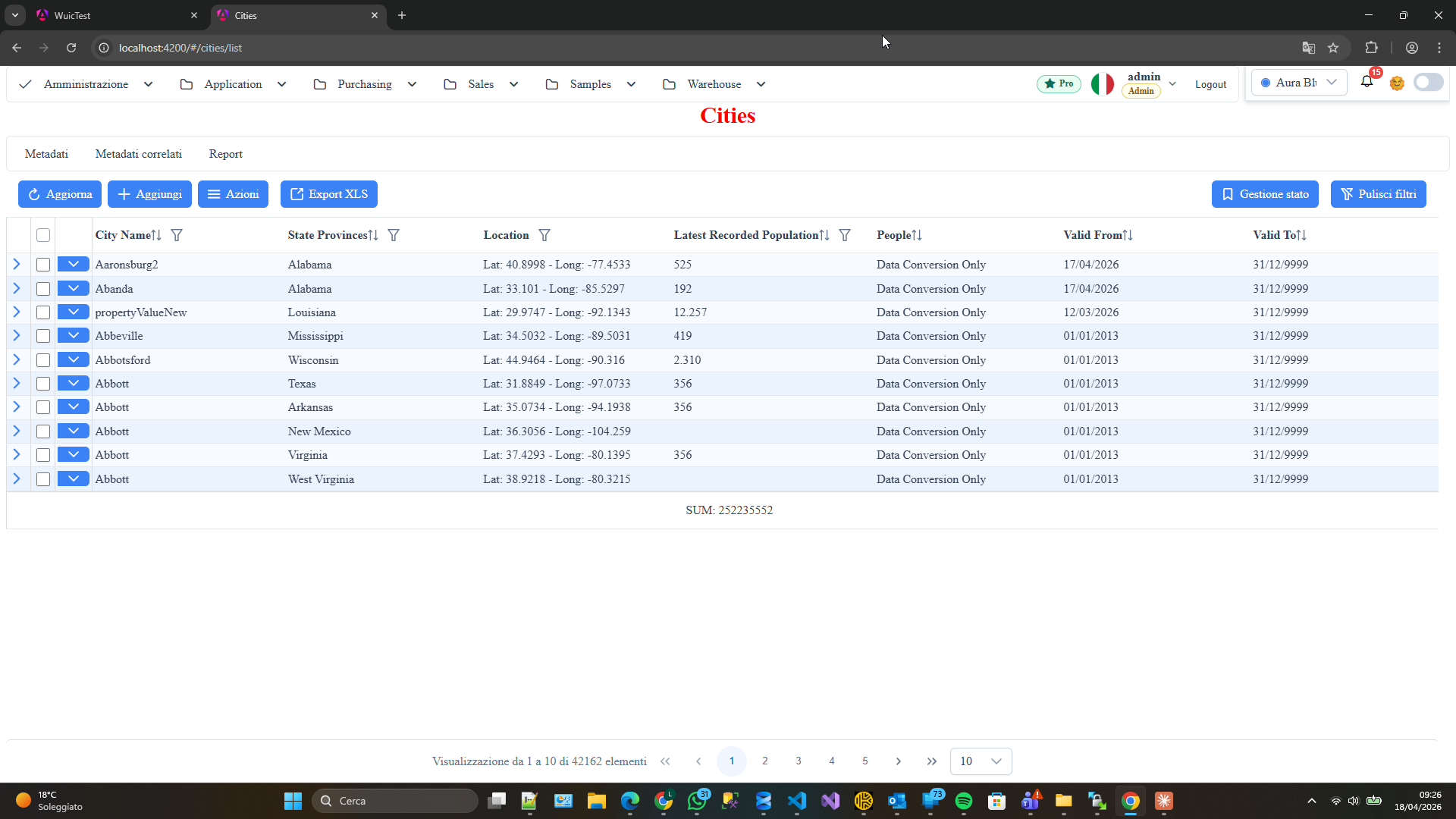
- Cities autogen → opens
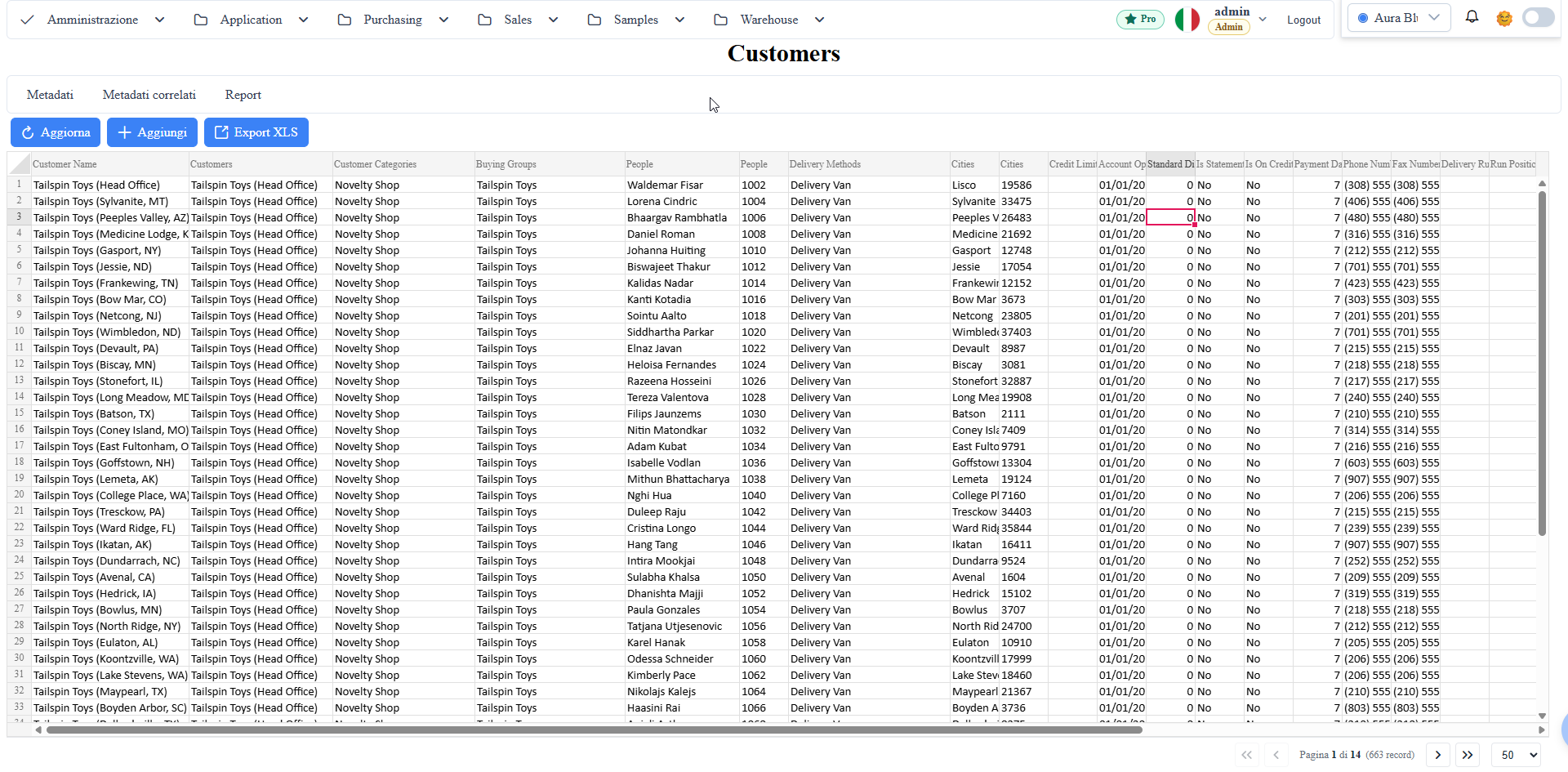
/cities/list(default archetype). Source folder:wwwroot/src/app/component/examples/pattern-1/1a-cities-autogen/. Open demo. - Customers spreadsheet autogen → opens
/customers/spreadsheet(different slug + archetype). Source folder:wwwroot/src/app/component/examples/pattern-1/1b-customers-spreadsheet-autogen/. Open demo.
See Also
- Pattern 2 — Framework data + Custom component: you want to keep the data layer but write the UI by hand.
- Pattern 3 — Framework component + Custom data: you want to keep the standard UX but write the backend.
- Pattern 4 — Full custom: pure Angular + your backend, no components or data layer from the framework.
- Pattern 5 — Framework component + Framework data (manual mount): same data source + same widgets as Pattern 1 but you mount the Angular template (fine control over layout and event handling).
- Designer & Workflow: customize archetype/dashboard without leaving the pattern.
Screenshot