Overview
Authentication & Authorizations
This section covers the login flow and the main authorization levels: access UI, metadata (table/column/menu), and route-guard on the Angular host side.
1) Login
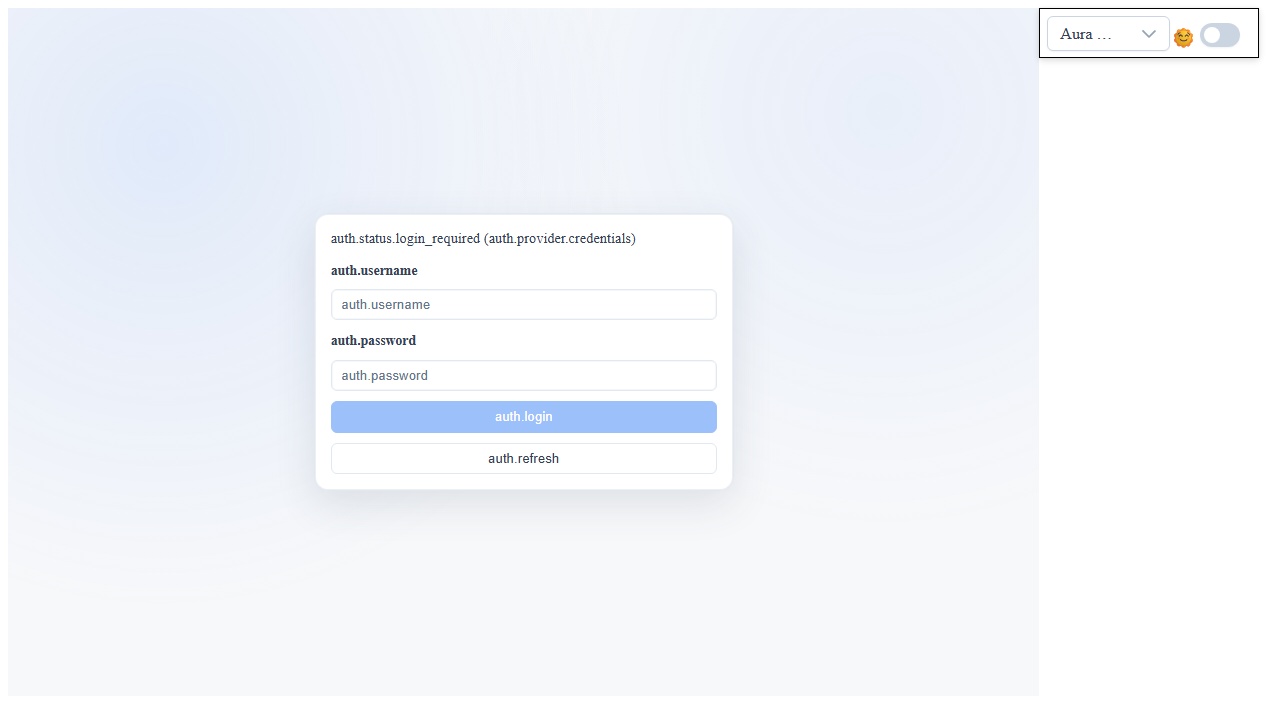
Reference screen:
manual__auth_login__01.png: login screen (username/password + auth actions).
Captcha (enablement):
- Captcha is enabled when both keys are populated:
captcha_public_keycaptcha_private_key- The pre-login configuration is exposed by
GET /api/Meta/AuthConfig(captchaEnabled,captchaSiteKey).
Registration (enablement):
- Registration is exposed in the UI when
registrationEnabled = trueinAuthConfig. - In the backend registration is off by default: it is enabled only with
AppSettings:registrationEnabled = true.default-role-idmust point to an existing role withoutadmin/superadminrights, otherwise registration is refused. - At login, the
Registerlink appears; the register form includes username, email, password, and (if active) captcha.
Password recovery:
- At login, the
Forgot password?link is available. - The reset request uses
MetaService.requestPasswordResetand sends an email with a link containing atoken. - Minimum keys to configure for the email flow:
email-hostemail-portemail-sslemail-useremail-pwdemail-sender-address-registrationsite-url(base URL used to build the reset link).
Recommended AppSettings (extract):
{
  "AppSettings": {
    "captcha_public_key": "your-public-key",
    "captcha_private_key": "your-private-key",

    "registrationEnabled": "true",
    "email-sender-address-registration": "no-reply@your-domain.tld",
Login attempt limit
MetaService.login checks the limit before verifying credentials and captcha. Beyond the limit it answers HTTP 429 errors.auth.login_rate_limited, with the seconds to wait in retryAfterSeconds. The response does not say which limit was hit, so as not to reveal whether the username exists.
- Per user (always on, not configurable): 5 wrong passwords in 5 minutes on the same username lock that user for 1 minute. A successful login resets the counter. Protects against brute force on a single account.
- Per IP (
loginRateLimitPerIpPerMinute, since 1.7.16): maximum number of attempts per minute, successful or not, from the same IP; once exceeded, the IP is locked for 1 minute. Default0= off (also with a non-numeric or negative value). On installations exposed to the internet set it, e.g.30: it is the only defense against credential stuffing, that is many different usernames tried from the same IP, which the per-user limit does not stop. - Exempt IPs (
loginRateLimitExemptIps, since 1.7.16): comma-separated IPs treated like loopback, so never limited or counted. Meant for stress tests that log in hundreds of users from the same IP (a VirtualBox VM in NAT sees the host as10.0.2.2). The match is exact; the IPv4-mapped form::ffff:10.0.2.2is equivalent to10.0.2.2. - Loopback (
127.0.0.1,::1,::ffff:127.x.x.x): never limited. - Both keys are read at every login, so a change applies without a restart if the configuration reloads by itself (otherwise recycle the application pool).
- Up to 1.7.15 the per-IP limit was fixed at 30 attempts per minute, with only loopback exempt.
{
  "AppSettings": {
    "loginRateLimitPerIpPerMinute": "30",
    "loginRateLimitExemptIps": "10.0.2.2, 192.168.1.50"
  }
}
1bis) Admin flag model (server + client)
The framework uses three flags with increasing granularity, evaluated from most restrictive to most permissive:
| Flag | DB source | Scope | Used in |
|---|---|---|---|
isSuperAdmin | ruoli.superadmin (bit) | Maximum privilege: may modify project metadata | Server gate on every metadata mutation (RawHelpers.checkAdmin) + client UI gate (UserInfoService.isUserAdmin / isCurrentUserAdmin) |
isRoleAdmin | ruoli.admin (bit) | Nominal "Administrator" role (e.g. seed id_ruolo=2) | Per-route fallback grant only (does not bypass checkAdmin) |
isAdmin (legacy) | utenti.isAdmin (bit) | Historical per-user flag | Per-route fallback grant only (does not bypass checkAdmin) |
The two applicative semantics:
- "Metadata mutation" gate (scaffolding, board content save, edit column/table metadata, etc.):
- server: RawHelpers.checkAdmin(uid) — throws AuthenticationException("Need administrative rights!") if !user.isSuperAdmin.
- client: UI hides/disables actions read via UserInfoService.isUserAdmin(userLike) which returns userLike.isSuperAdmin.
- About ~40 endpoints are affected.
- Per-route fallback grant (when a table has
md_grant_by_default = falseand no explicit user/role/azienda grant exists):
- server: applyTableRestrictions — grants view/edit/insert/delete if user.hasAdminGrant, where:
hasAdminGrant = isSuperAdmin OR isRoleAdmin OR isAdmin - The cascade is permissive for backward compatibility: a superadmin always passes, but a role with admin=1 or a user with legacy utenti.isAdmin=1 also stays authorized.
The k-user payload (cookie / sessionStorage) after login carries both flags:
{
  "user_id": 100274,
  "user_name": "admin",
  "role": "Admin",
  "role_id": 1,
  "isAdmin": true,
  "isSuperAdmin": true,
Operational notes:
- The legacy
utenti.isAdminflag is still populated on theusermodel but should no longer drive new authorization decisions: preferisSuperAdmin(gate) orhasAdminGrant(permissive fallback). - On the Angular host, the
roleRouteCanMatchGuarduses therolelabel (string"Admin"/"Amministratore"/ etc.) to match againstFRAMEWORK_ROUTE_ROLE_RULES. It is an applicative routing decision, independent of the DB flags.
1ter) AsmxProxy calls: login required by default
Since 1.7.13 every method reachable through /api/Meta/AsmxProxy/{service}.{method} requires a valid session, except those declared anonymous. This applies to MetaService, scaffolding and the application services in WEB_UI_CRAFTER.ProjectData.Servizi.
[AsmxAnonymous](namespaceWEB_UI_CRAFTER.Helpers): method callable without login, such aslogin,me,GetTranslation,registrationStatus.[AsmxAdmin]: method reserved to administrators (superadminrole). Thescaffoldingclass is marked as a whole: all its methods, on every DBMS, are reserved to administrators.[AsmxFirstRun]: anonymous only whilefirstRunistrue, then reserved to administrators.- The proxy only invokes service classes: a fully qualified class name from other namespaces is refused.
An application service that must answer before login has to be marked with [AsmxAnonymous]; otherwise it answers 401 errors.auth.unauthenticated.
Session, logout and user list
- With
enableCookieAuthentication = truethe session token, its expiry and its replacement by a new login are checked server-side on every provider, PostgreSQL and Oracle included. - With
enableCookieAuthentication = "signed"(since 1.7.21) thek-usercookie belongs to the server and is HMAC-signed: several sessions per user as withfalse, but a cookie without a valid signature, expired or edited answers 401errors.auth.unauthenticated. Withfalsethe privileges and role declared in the cookie are compared with the DB at every request. Comparison of the three modes and thecookie-signing-keykey in AppSettings. - The
user_idof thek-usercookie is accepted only if it is an integer; an unreadable cookie answers 401errors.auth.unauthenticated. logoutSession,logoutandlogOutForceact only on the caller's session; closing another user's session requires administrator rights.- The user list no longer returns the session token and IP: client code must not rely on them.
2) Authorization Metadata: Tables, Columns, Menu
Screens taken from existing metadata documentation:
metadata-integration__metadata-editor-auth-table__desktop.png: table authorizations.metadata-integration__metadata-editor-auth-table-edit-popup__desktop.png: table authorization edit popup.metadata-integration__metadata-editor-auth-column__desktop.png: column authorizations.metadata-integration__metadata-editor-auth-column-edit-popup__desktop.png: column authorization edit popup.metadata-integration__metadata-menu-management__desktop.png: metadata menu management.metadata-integration__metadata-menu-management-edit-popup__desktop.png: menu item edit popup.
Metadata involved:
_Metadati_Utenti_Autorizzazioni_Tabelle: view/edit/insert/delete permissions at the route/table level._Metadati_Utenti_Autorizzazioni_Colonne: field-level permissions (e.g., editability/required per role or user)._metadati__menu: menu item visibility/navigation in combination with route permissions.md_record_restriction_key_user_field_list(route): per-user, per-role or per-company record restriction for non-admin users. It applies to reads (grids, lookups, OData) and, since 1.7.21, to writes too:updateRecord,deleteRecordanddeleteRecordByIDon a row the restriction hides from the user return 403errors.auth.route_read_forbidden(reasonrow_not_visible); before, the UPDATE/DELETE WHERE clause only contained the key. Same rule over OData (404): see OData.
3) Route-Guard Usage (Host Project)
Objective: block reserved routes based on user roles and redirect to /unauthorized.
Host files to modify (WuicTest example):
C:\src\Wuic\WuicTest\wwwroot\src\app\routing\route-role-map.tsC:\src\Wuic\WuicTest\wwwroot\src\app\routing\role-route.guard.tsC:\src\Wuic\WuicTest\wwwroot\src\app\wuic-bridges\routes.tsC:\src\Wuic\WuicTest\wwwroot\src\app\app.routes.tsC:\src\Wuic\WuicTest\wwwroot\src\app\component\unauthorized\unauthorized.component.ts
Example 1: role/route rules map
export const FRAMEWORK_ROUTE_ROLE_RULES: RouteRoleRule[] = [
  { key: 'designer', routePattern: 'designer', roles: ['admin'] },
  { key: 'workflow-designer', routePattern: 'workflow-designer', roles: ['admin'] },
  { key: 'dashboard', routePattern: ':route/dashboard', roles: ['admin'] },
  { key: 'report-designer', routePattern: ':route/report-designer', roles: ['admin'] }
];
Example 2: attaching guards to routes
{
  path: ':route/dashboard',
  loadComponent: () => import('wuic-framework-lib-src/component/designer/designer.route.component').then((m) => m.DesignerRouteComponent),
  canMatch: [menuRouteAccessCanMatchGuard, roleRouteCanMatchGuard],
  canActivate: [menuRouteAccessCanActivateGuard, roleRouteCanActivateGuard],
  data: { breadcrumbs: 'dashboard', roleRuleKey: 'dashboard' }
}
Example 3: redirect to unauthorized page
return router.createUrlTree(['/unauthorized'], {
  queryParams: { from: attemptedPath || '/' }
});
Operational notes:
roleRuleKeyinroute.datais preferable when the route contains dynamic parameters.- As a fallback, the guard can use
route.pathfor direct match. - The
unauthorizedpage must be registered in the host routes and show the requested route (queryParam from).
Screenshot