Overview
Widget Button
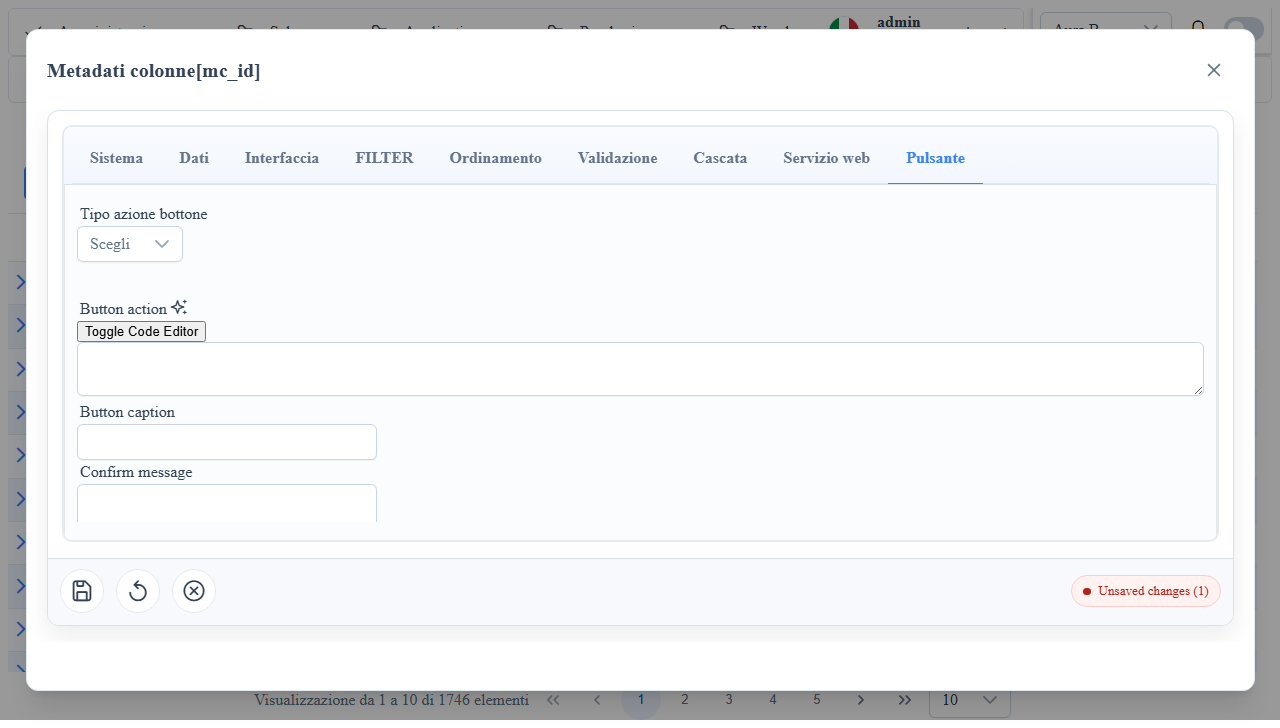
Action column widget with a dedicated Button tab in the column metadata-editor.
When to Use It
- Custom actions at record level in list/edit.
- Callback triggers with user confirmation.
- Button rendering with custom template/icon.
Column Metadata Properties (Button tab)
mc_button_action_type: button action type.mc_button_action: callback/function executed on click.mc_button_caption: button text.mc_button_tooltip: tooltip.mc_button_confirm_message: pre-execution confirmation.mc_button_executed_message: post-execution message.mc_button_image: button icon/image.mc_button_template: custom HTML template.mc_button_visibility_condition: conditional visibility rule.
Useful mc_props_bag
Snippet 1JSON
{
  "style": {
    "editCss": "min-width: 180px;"
  },
  "form": {
    "columns": 1,
    "disabled": false
style.editCss: layout control in the form.form.disabled: widget disabling at runtime.
Client/Server Effects
- Client: shows/hides button, confirms, invokes callback.
- Server: depends on the callback (may trigger API/business actions).
Operational Notes
- Always validate
mc_button_visibility_conditionto prevent actions on unauthorized records. - Keep
mc_button_actionidempotent when possible.
Screenshot