Overview
In Memory CRUD
This mode saves records from the current route in IndexedDB (Dexie), allows in-memory CRUD operations, and then synchronizes to the real DB.
Screenshot Reference (User Manuals)
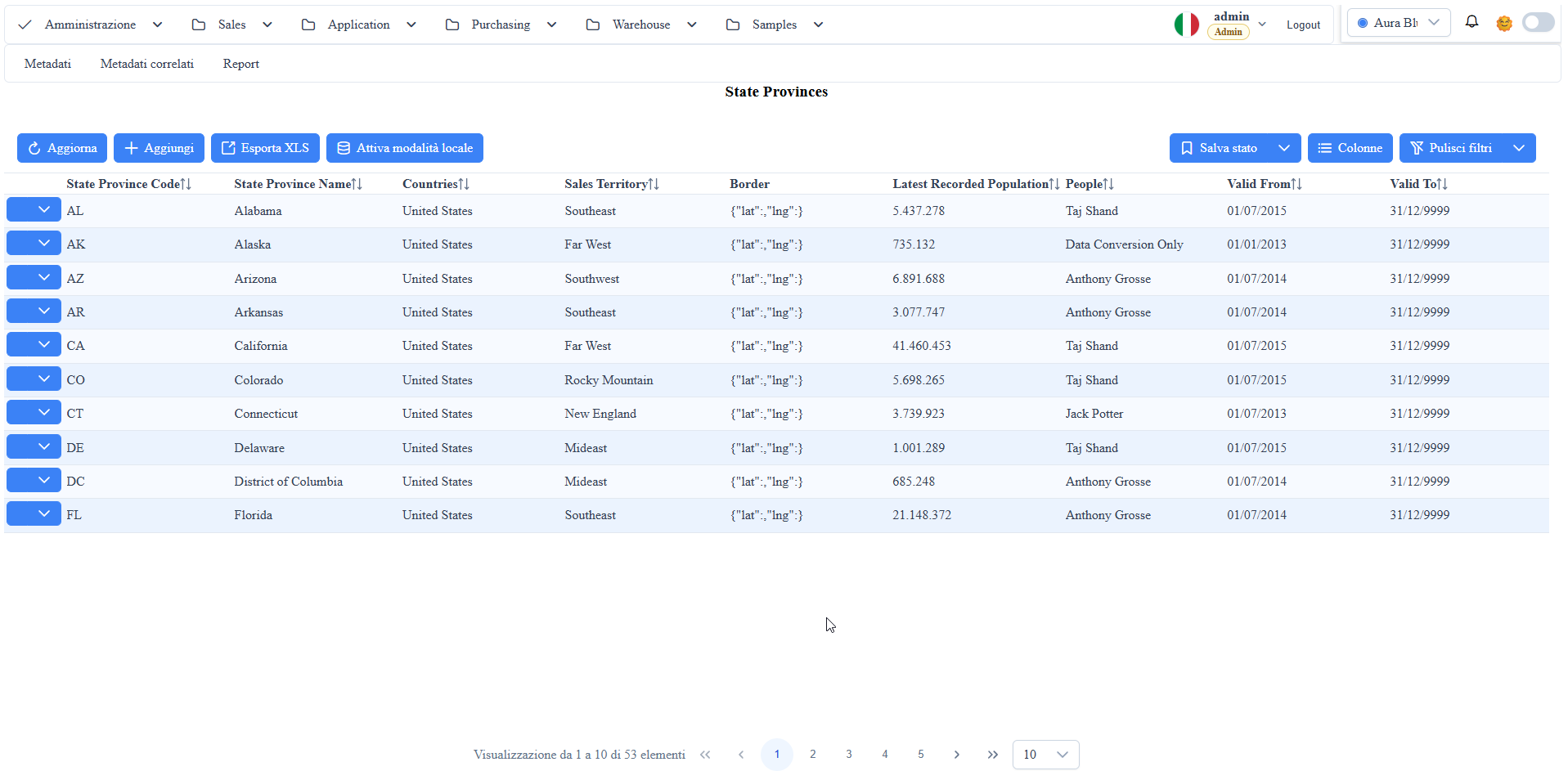
manual__in_memory_crud__01.png: in-memory CRUD mode activation from the list grid toolbar.manual__in_memory_crud__02.png: mode closure actions (SyncandDisable without sync).
Activation from Metadata
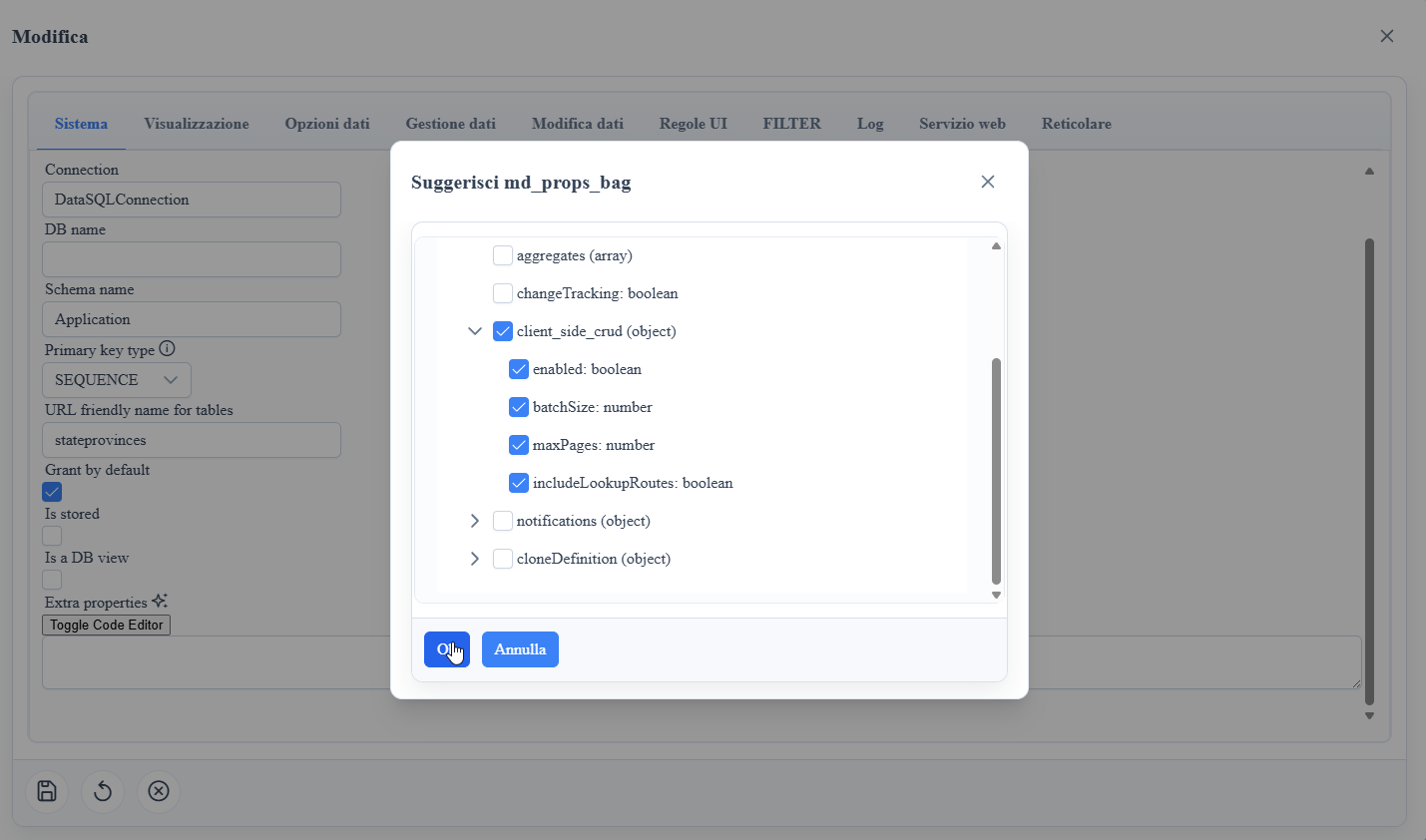
In the table's md_props_bag add:
Snippet 1JSON
{
  "client_side_crud": {
    "enabled": true,
    "batchSize": 200,
    "maxPages": 20,
    "includeLookupRoutes": true
  }
Operational notes:
- the feature is detected from
tableMetadata.extraProps.client_side_crud; - the
md_props_bagsuggest now exposes a dedicatedclient_side_crudsection in the checkable tree; batchSizeandmaxPagescontrol the initial paginated loading;includeLookupRoutesalso includes related lookup routes in the local cache.
Runtime Behavior
When you enable the mode:
- the framework loads the route's records (and optionally lookup route records) into
WuicClientSideCrudDB; insert/update/deleteoperations work locally and mark records asdirty;- the grid continues to use filters/sort/paging, but data comes from the local database.
Sync and Mode Closure
In List Grid the following buttons are available:
Enable(enables in-memory CRUD),Sync(synchronizes to backend and disables),Disable without sync(discards local changes and disables).
During sync, the framework applies operations in order:
1. insert
2. update
3. delete
Upon completion, it cleans the local route cache and reloads data from the backend.
Main Methods
enableClientSideCrud()disableClientSideCrud()disableClientSideCrudWithoutSync()
These methods are exposed by the datasource and used directly by the list grid toolbar.
Screenshot