Overview
Application Menu
Application navigation menu management through metadata, with desktop/mobile support and hierarchical structure.
Screenshot Reference (User Manual)
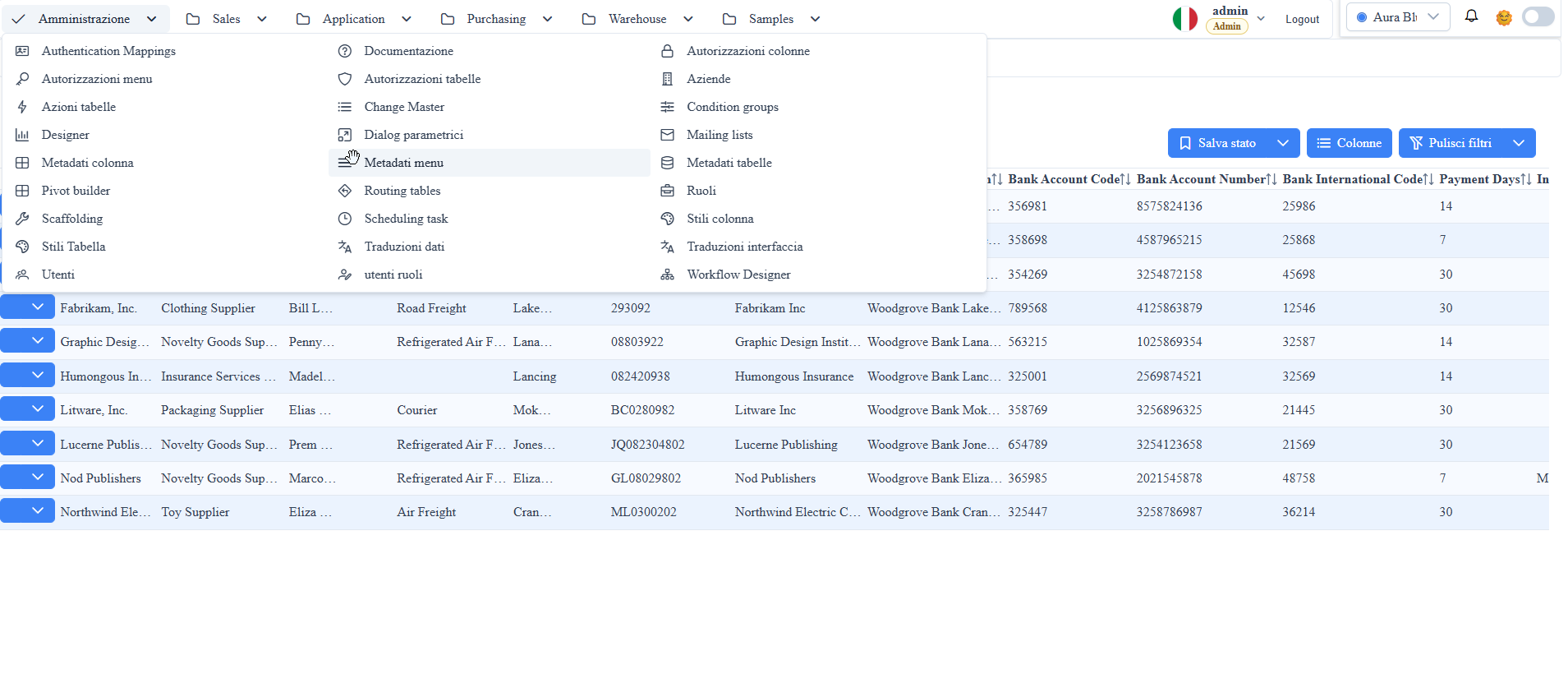
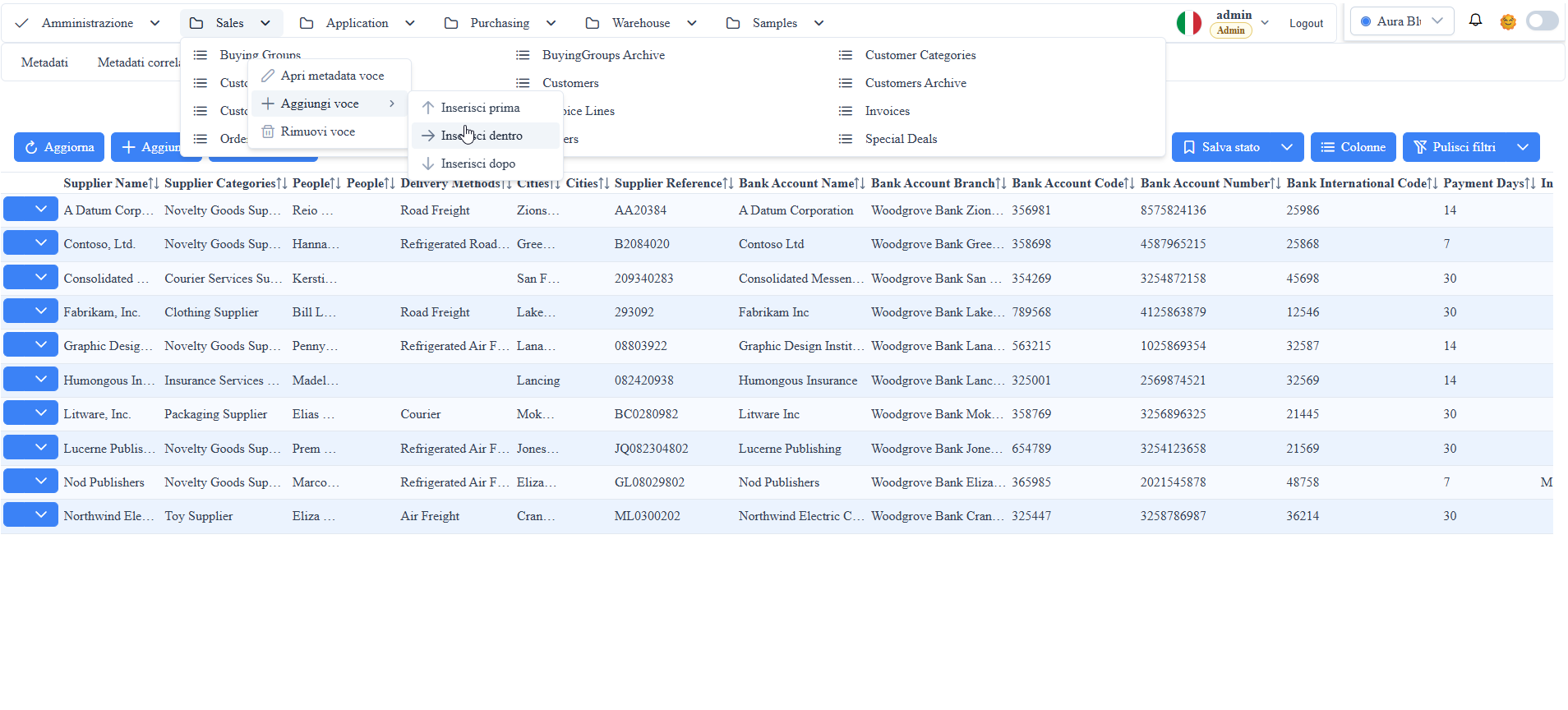
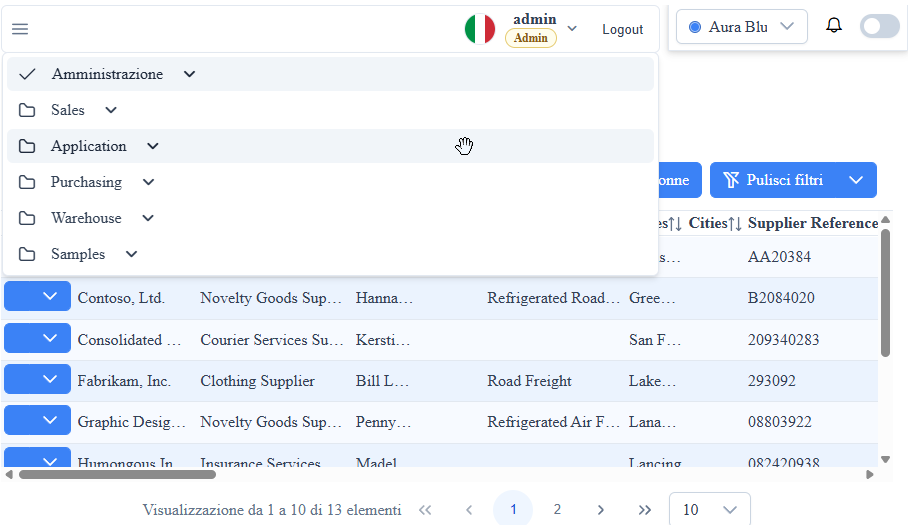
manual__menu__01.png: administration menu (menu_amministrazione).manual__menu__03.png: menu rendering in mobile version.manual__menu__02.png: application menu example with group expansion and items / editing.
Menu Metadata (_metadati__menu)
Description:
the menu metadata table defines hierarchy, ordering, labels, routes, and icons of navigation items.
mm_id: unique menu item identifier.mm_parent_id: item parent (for multi-level tree).mm_ordine: display order among siblings.mm_display_string_menu: text displayed in UI.mm_uri_menu: route/URI associated with the item click.md_id: optional link to the metadata route (_metadati__tabelle).mm_icon: item icon (Prime/theme icon class).mm_props_bag: JSON extensions for custom behavior.
Result:
- same menu model for desktop and mobile shell;
- consistent navigation entirely governed by metadata;
- ability to extend behavior without changing core code.
Recommended Operational Rules
- Use
mm_parent_idto group items in logical sections (e.g., Administration, Sales, Application). - Keep
mm_ordineprogressive to avoid ordering gaps. - Populate
mm_uri_menuwith valid routes (#/...) to avoid non-navigable items. - Use
mm_props_bagfor specific UI options without frontend hardcoding.
Runtime Rendering
- The menu component reads the metadata and builds the navigation tree.
- On desktop, it uses a horizontal menu with dropdown.
- On mobile, it applies a compact/collapsible layout maintaining the same logical structure.
Menu Editing (Admin)
For admin users, the menu editing mode is available directly in the UI: through the context menu you can create/modify/delete items, while with drag & drop you can reorder the hierarchy (parent/sibling) updating the metadata structure in a guided manner.
Screenshot