Overview
Component Injection
Iniezione dinamica di componenti e contenuti custom nel layout.
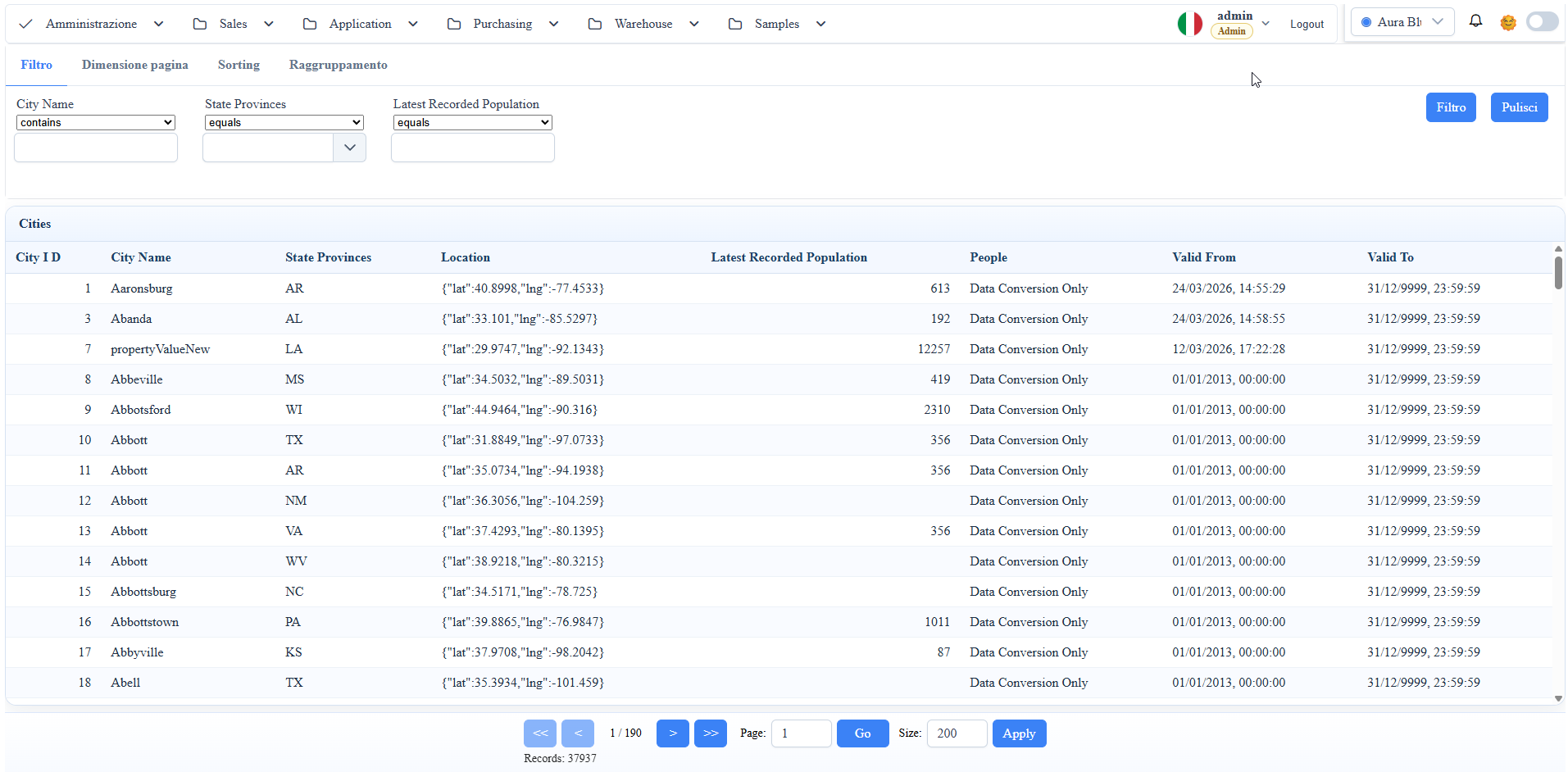
Screenshot reference (manuale utente)
manual__custom_component__01.png: esempio integrazione runtime di custom component nel progetto host.
Obiettivo
Usare componenti Angular custom definiti nel progetto host (es. WuicTest) senza modificare il core runtime del framework.
Esempio 1: registrare un archetype custom (databound)
Riferimento host: WuicTest/wwwroot/src/app/app.component.ts.
Descrizione:
registri un componente host dentro gli archetype del framework, cosi puo essere usato come widget metadata-driven.
import { MetadataProviderService } from './wuic-bridges/core';
import { CustomListComponent } from './component/custom-list/custom-list.component';

MetadataProviderService.widgetDefinition.archetypes['customlist'] = {
  component: CustomListComponent,
  designerOptions: null
};MetadataProviderService.customDesignerComponents = [CustomListComponent];
MetadataProviderService.customDesignerTools = [
{
group: 'DATA',
toolId: -1,
name: 'TOOL_X',
tag: `<app-custom-list [attr.id]="uniqueName" [attr.title]="uniqueName" [datasource]="inputs.datasource?.component"></app-custom-list>`,
Risultato:
- l'archetype
customlistdiventa disponibile runtime/designer; - il componente host viene istanziato dal framework come widget databound.
Esempio 2: aggiungere un tool custom nel designer
Riferimento host: WuicTest/wwwroot/src/app/app.component.ts.
Descrizione:
registri il componente e il tool di designer che genera il tag custom con binding al datasource.
metaMenuComponent: any = null;
notificationBellComponent: any = null;

private async loadShellWidgets(): Promise<void> {
  const [ui, notifications] = await Promise.all([
    import('./wuic-bridges/ui'),
    import('./wuic-bridges/notifications')
<ng-container *ngIf="metaMenuComponent" [ngComponentOutlet]="metaMenuComponent"></ng-container>
<ng-container *ngIf="notificationBellComponent" [ngComponentOutlet]="notificationBellComponent"></ng-container>
Risultato:
- compare un tool custom nella toolbox designer (
group: DATA); - il tag custom viene serializzato nel boardcontent con binding al datasource scelto.
Esempio 3: shell-level injection con NgComponentOutlet
Riferimento host: WuicTest/wwwroot/src/app/app.component.ts + app.component.html.
Descrizione:
lazy-load dei componenti shell nel TypeScript e rendering dinamico nel template host.
Template correlato:
Risultato:
- il componente viene lazy-loaded dal progetto host;
- l'istanza viene renderizzata dinamicamente nel layout shell.
Note operative
- Registrare archetype/tool in fase bootstrap (
app.component) prima di usare le route docs/app. - Usare nomi archetype stabili (
customlist) per evitare mismatch nel boardcontent serializzato. - Per componenti host custom, verificare che siano
standaloneo correttamente importati nel modulo host.
Screenshot