Who it is for
- HR office and HR administrator: employee records, jobs, hiring and termination, company setup, work lists with everything expired or to be scheduled.
- Occupational physician: list of workers to call in, health sessions, prescriptions, fitness-for-work assessments.
- Training manager: courses required by job, sessions to schedule, periodic refreshers.
- Line managers (tutors) and supervisors: requests from their team (leave, permits, business trips...), expense reports, shifts, appraisals, checks they are responsible for.
- Employees: their own requests, expense reports and deadlines.
Each profile sees only its own scope: the HR office the company it is working on, the tutor themself and their team, the employee only their own data.
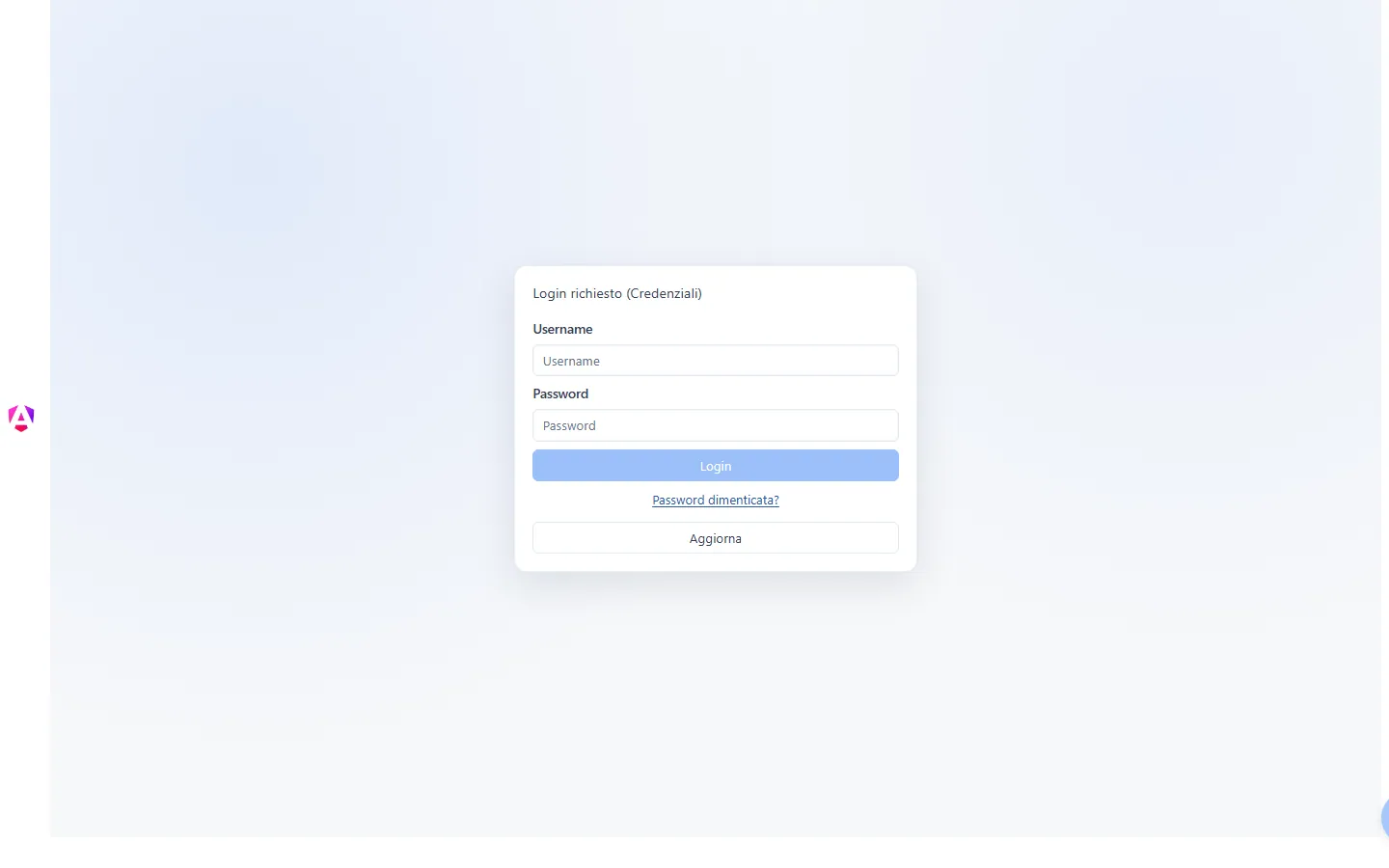
Home per role and "To handle"
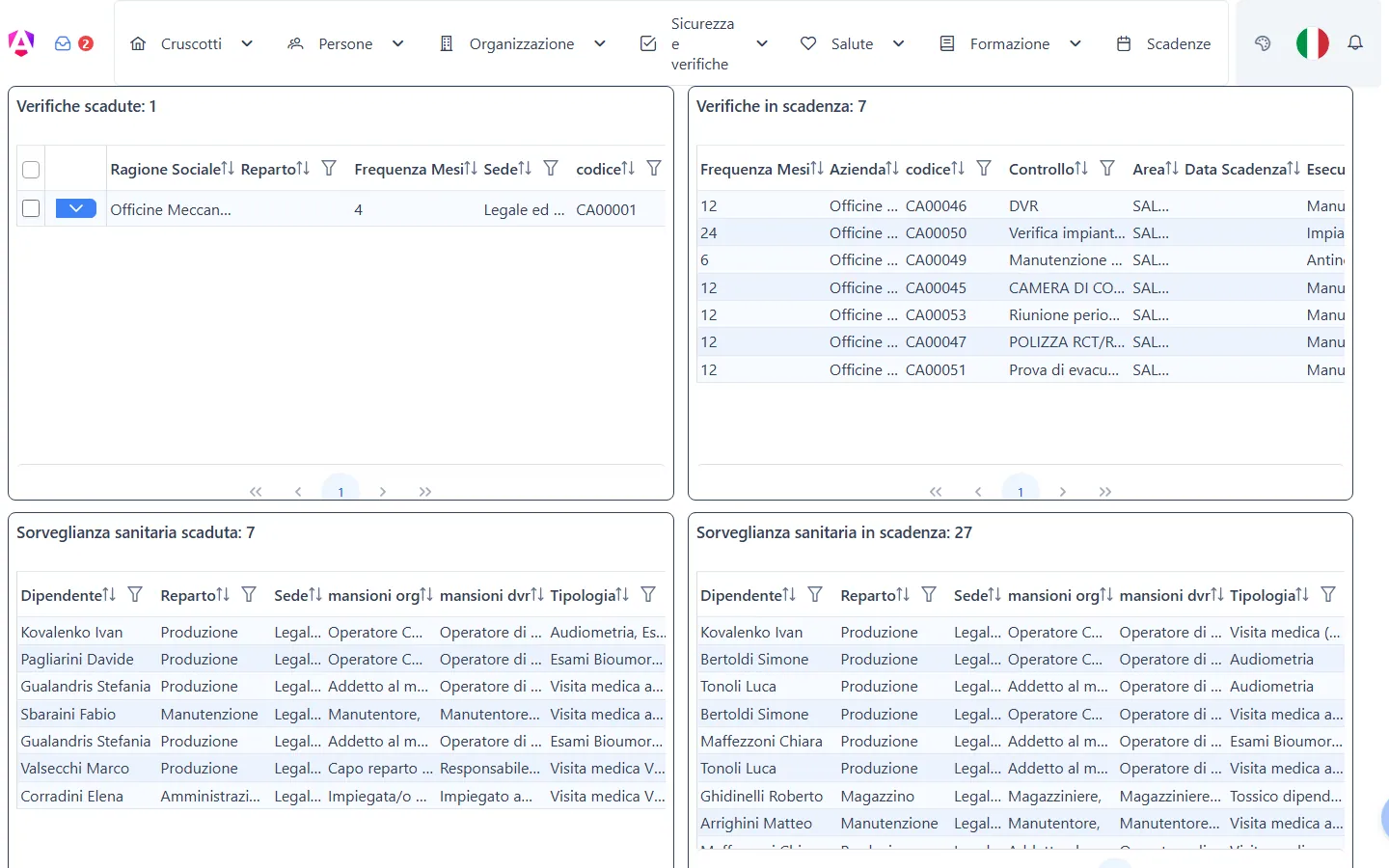
- After signing in, every user lands on a home built for their role: HR management, supervisor, employee, occupational physician, training manager (five homes in all).
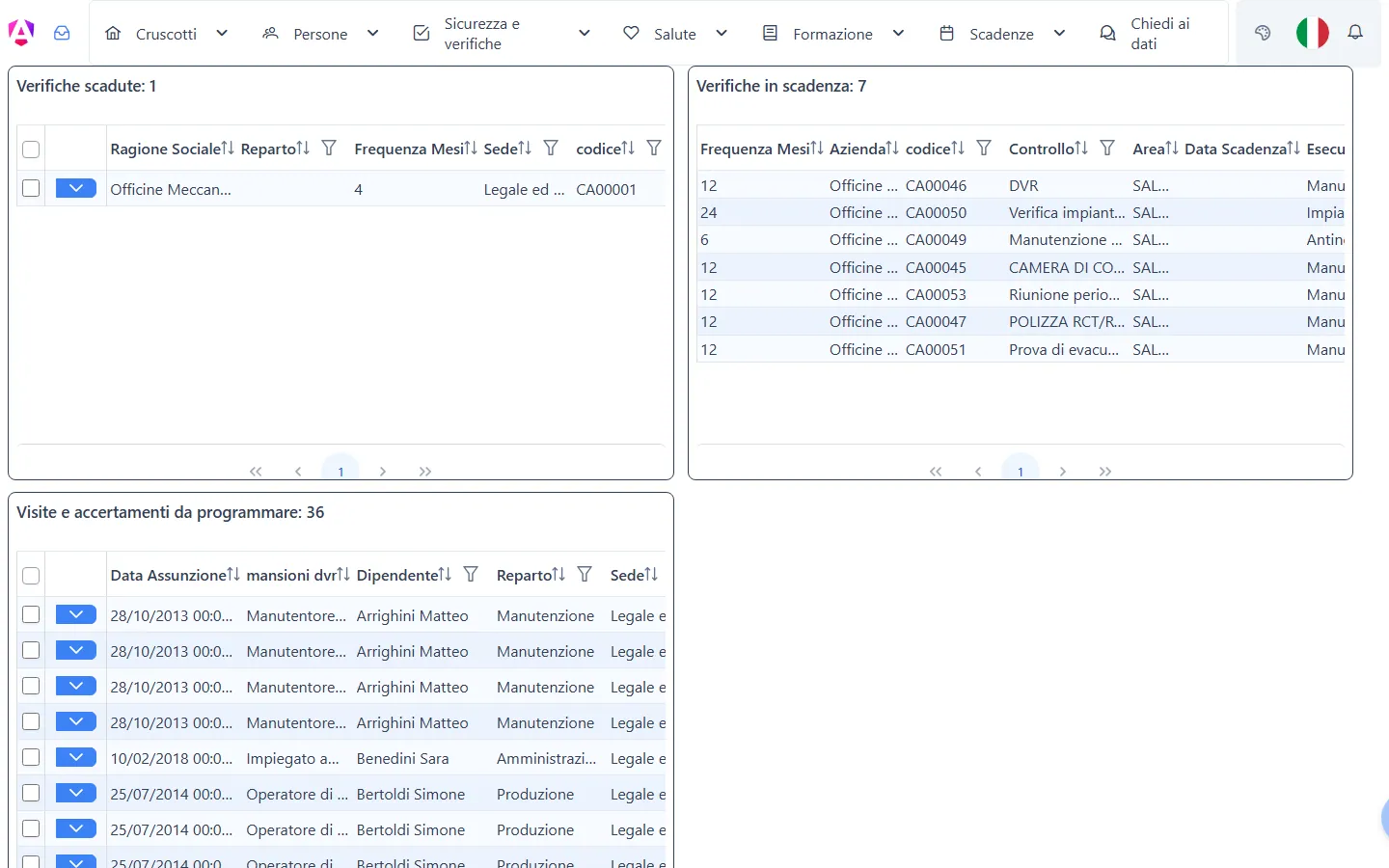
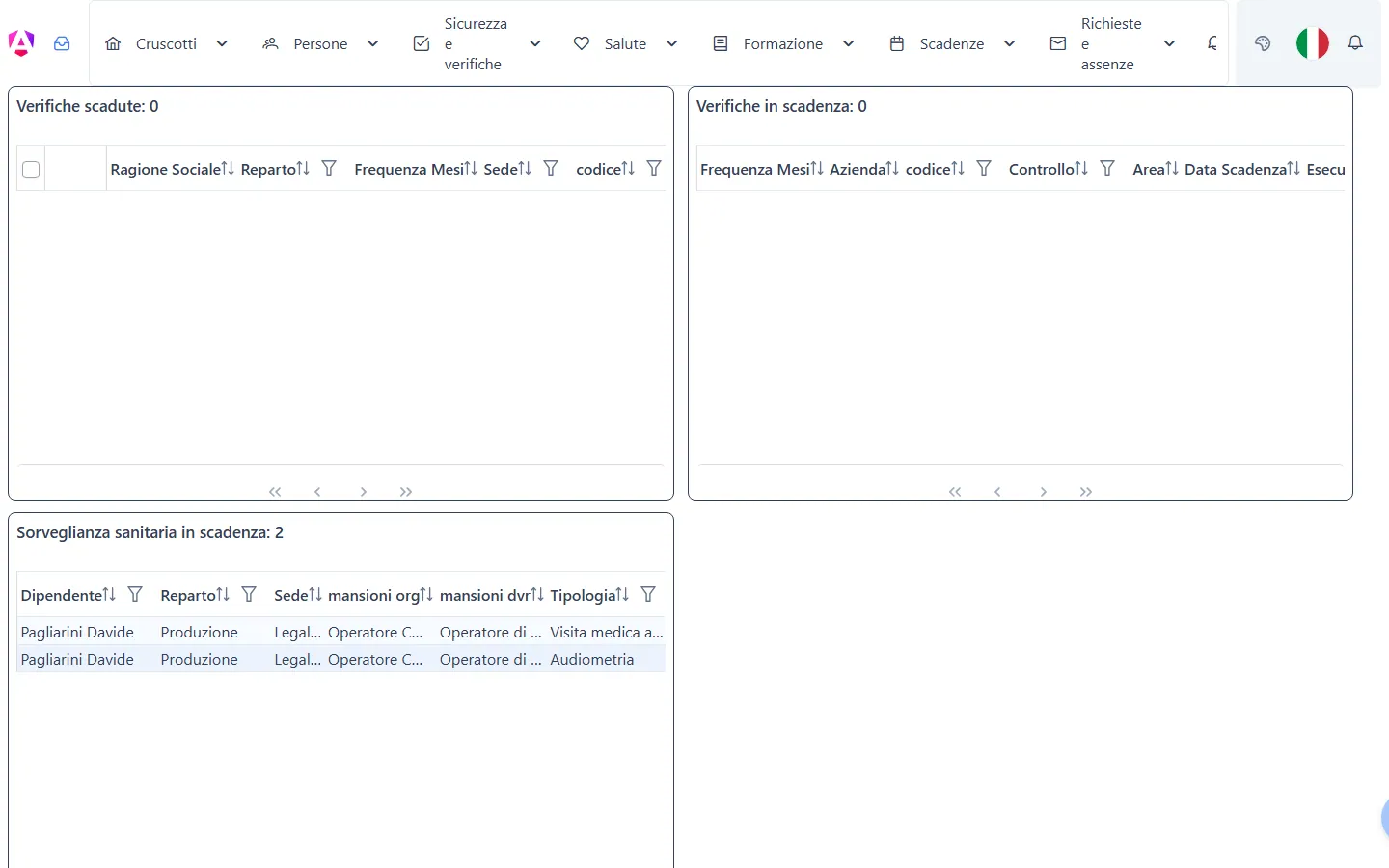
- Each box on the home is a list with the number of rows in its title: expired checks, checks coming due, expired or upcoming health surveillance, driving licences expiring, appraisals to do. Each box links to the full list.
- The physician's home shows, instead of the company deadlines, their own list of workers to schedule.
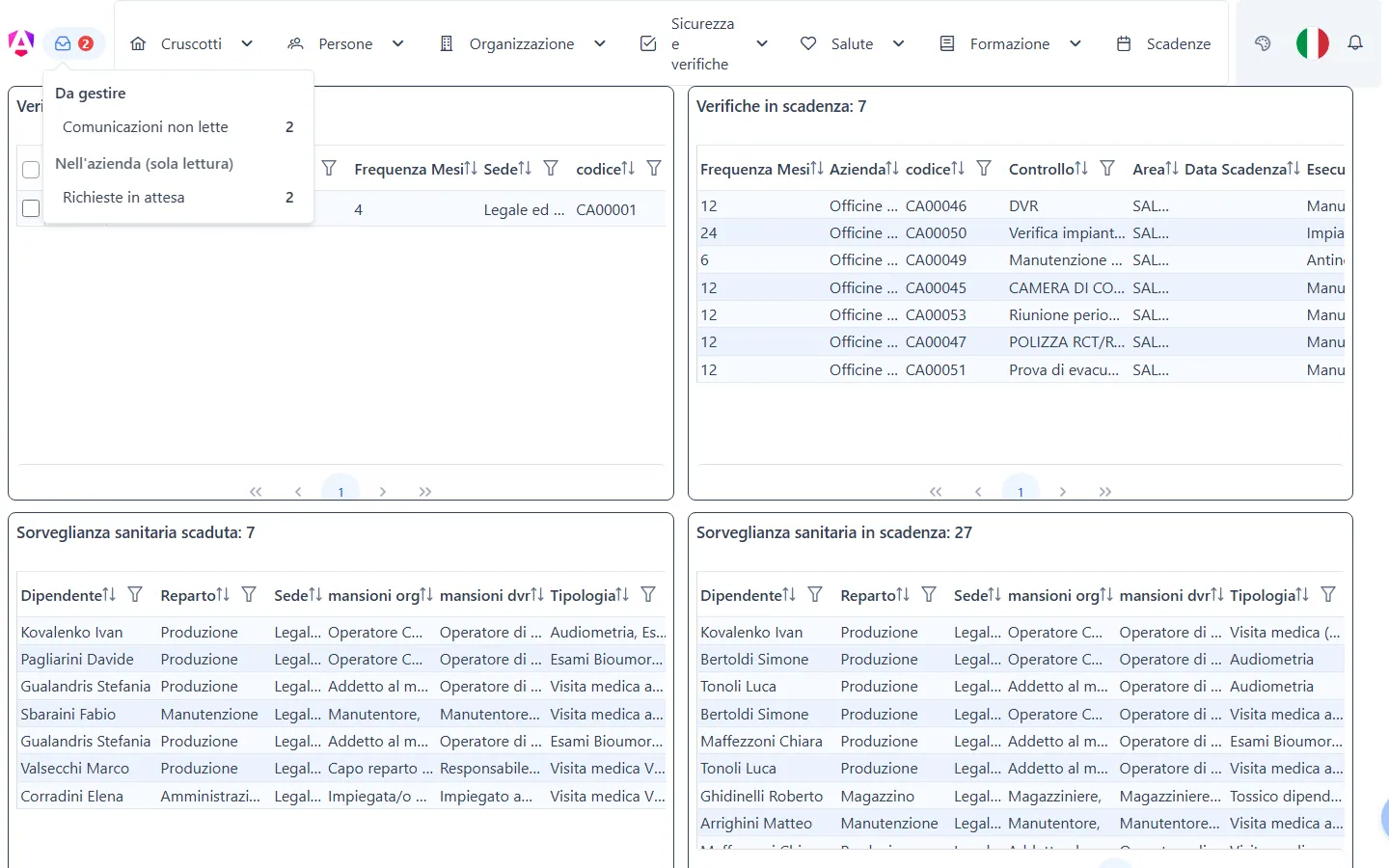
- In the top left, the To handle icon sums up with a counter what is waiting for the user's decision: requests to authorize or confirm, expense reports to decide, unread messages, appraisals to do. The HR office also gets a read-only section with the requests pending in the company.
Records: companies, employees, jobs
- Several companies in the same installation: the administrator and the HR office choose the company to work on; lists, counts and prints follow the chosen company.
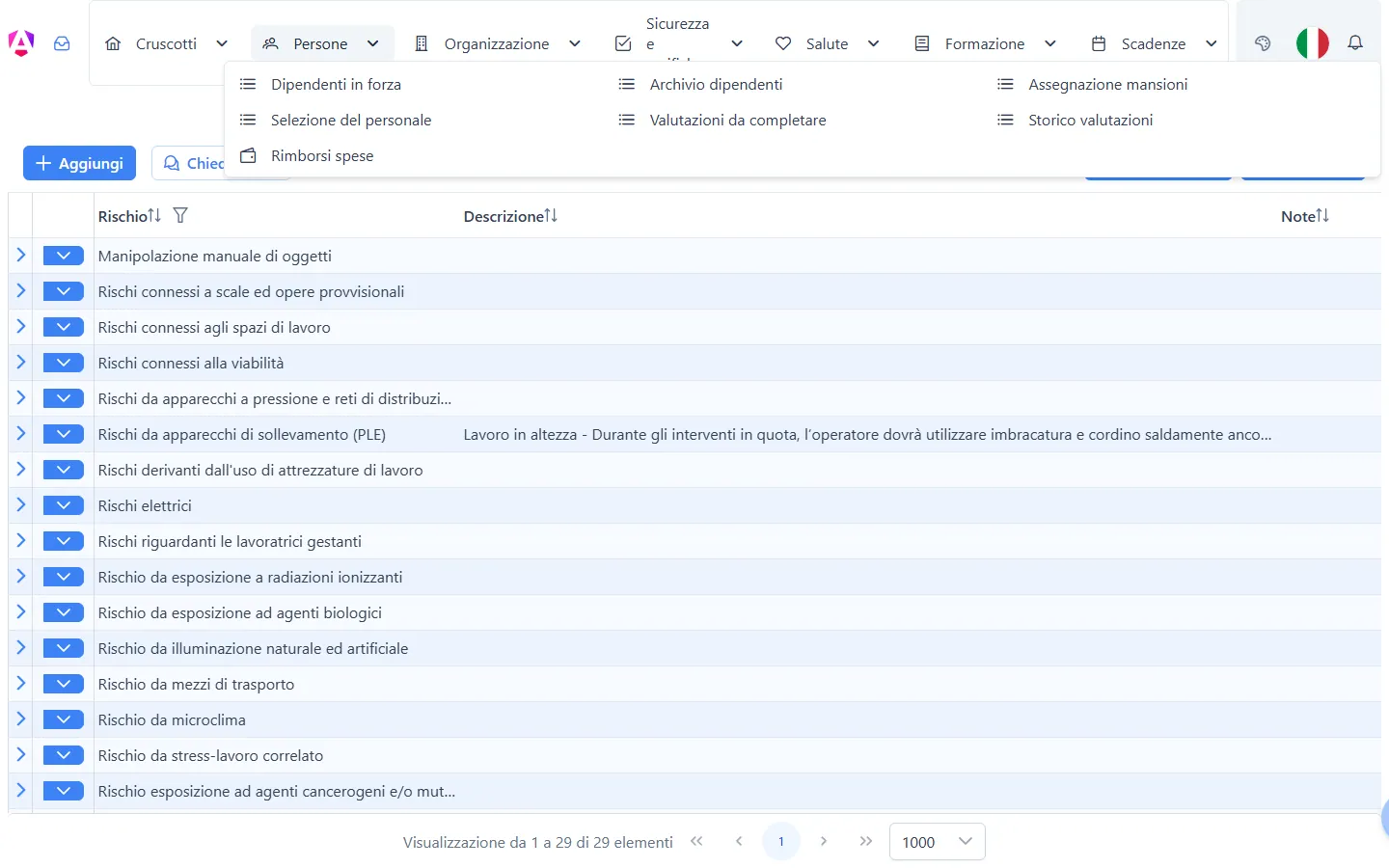
- Employees: complete record (personal data, contract, department, line, qualification, driving licence, residence documents for non-EU workers, photo and attachments). Each employee opens in tabs: qualifications, risks, training, physician visits, medical tests, vaccinations, mandatory notifications (Unilav) and documents.
- Checked tax code: the application verifies the Italian tax code entered (including homocode cases), proposes one calculated from the personal data and prevents the same code twice in the same company.
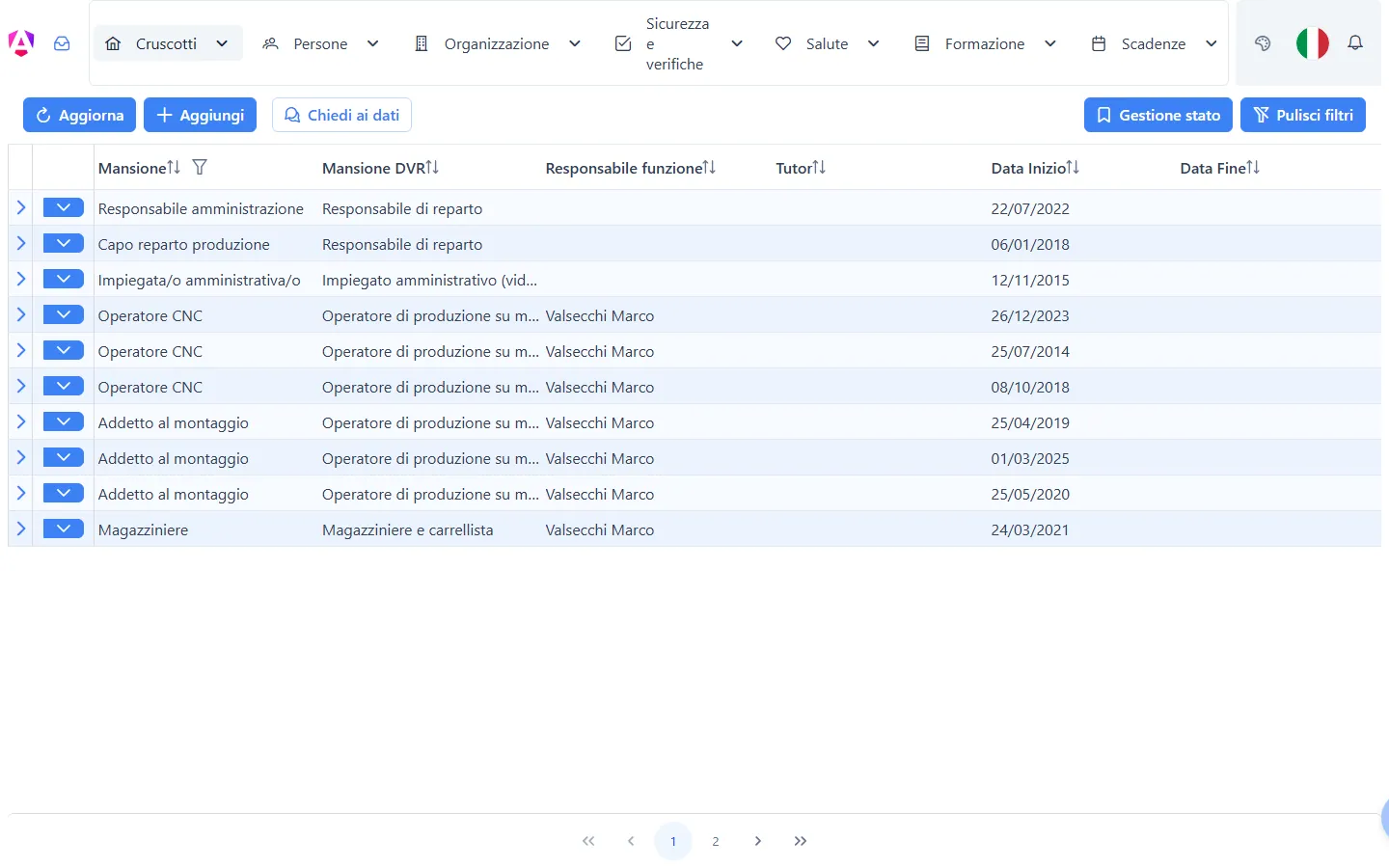
- Employee jobs: organizational job and risk-assessment (DVR) job, line manager and tutor, start and end date. A job change updates the obligations by itself (see below).
- Termination in one step: closes open jobs at the termination date, cancels visits and courses not yet done and removes them from sessions, cancels open requests and appraisal cycles, frees the shifts and disables the user. The history stays available (Employee archive).
- Recruitment: list of candidates with the interview outcome, separate from the employee records.
- Employee access: when an employee is created with an email address, the application sends an invitation with a personal, expiring link to choose their own password.
Risks, PPE and the obligations they create
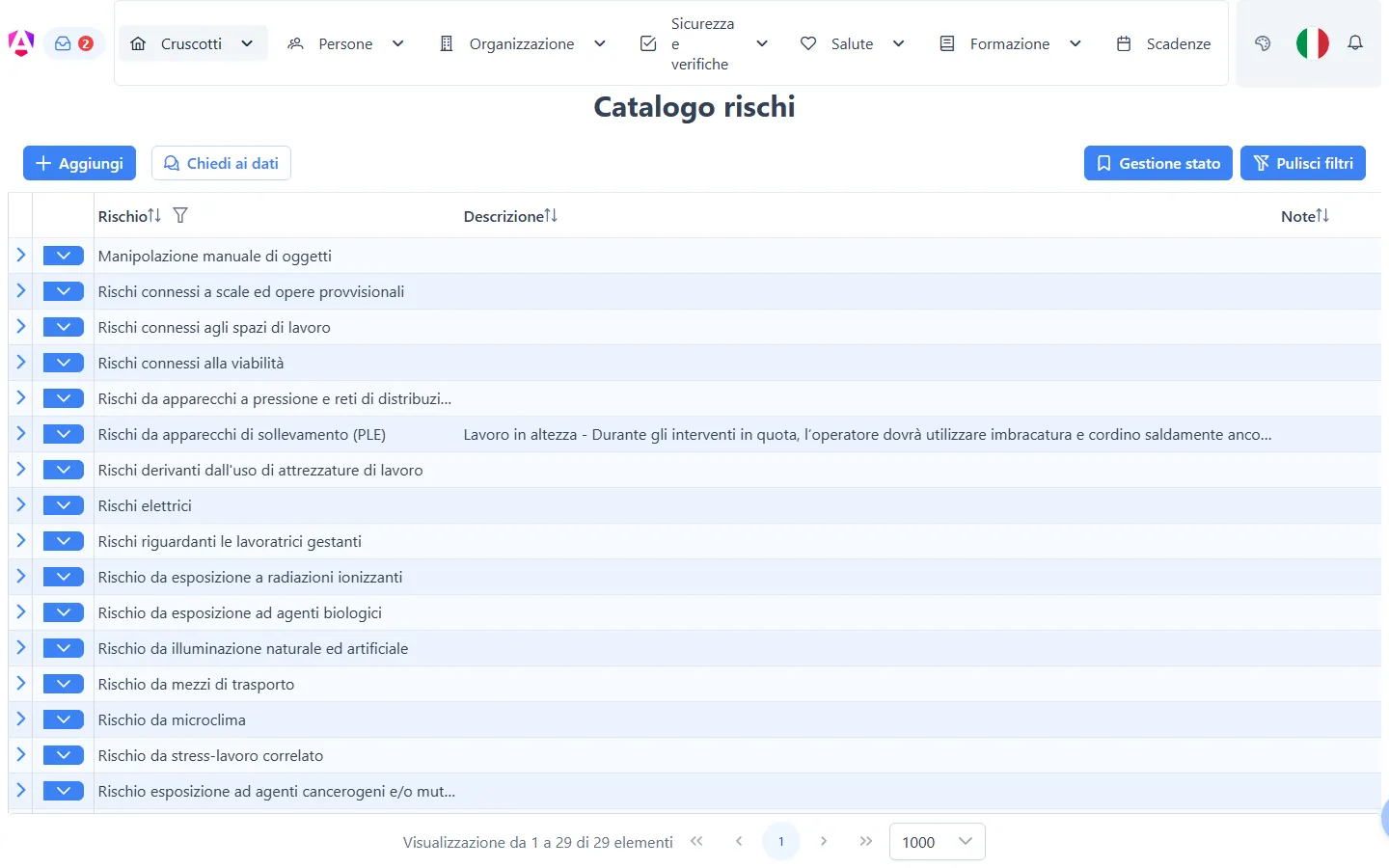
- Risk catalogue with description and notes, linked to jobs and departments.
- PPE with protection provided, reference standard and technical features, assigned by department and by risk.
- Obligations calculated automatically: when an employee gets a job (or changes department), the application derives from job, department and risks the visits, tests, vaccinations and courses they need, and lists them with the status "to schedule". Tests take sex and minimum age into account when required.
- Nightly realignment: every night a scheduled job rechecks all employees and aligns the obligations with jobs and settings changed in the meantime, without duplicating those already present.
- Unassigned jobs: a dedicated list flags configured jobs with nobody assigned.
Health surveillance
- Catalogues of visits, tests and vaccinations with the default frequency in months.
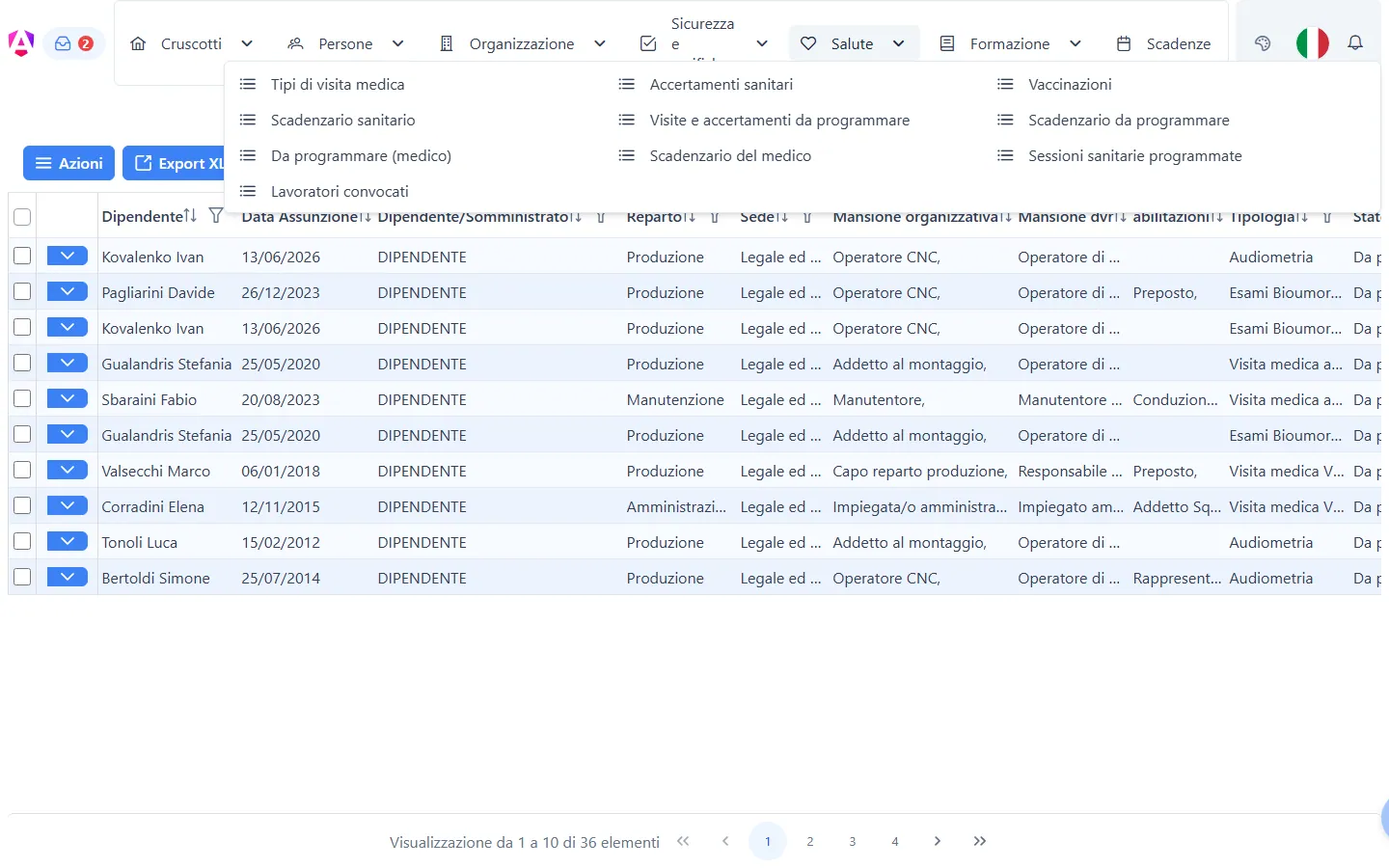
- Health work lists: visits and tests to schedule, health schedule, upcoming and expired surveillance, scheduled health sessions, workers called in; the physician has their own versions of the lists to schedule.
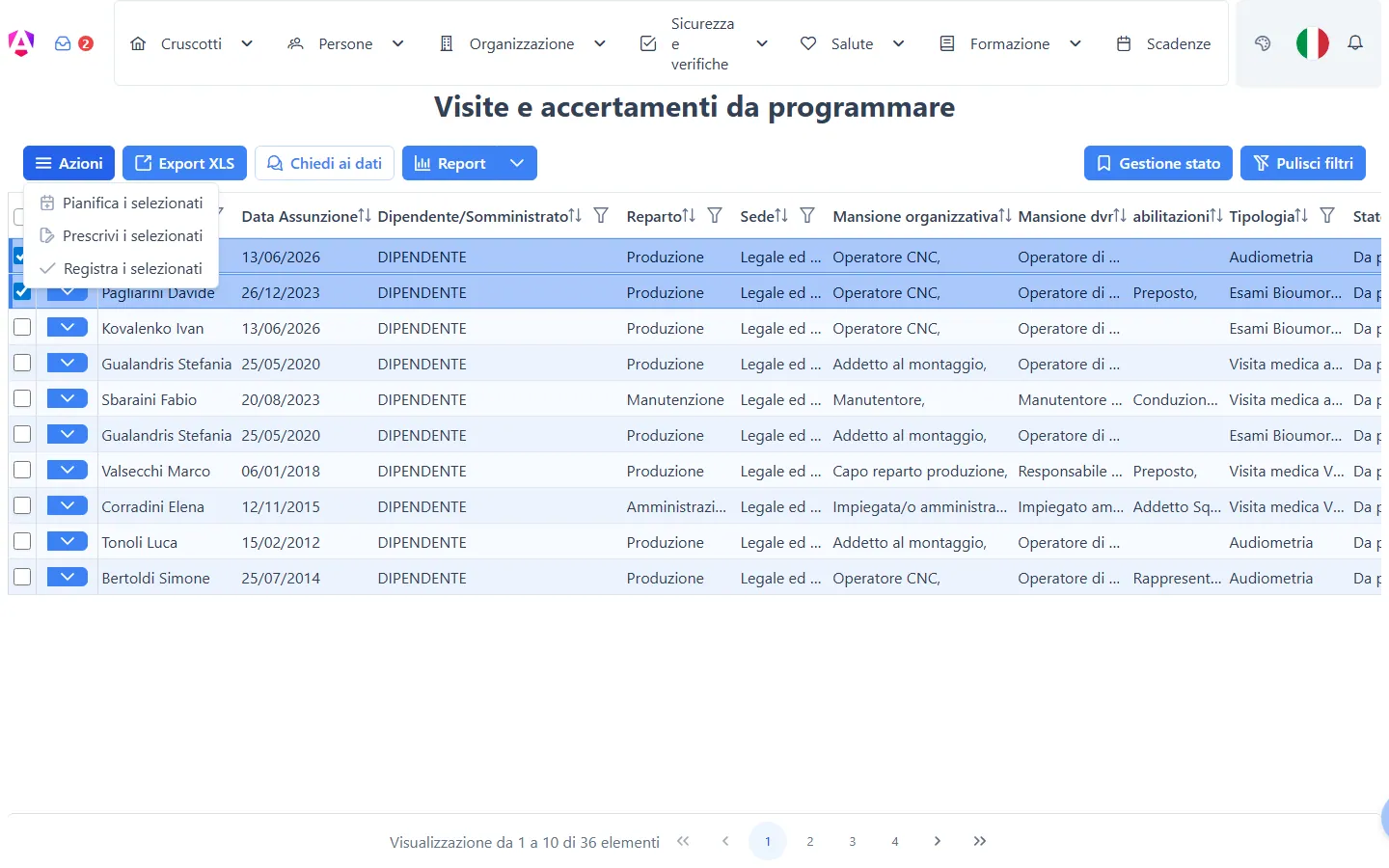
- From the list to the sessions: select the workers and, under Actions, choose Schedule selected (creates or completes a health session with date, physician and place), Prescribe selected or Record selected (marks the visit as done).
- Next deadline calculated: once a visit or a test is recorded, the application calculates the next one from the frequency.
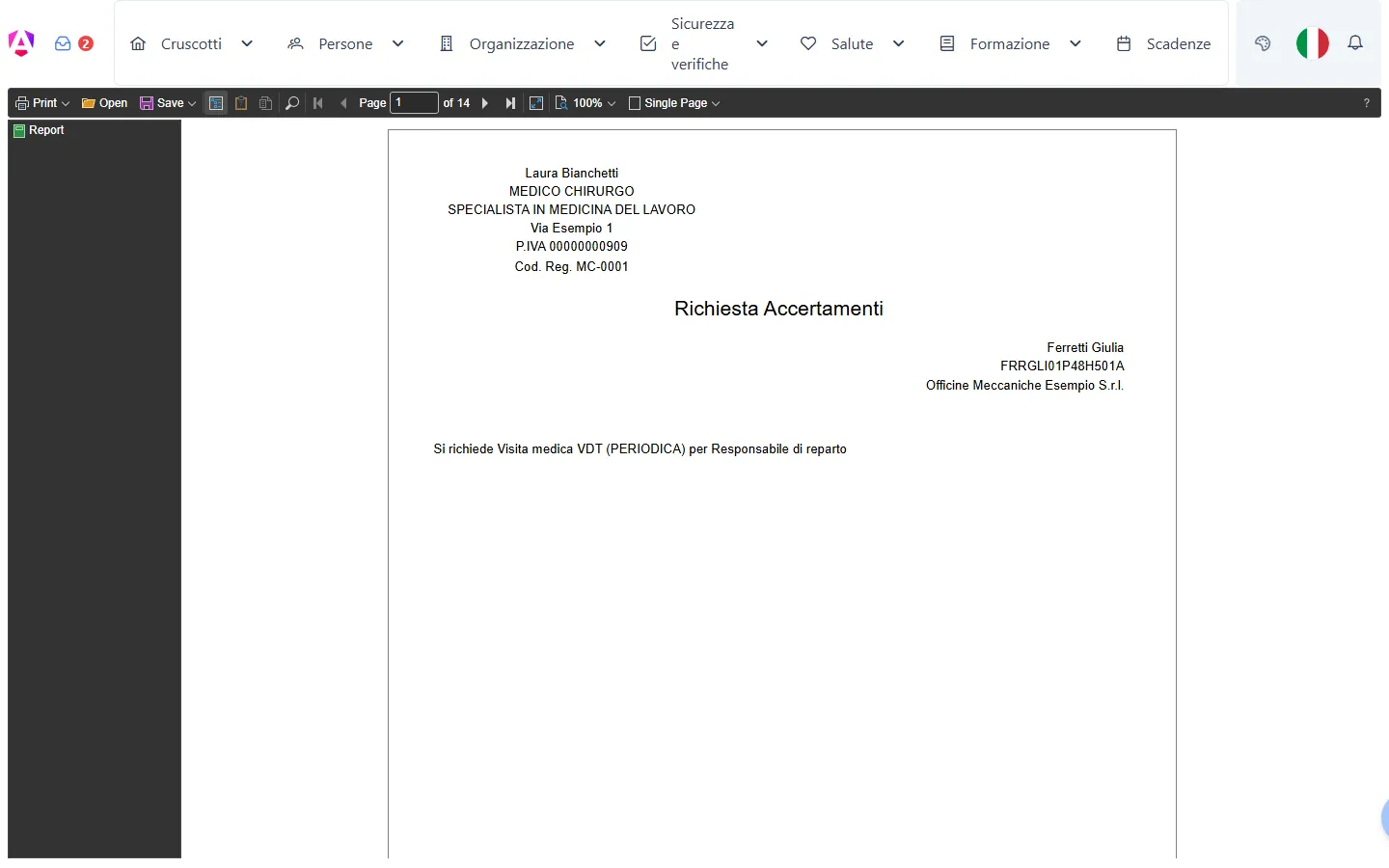
- Prints: test request (prescriptions), fitness certificate, list for the occupational physician.
- List to the physician: the list of workers called to a session can be emailed to the physician.
Training
- Course catalogue with duration in hours, type of obligation (DVR job, assignment or qualification), linked base course and refresher frequency in months.
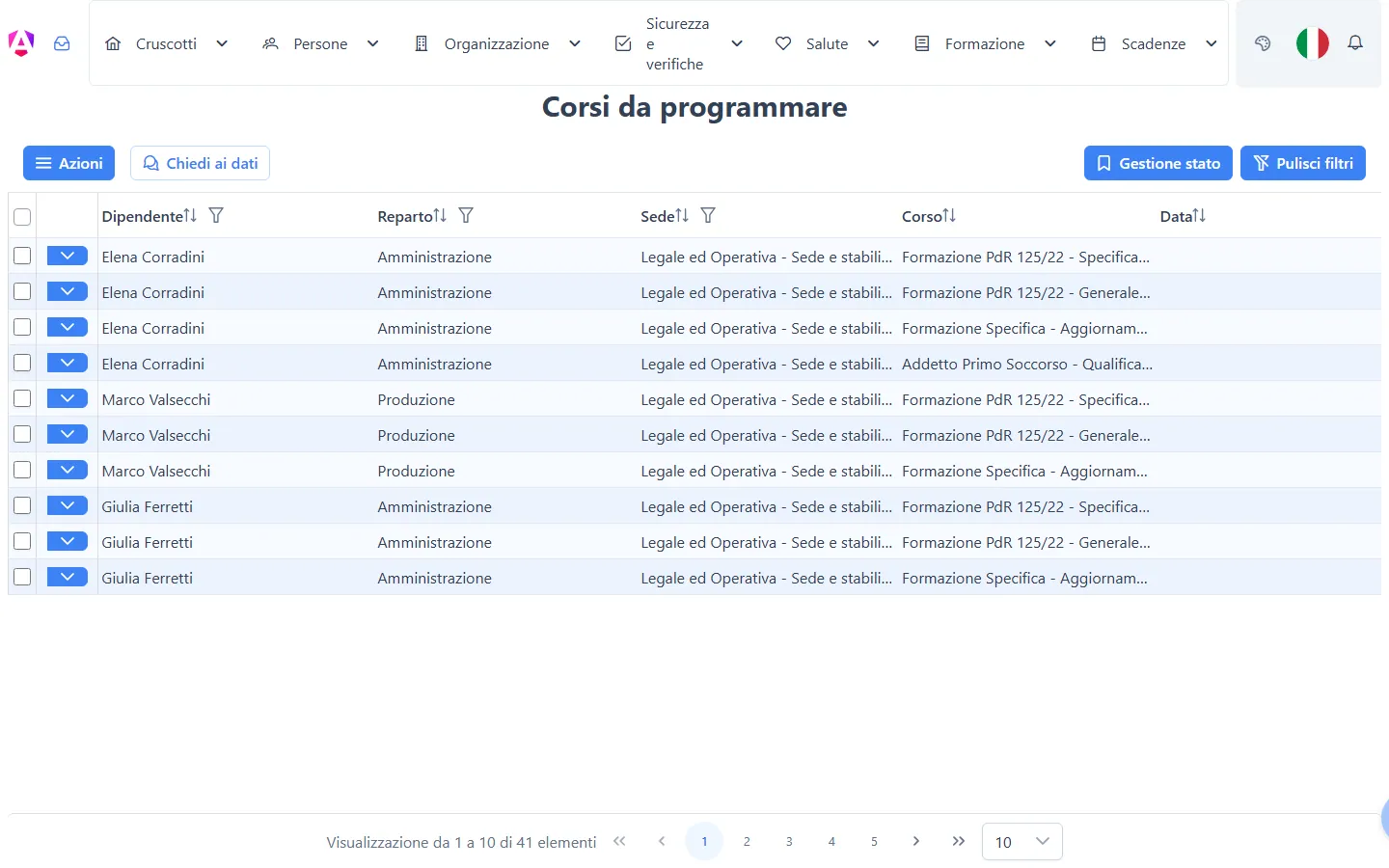
- Required courses derived from the DVR job, from qualifications and from courses "for everyone"; periodic refreshers are generated from the base course.
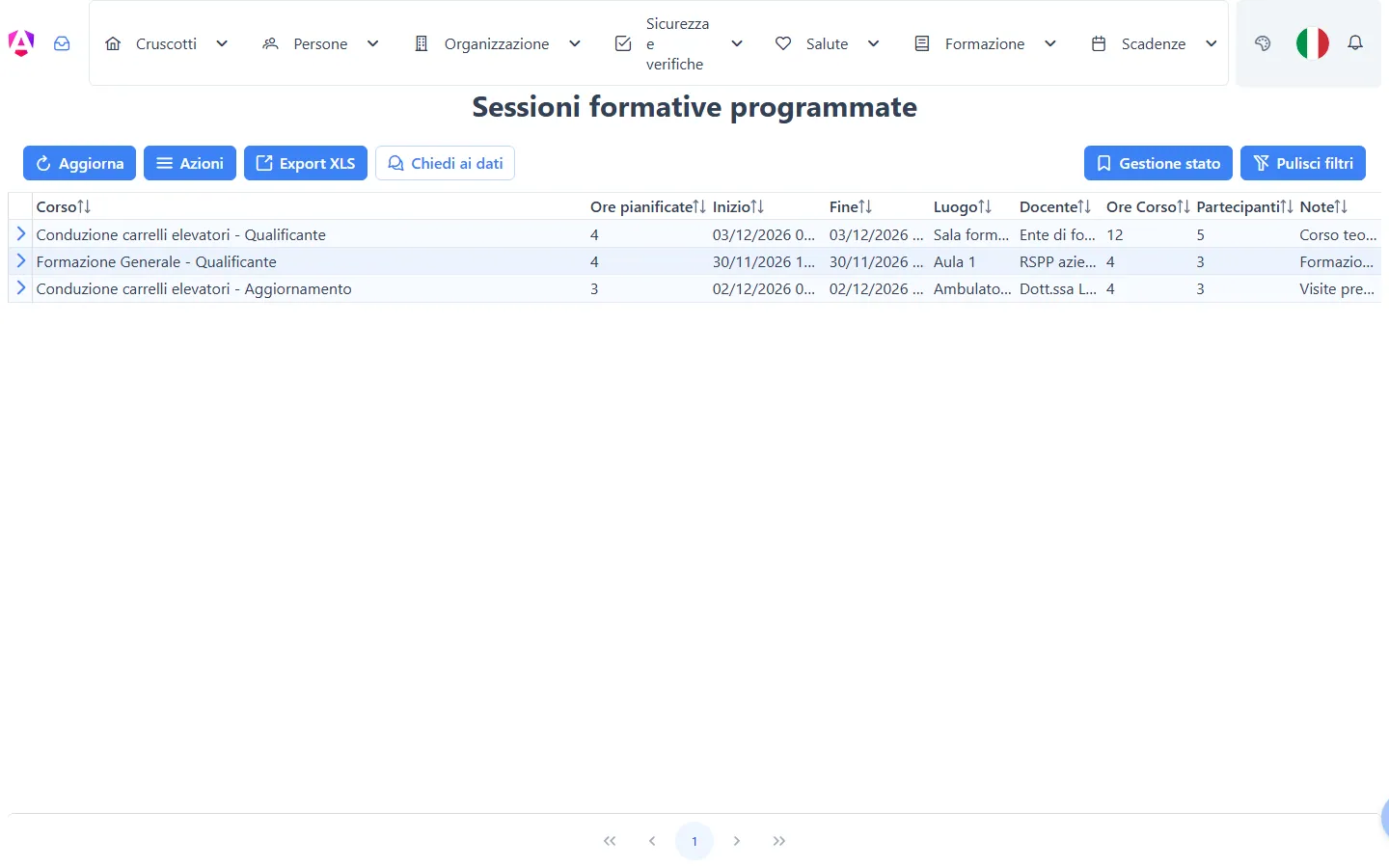
- Lists: courses to schedule, courses to deliver, scheduled training sessions (hours, start, end, place, trainer).
- Sessions: a course is scheduled for several employees together and can be split into several sessions; the status of the employee's course follows the sessions attended.
- Course attachments (programmes, certificates) directly on the course row.
Periodic checks and deadlines
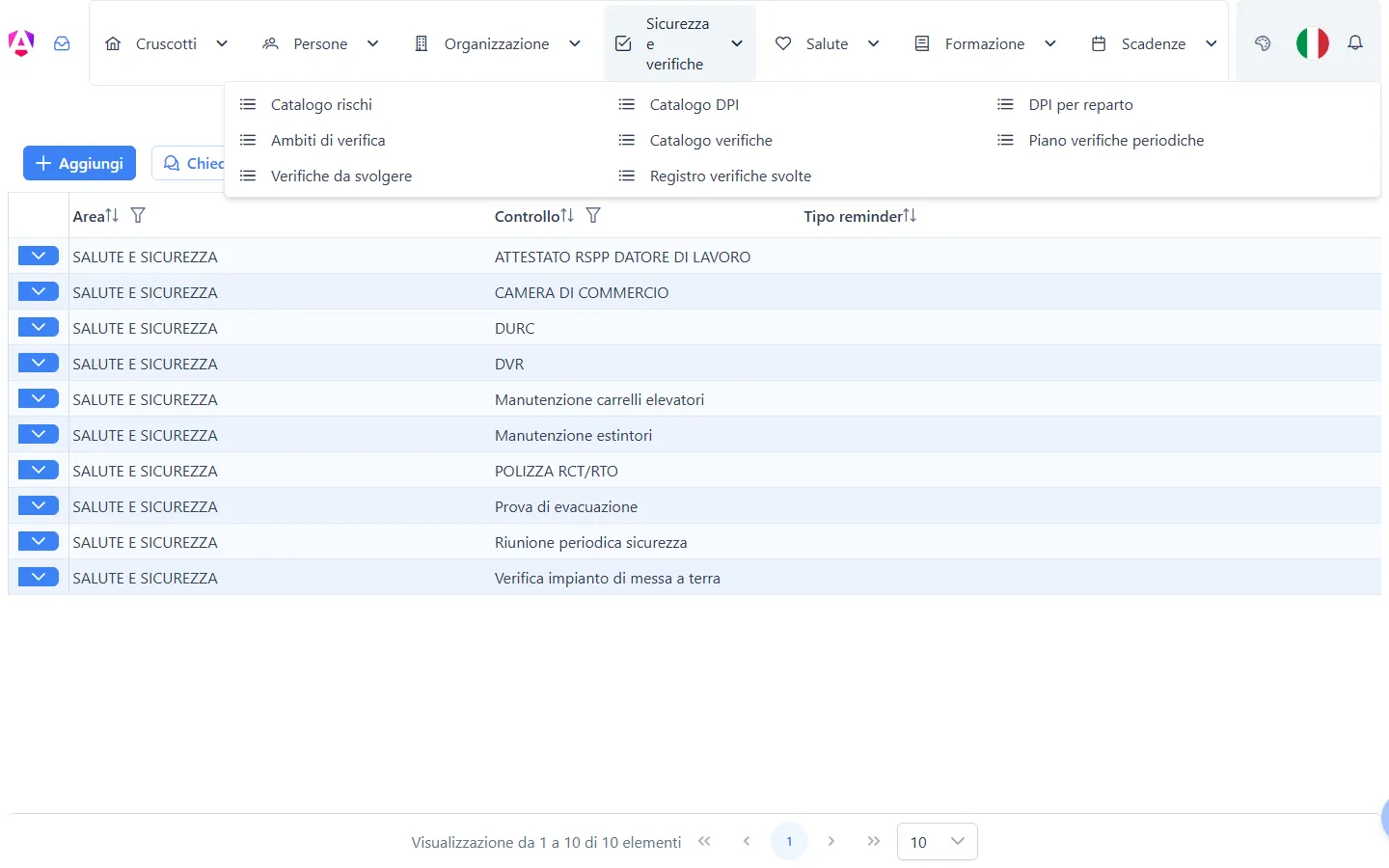
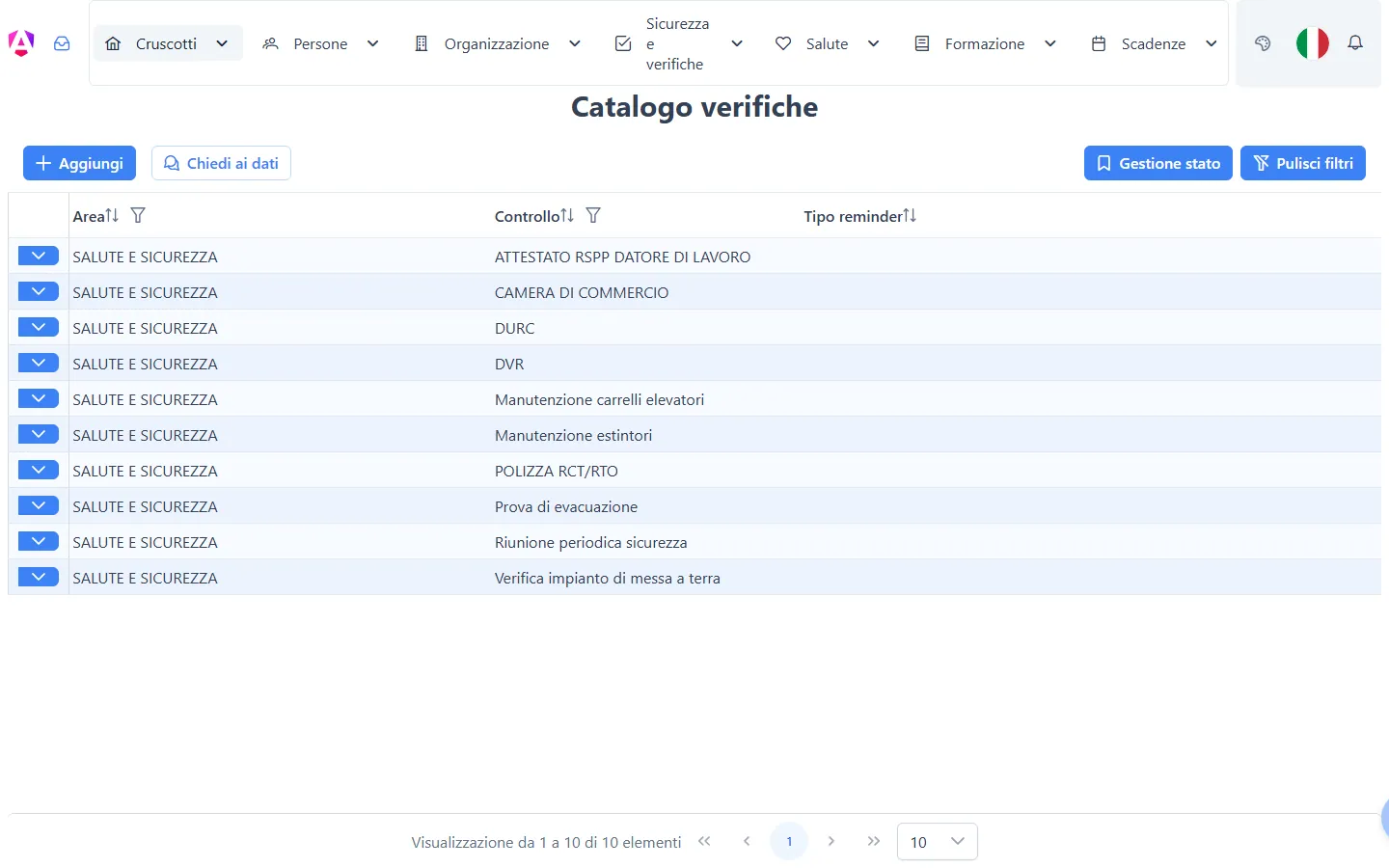
- Check catalogue (fire extinguishers, fire systems, first-aid kits, valves, PPE, permits...) organized by area, each with its own reminder type.
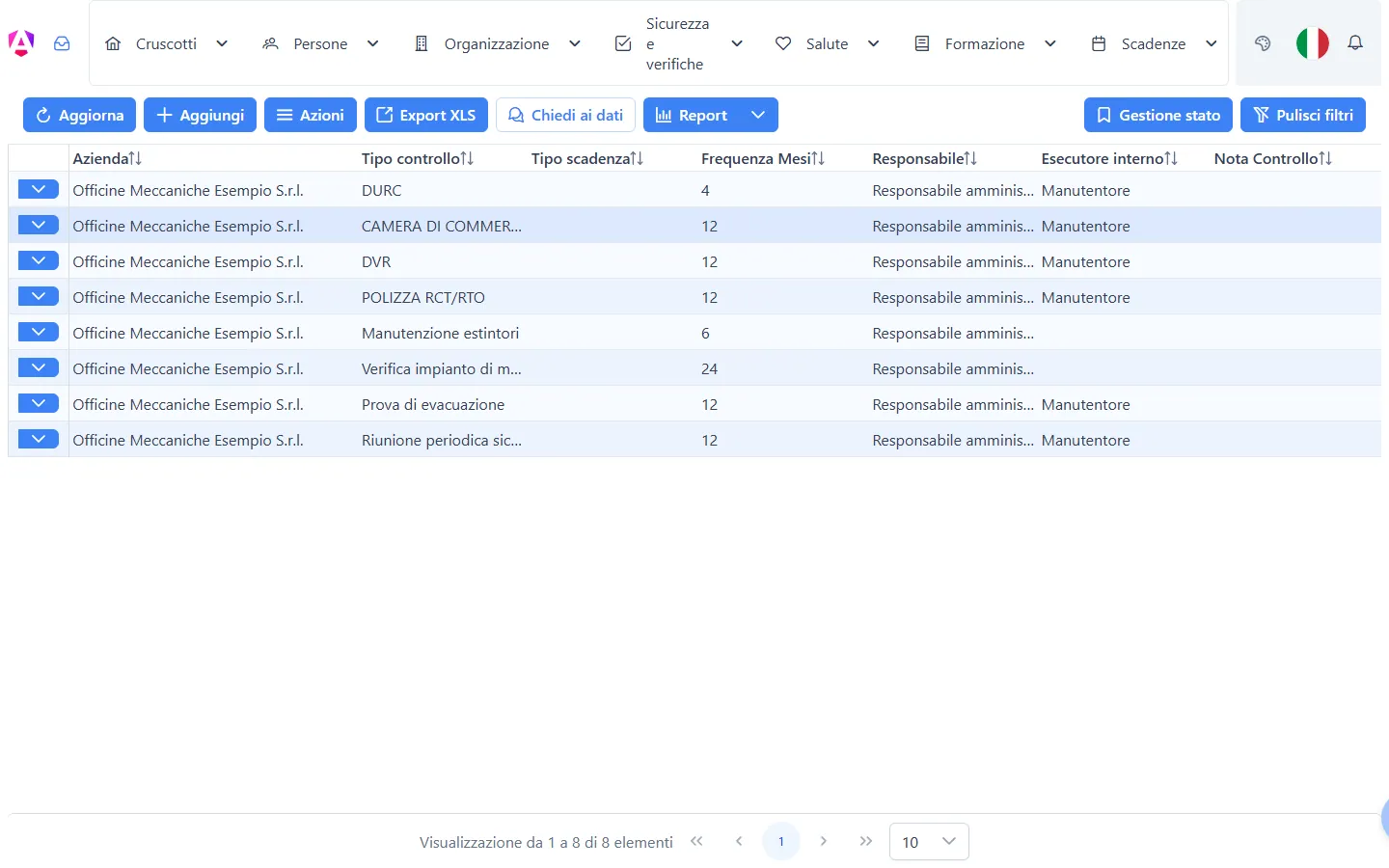
- Periodic check plan per company: for each check you set the frequency in months, the deadline type (mandatory or not), the person responsible and any external provider.
- One open deadline per plan: when a check is carried out its outcome is recorded and the application creates the next deadline starting from the execution date.
- Lists: checks to schedule, to carry out, done, coming due and expired.
- Reminders by email to those responsible for checks coming due or expired.
- Catalogue change history: who changed the responsible person, area or provider of a check, and when.
- Check plan print, in portrait and landscape.
Automatic reminders
- A single scheduled job sends 16 kinds of reminders: checks, driving licences, visits (including the monthly summary), tests, vaccinations, courses, training of the month, end-of-month checks, contract expiries, residence permits, new hires of the week, items "to schedule" and expired items.
- Each reminder goes out within a notice window and is logged: the same alert never arrives twice.
- Recipients are derived from role and company (active holders only); health data go only to those authorized to see them.
- All emails go through a sending queue you can browse, with the status of each message.
Requests and messages
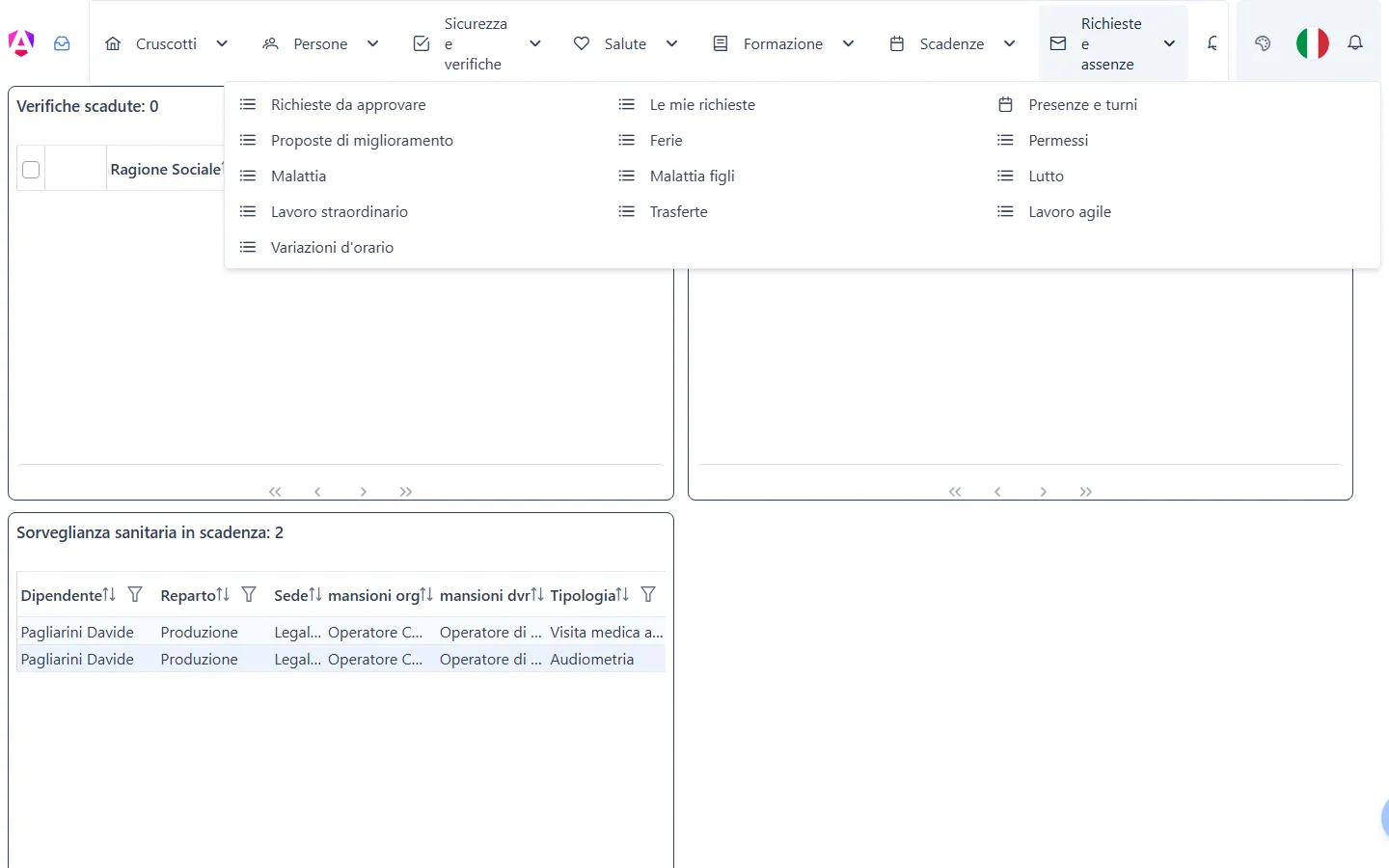
- The employee opens a request by type: leave, permit, sick leave, child's sick leave, bereavement, overtime, business trip, remote work, working-hours change. There are also improvement proposals and company notices to everyone or to groups.
- Recipients are calculated by the application: the employee's line manager or tutor, or their substitute.
- The manager authorizes or does not authorize (and can revoke an authorization); for working-hours changes the colleague involved confirms before the decision; the author can cancel before the start, without the original text being rewritten. The first decision closes the request.
- Each recipient has their own read status; separate lists for received and sent requests.
Attendance and shifts
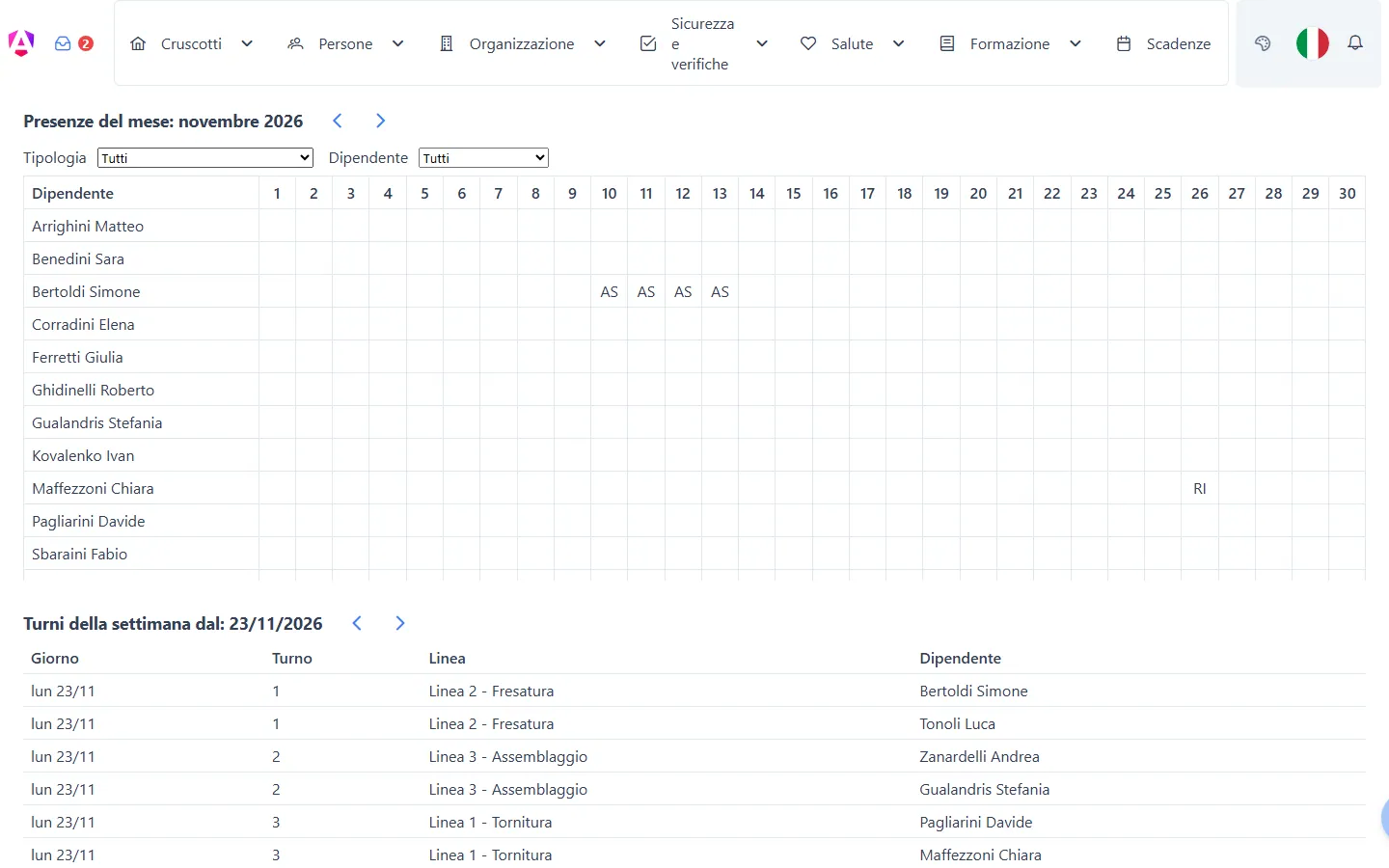
- Monthly attendance in an employees × days grid, filterable by absence type and by employee, with navigation between months.
- Weekly shifts on the same page: the manager can change, swap or free a shift, also for the rest of the week in one step.
- One shift per day per employee, no shift for someone who is absent; the people involved get an email.
Expense reports
- The employee enters the report with its expense lines; the total is calculated automatically.
- The manager decides line by line or on the whole report (authorized / not authorized), with a reason; the first complete decision closes the report.
- The report moves from "pending" to "read" when the manager opens it, then to the status of the decision; expense report print.
Appraisals
- The appraisal cycle starts by itself from the job (also for the probation period), with the items set for that job.
- The manager opens the appraisal form, saves it, closes it or reopens it; the employee can do a self-assessment.
- Each item has a score from 0 to 4 and a note; closing requires all items scored and the final judgement. With a positive outcome the probationary job starts from the appraisal date and the obligations are updated in the same operation.
- "Appraisals to complete" and "appraisal history" lists; appraisal print.
Prints
Nine prints in the framework's report viewer: check plan (portrait and landscape), fitness certificate, test request (prescriptions), list for the occupational physician, job sheet, appraisal, expense report, improvement proposal. The data of every print are filtered with the same permissions as the lists: an employee cannot print a colleague's certificate.
Tools common to all lists
- Column filters, sorting, paging, expandable rows with the linked lists.
- XLS export where provided.
- State management: each user saves their own layout of columns and filters.
- Ask your data: natural-language questions on the list's data, with the same visibility rules as the user.
Roles and permissions
- Application roles included: Amministratore HR, Gestione personale, Responsabile funzione, Supervisore, Medico competente, Responsabile Formazione, Dipendente, Impiegato; plus the framework's technical administrators (Admin, Amministratore).
- Permissions closed by default: every role has an explicit row for each of the application's lists (read, insert, update, delete, menu entry), checked by automated tests.
- Row visibility decided on the server: the current company for HR management, themself and their team for tutors and supervisors, only their own data for employees and clerks.
- Different menus and homes per role: the employee does not get the company organization menus, the physician sees only what health surveillance needs.
- The rules also apply to changes: you cannot edit or delete a record you are not allowed to see.
- Domain rules (obligation propagation, deadlines, termination, decisions on requests and expense reports, shifts, appraisals) are server services with transactions: an operation either succeeds entirely or changes nothing.
- The sample databases contain a demo user for each main profile, to be changed or disabled before entering real data; employees' initial passwords go through an invitation with an expiring link.
- Application texts (menus, messages, emails) in five languages: Italian, English, French, Spanish, German.
What is in the package
Two zips per version, from the site's Downloads page, Free apps section:
Binary (HrSicurezza-iis-v<version>-with-dbs.zip) |
Source (HrSicurezza-src-v<version>.zip) |
|
|---|---|---|
| Contents | application compiled for IIS, the two sample databases with invented demo data (db/data.bak, db/metadata.bak), INSTALL.md |
C# source, Angular client, reports, configuration, the same two databases, INSTALL-src.md, VS Code workspace and AGENTS.md for coding assistants |
| WUIC license | not needed: the binary carries a license bound to this application as distributed, valid on as many servers as you like | needed to run the recompiled application: a WUIC license covering SQL Server (Launch price or Enterprise); without a license it runs in Trial mode (at most 20 records per query) |
Installing the binary, in short (about 10 minutes):
- Requirements: Windows Server 2019 or later with IIS and the ASP.NET Core 10 Hosting Bundle; SQL Server 2017 or later (Express is enough). SQL Server only.
- Restore the package's two backups on your SQL Server.
- Write the two connection strings in
appsettings.json. - In IIS, create a "No Managed Code" application pool and a site pointing to the extracted folder; give the pool identity write permission on the folder.
- Open the site and sign in with
admin/admin, then change the password immediately, together with those of the demo users.
Source: from PowerShell, install.ps1 -Src -App HrSicurezza from the site installs what is missing (.NET SDK 10, Node.js, SQL Server Express, git), downloads and verifies the zip, creates a git repository with a vendor branch and a work branch, restores the databases and prepares the project.
To configure after installation, if needed: SMTP server (to actually send invitations, reminders and follow-ups).
Built with WUIC
HR & Workplace Safety is a WUIC framework application: lists, forms, filters, export, permissions and translations come from metadata, so a field added to a table appears in the interface without writing code. It uses the framework's dashboards for each role's home, the scheduler for reminders and obligation realignment, the mail queue, Stimulsoft reports and "Ask your data". The specific rules (obligations, health, training, checks, requests, shifts, appraisals) are the application's .NET code, available in the source zip; menus, forms and prints are customized from the application.