Who it is for
- Companies with a fleet of a few dozen vehicles (pool cars, vans, trucks, work machines) that manage it today with Excel sheets and shared calendars.
- Fleet managers who need to know every morning what is expiring (policies, inspections, licences), how much each vehicle costs and who was driving it at a given time.
- Organizations with several sites or mobile crews that want to see on a map where the vehicles are.
- Anyone who does not want to pay a per-vehicle fee to a cloud service and prefers to keep data on their own SQL Server.
- Developers and integrators looking for a base to extend: tables, forms, menus, permissions and processes are changed from inside the application, and with the source zip the code too.
It has no ready-made integrations with fuel cards, toll devices or telematics boxes: refuelling is recorded by hand or via API, and positions come from any device or program able to call the dedicated endpoint.
Dashboards
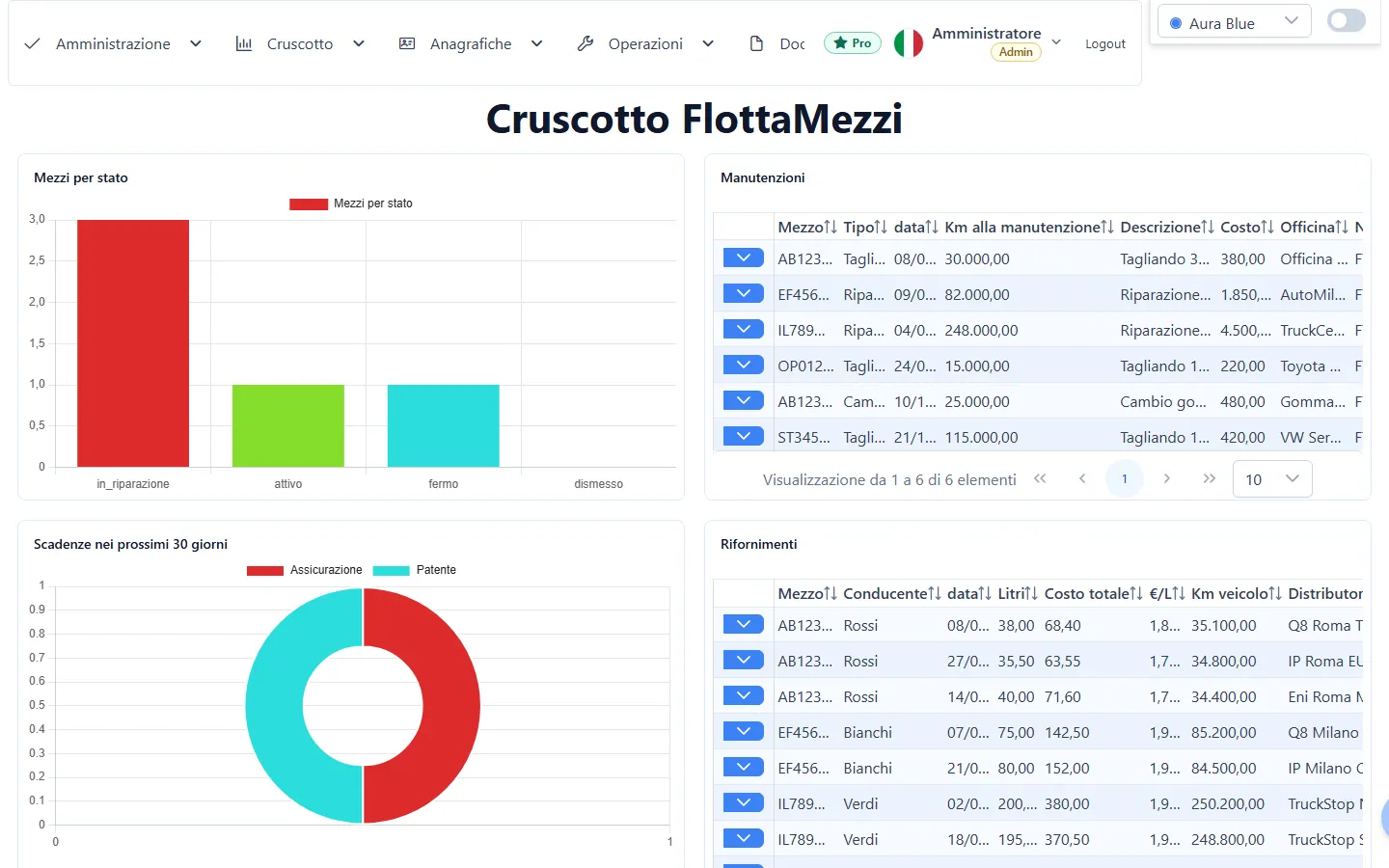
- Home dashboard: vehicles by status (active, stopped, under repair, decommissioned), deadlines in the next 30 days split by document type, the maintenance list and the refuelling list.
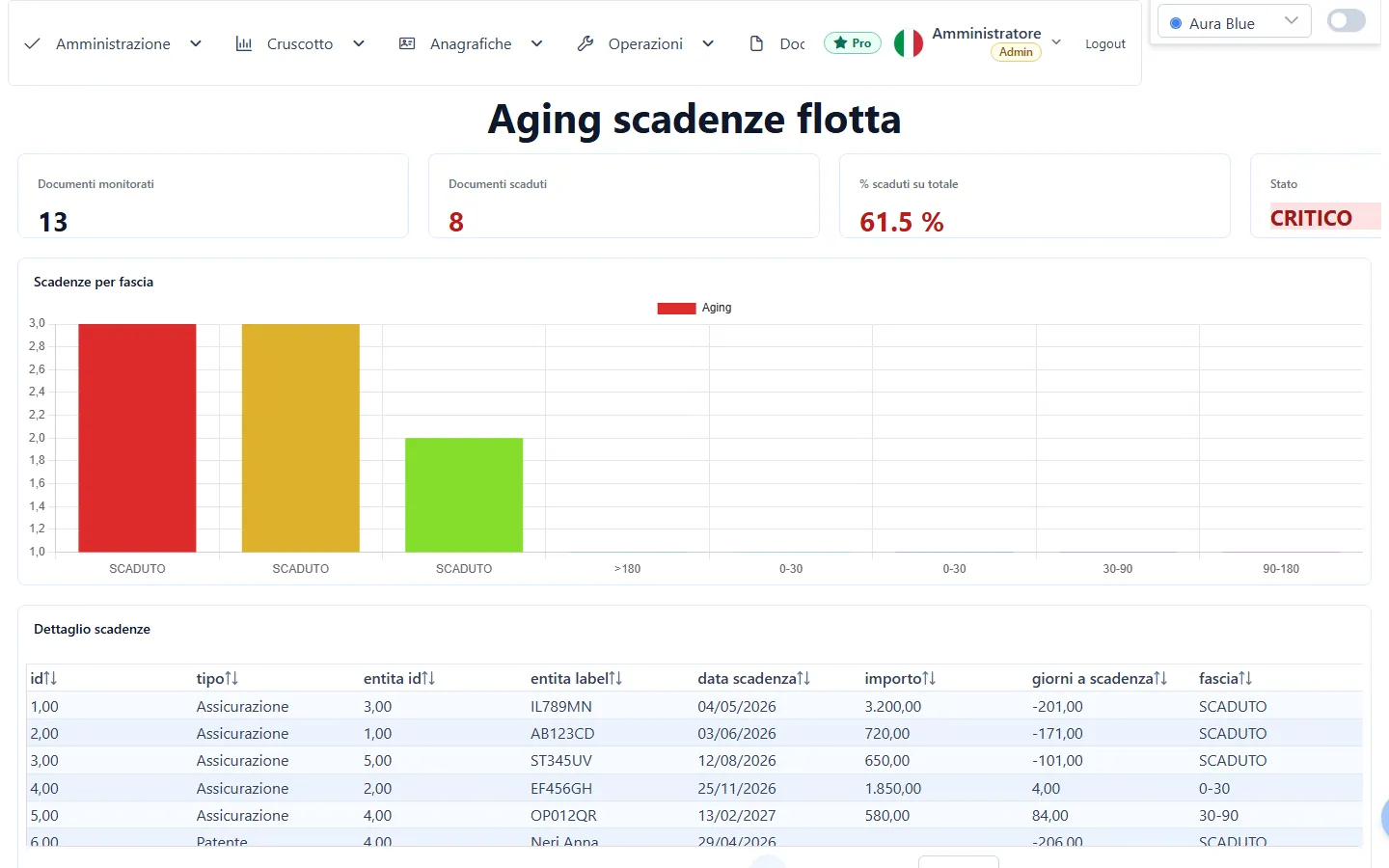
- Deadline aging: how many documents are monitored, how many are expired, the percentage of the total and a summary status (for example "CRITICAL"); a chart groups deadlines by band (expired, 0-30, 30-90, 90-180 days, beyond) and a table lists every deadline with vehicle or driver, date, amount and days left. Insurance policies, inspections and licences are included.
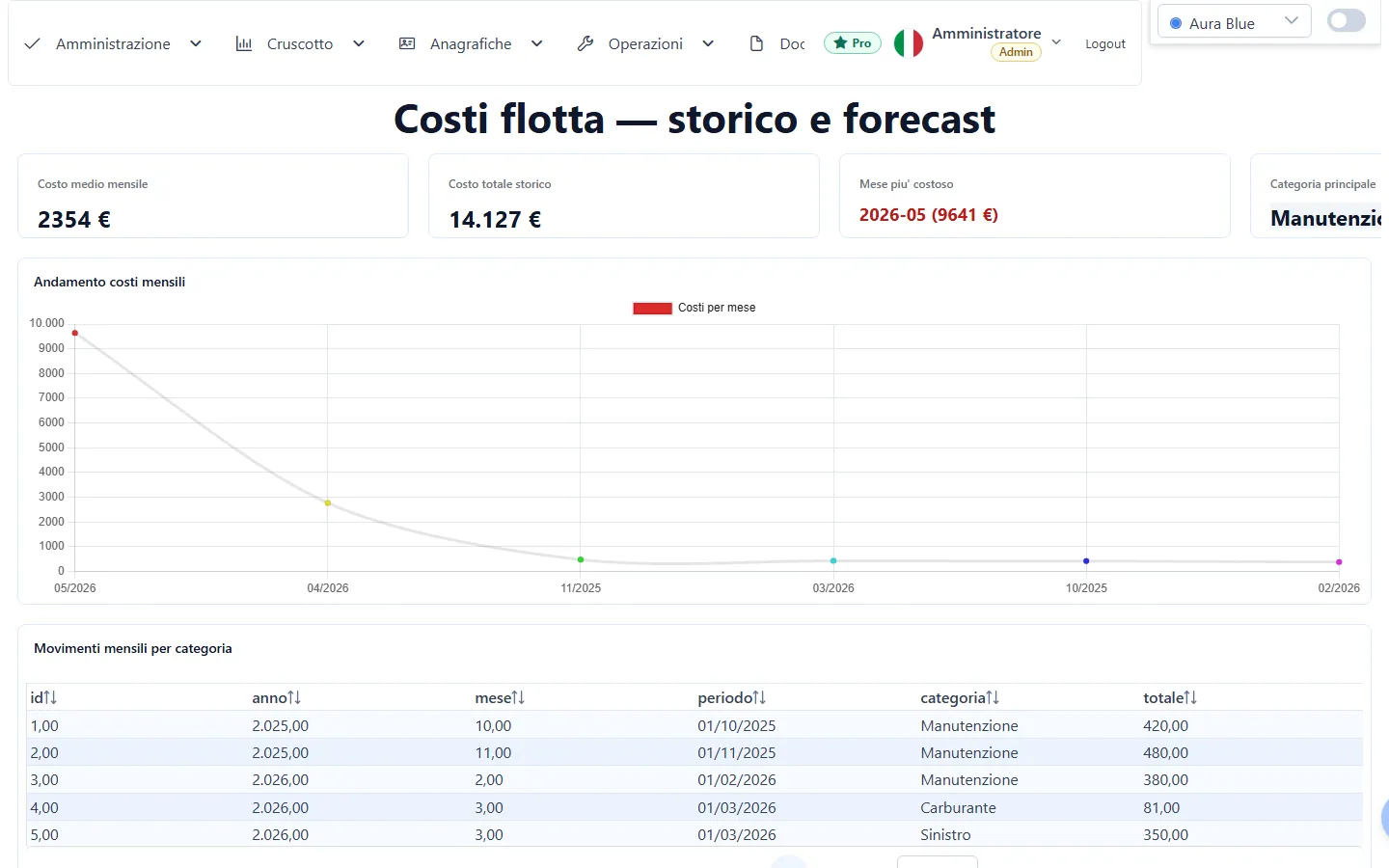
- Fleet costs: history and forecast: average monthly cost, total historical cost, most expensive month, main spending category, monthly cost trend and monthly movements by category (maintenance, fuel, accidents).
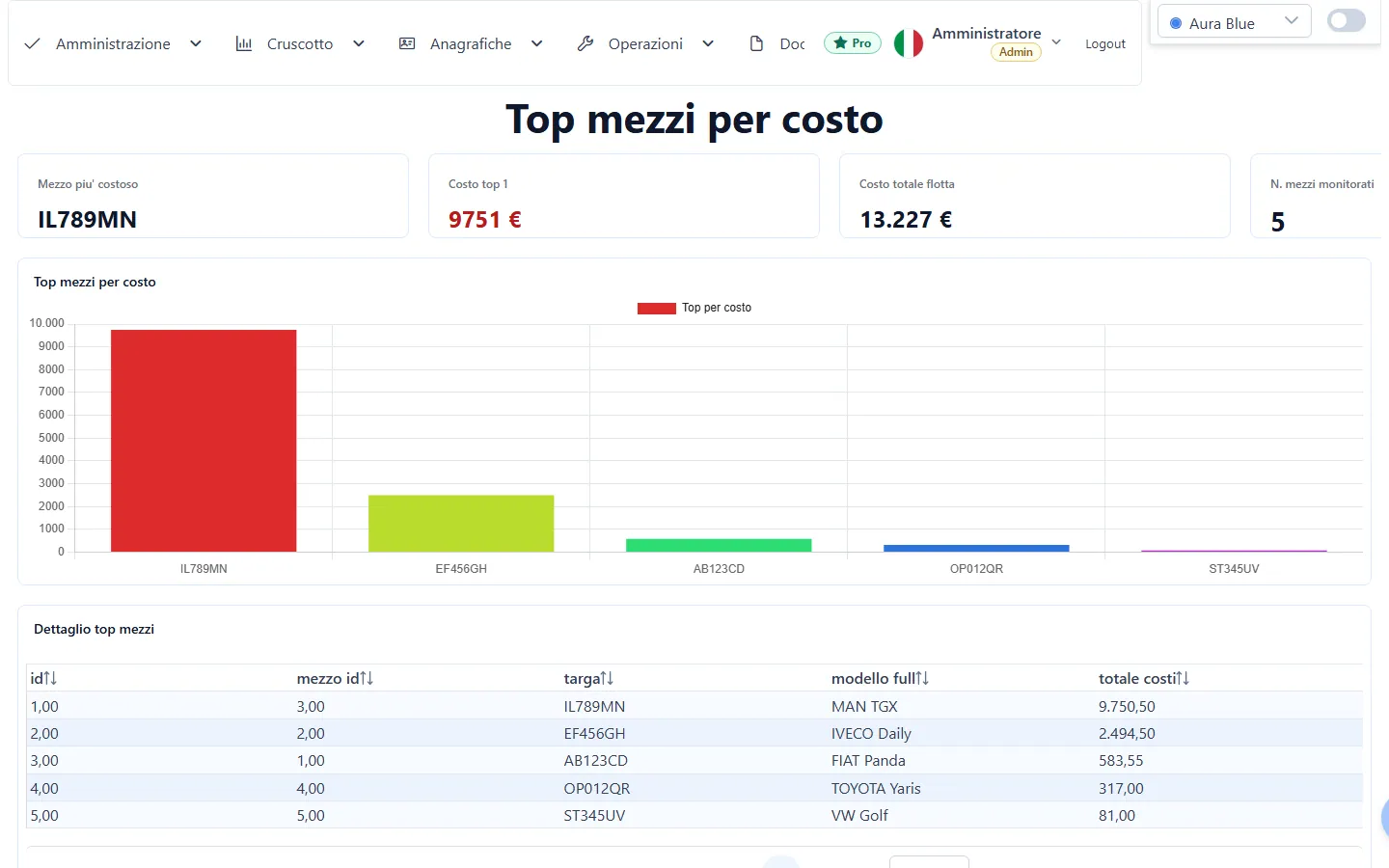
- Top vehicles by cost: the most expensive vehicle, the cost of the top ones, the total fleet cost, the chart of vehicles ordered by spending and the detail with plate, model and total.
- The widgets are real lists and charts: they can be sorted, filtered and paged.
Map and GPS positions
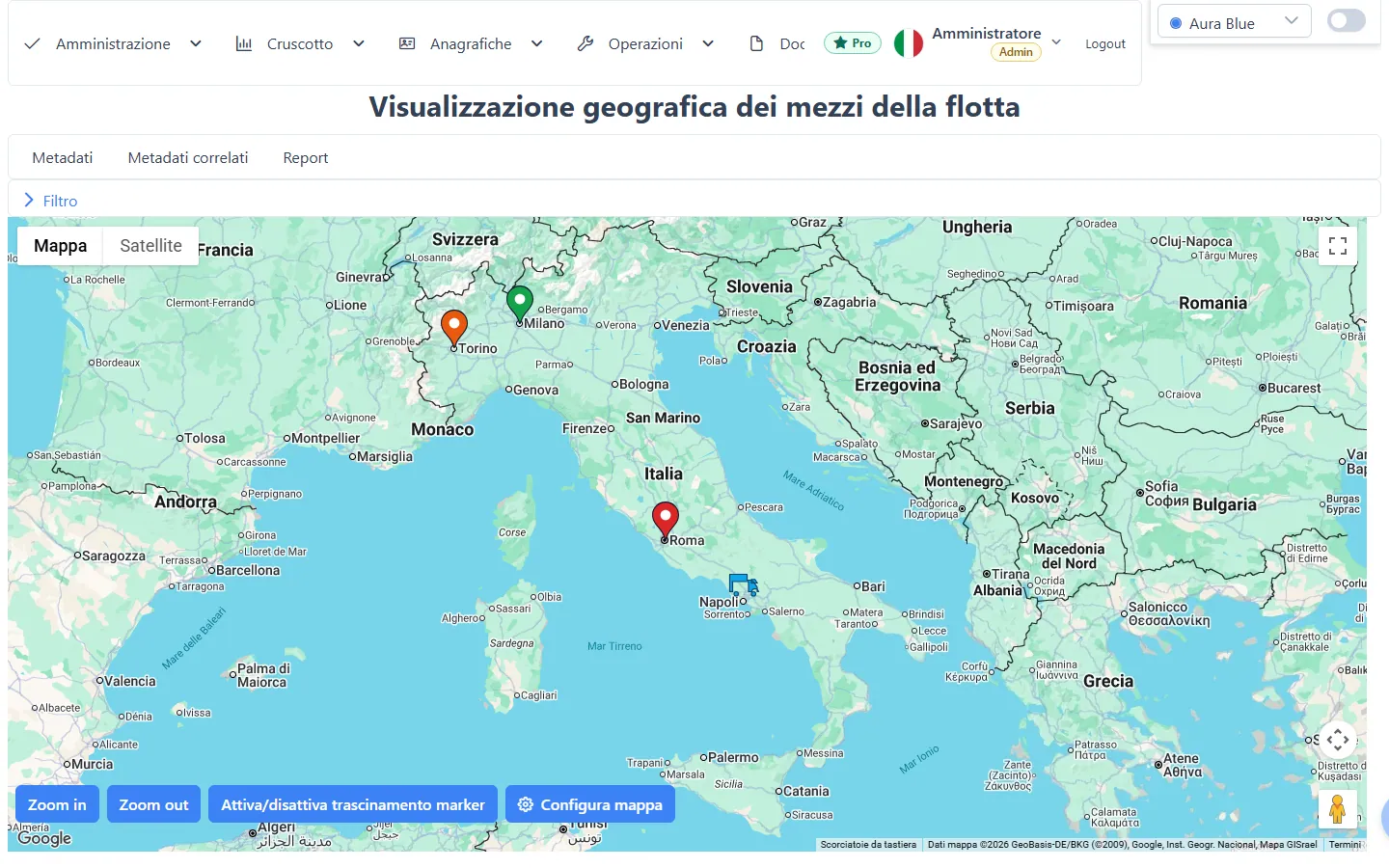
- Vehicle map: every vehicle appears on the map (Google Maps, map or satellite view) at its last known position, with one color per vehicle and a filter panel.
- Vehicle routes: the history of each day's positions, drawn on the map as a route along the roads, with a point for every recorded position, to see where a vehicle has been.
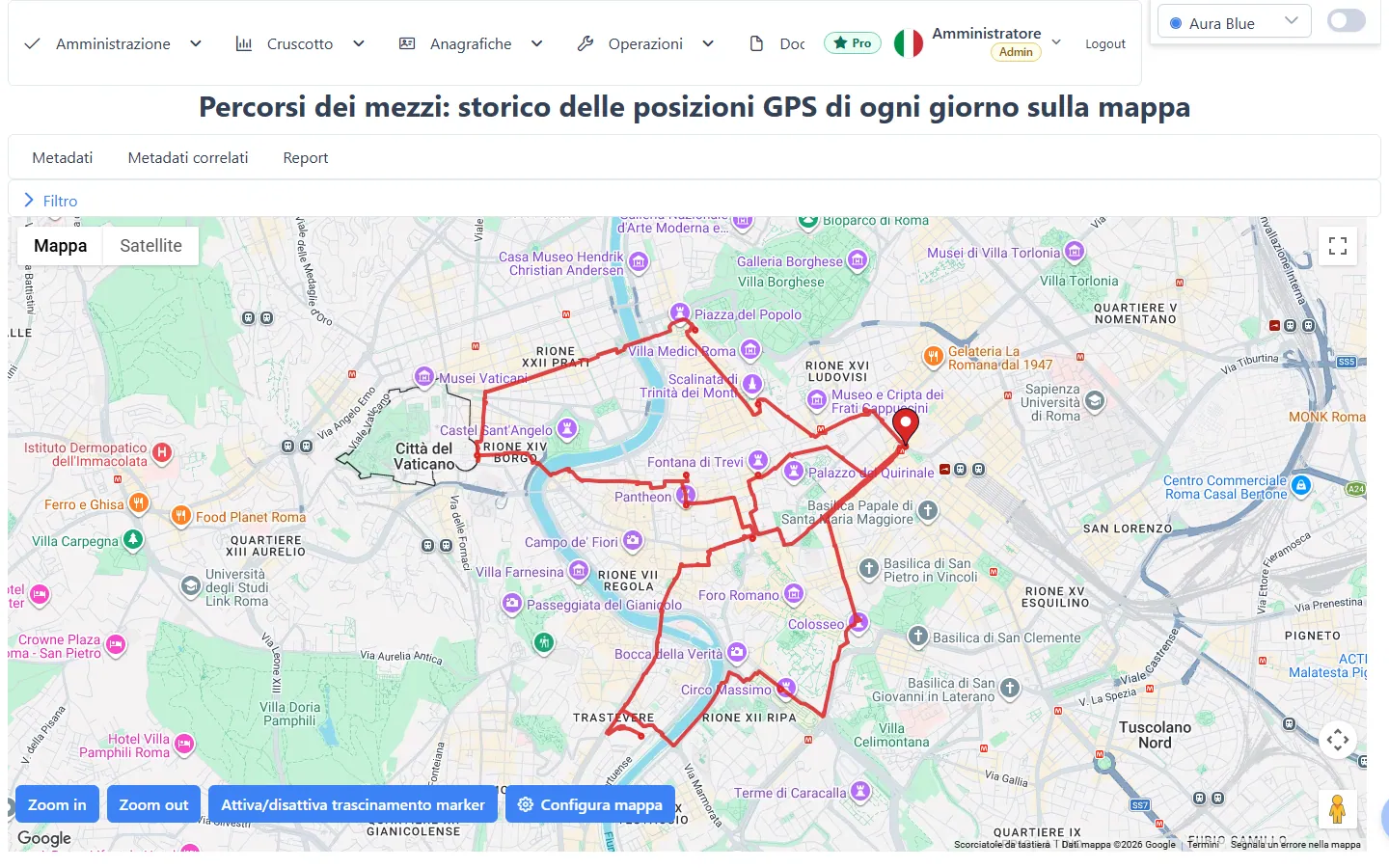
- Positions arrive at an application endpoint that accepts vehicle, latitude and longitude from an authenticated user with the administrator, fleet manager or driver role: a phone, a tracker with a small software bridge or an import from your ERP. Each call updates the vehicle's last position and extends its history.
- No hardware is included: you connect the device you already have.
Records
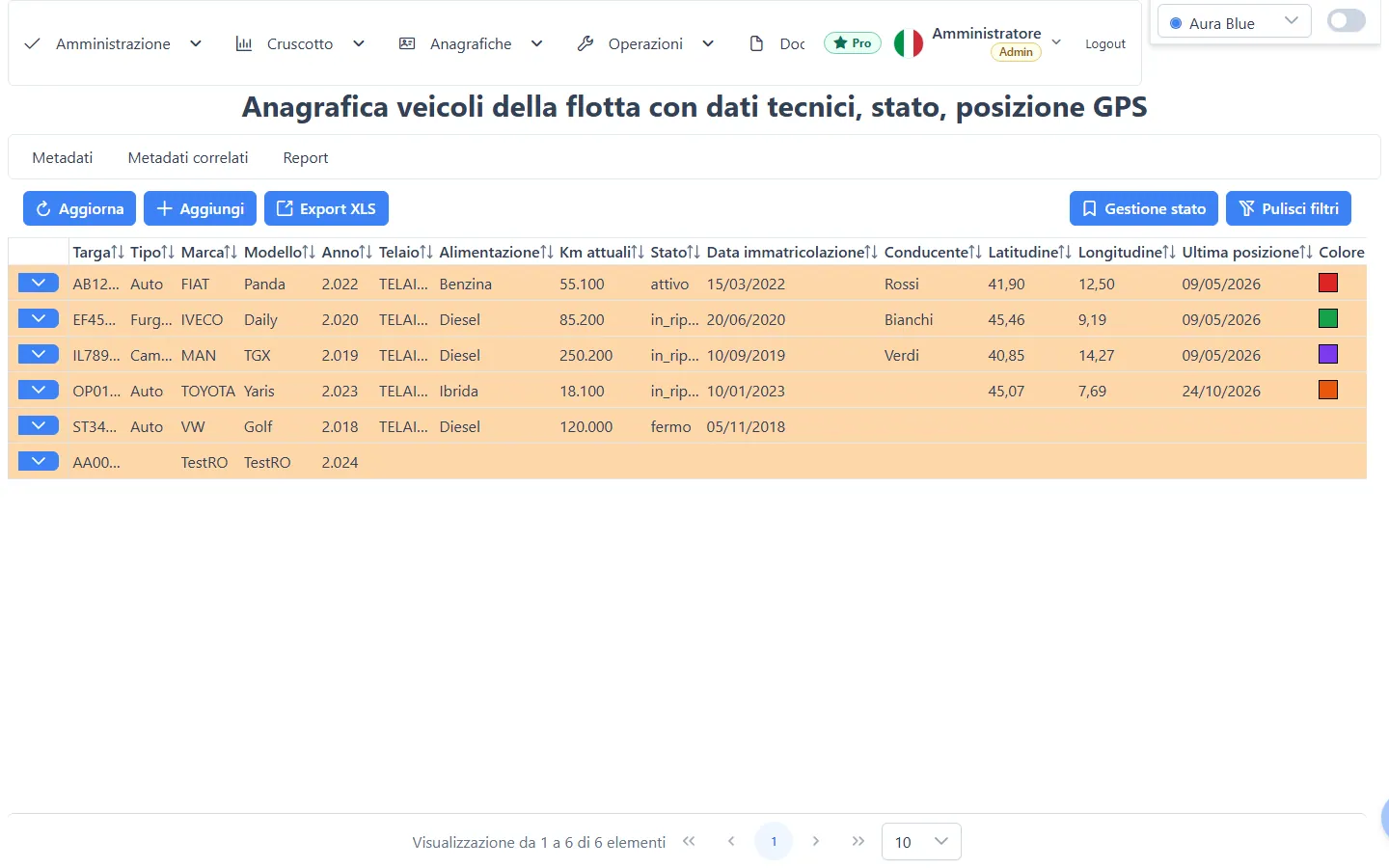
- Vehicles: plate, type, make, model, year, chassis number, fuel type, current mileage, status, registration date, assigned driver, last position and map color.
- Mileage updates by itself with refuelling and with booking returns, without retyping it in the vehicle card.
- When the assigned driver changes, the application keeps the history: it tells who had the vehicle at a given date and time.
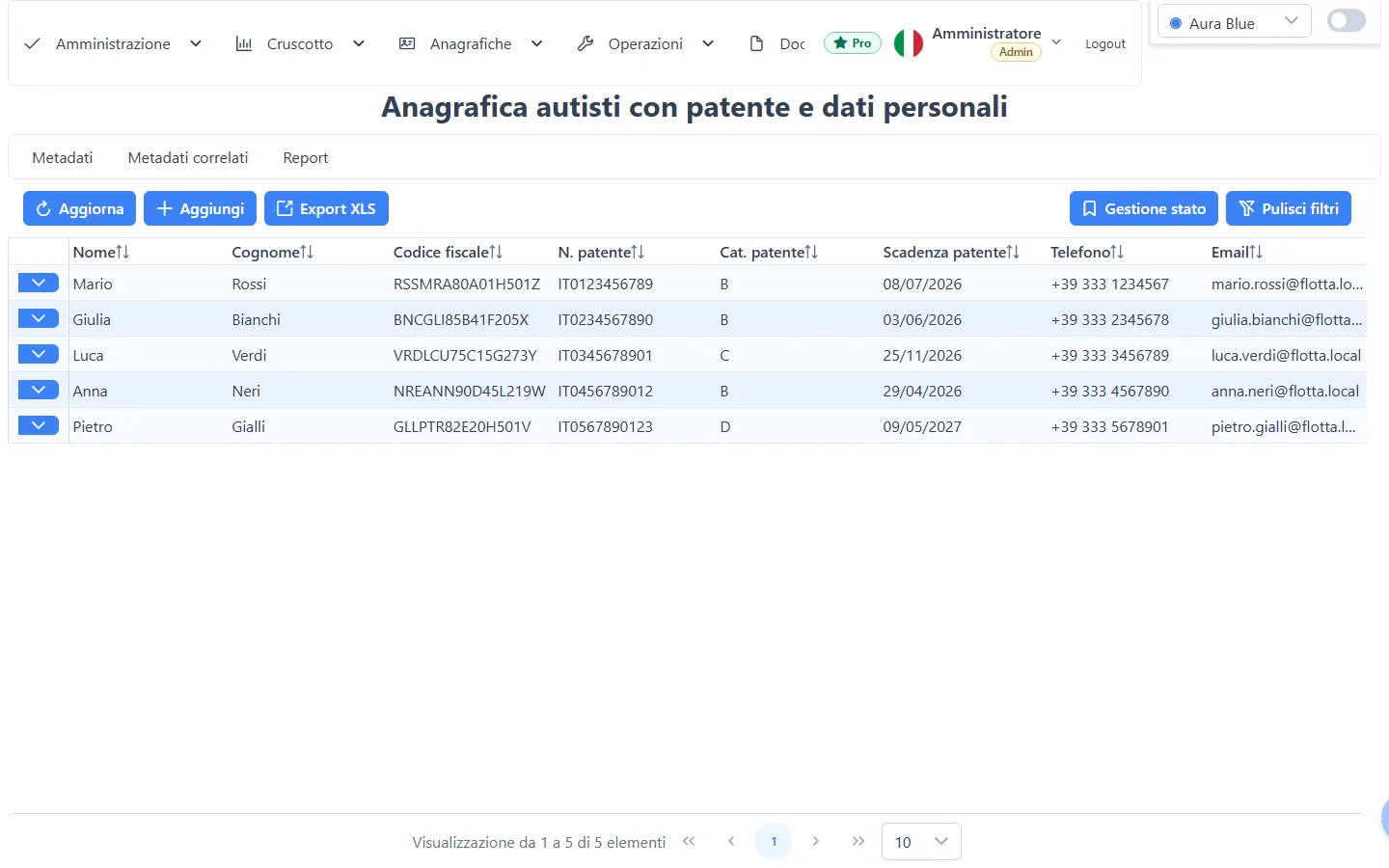
- Drivers: first name, last name, tax code, licence number and category, licence expiry, phone, email.
- Lookup tables the user can edit: vehicle types, vehicle statuses, maintenance types.
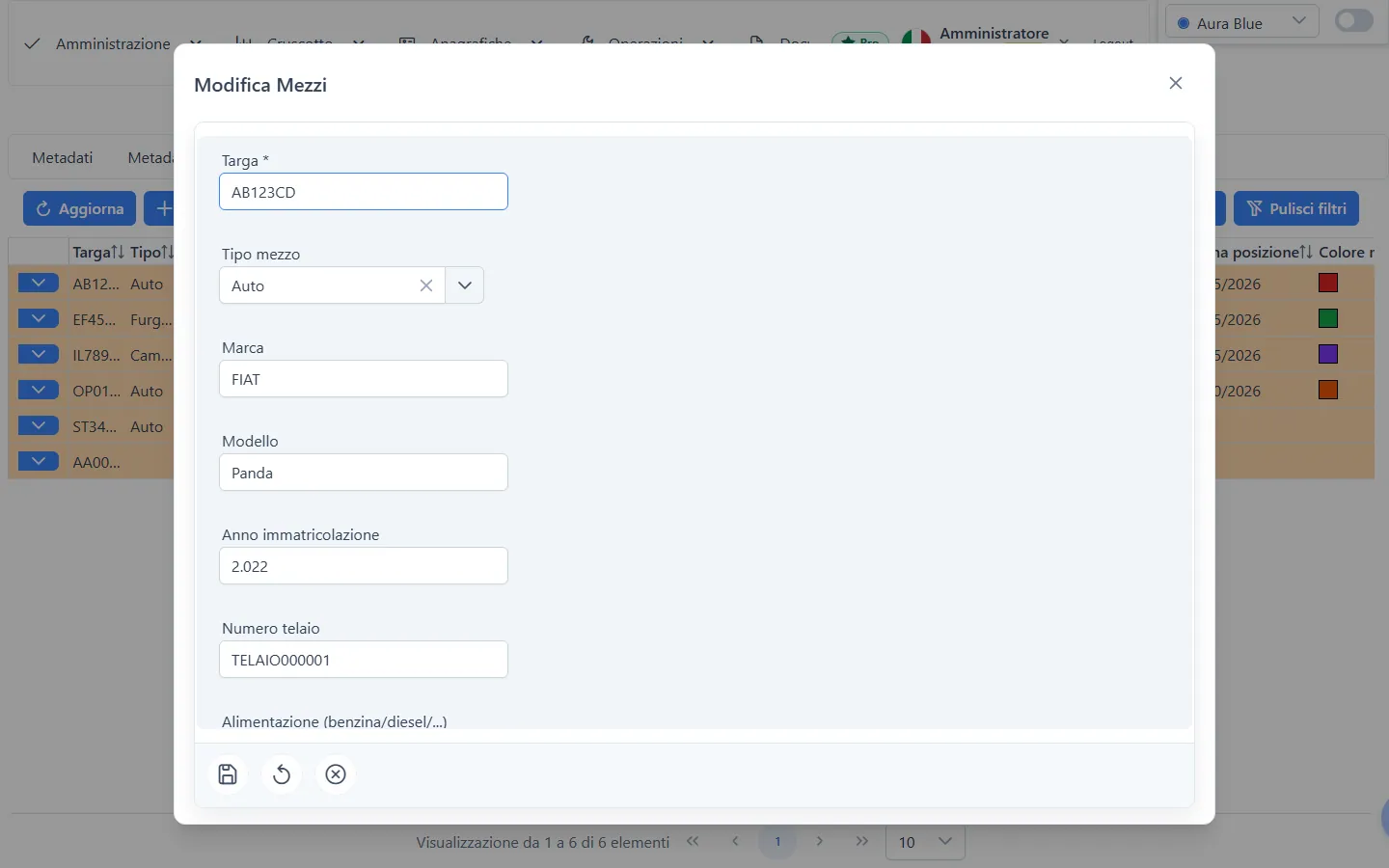
- Every list has search, sorting, filters, Excel export and an edit form.
Operations: maintenance, refuelling, accidents
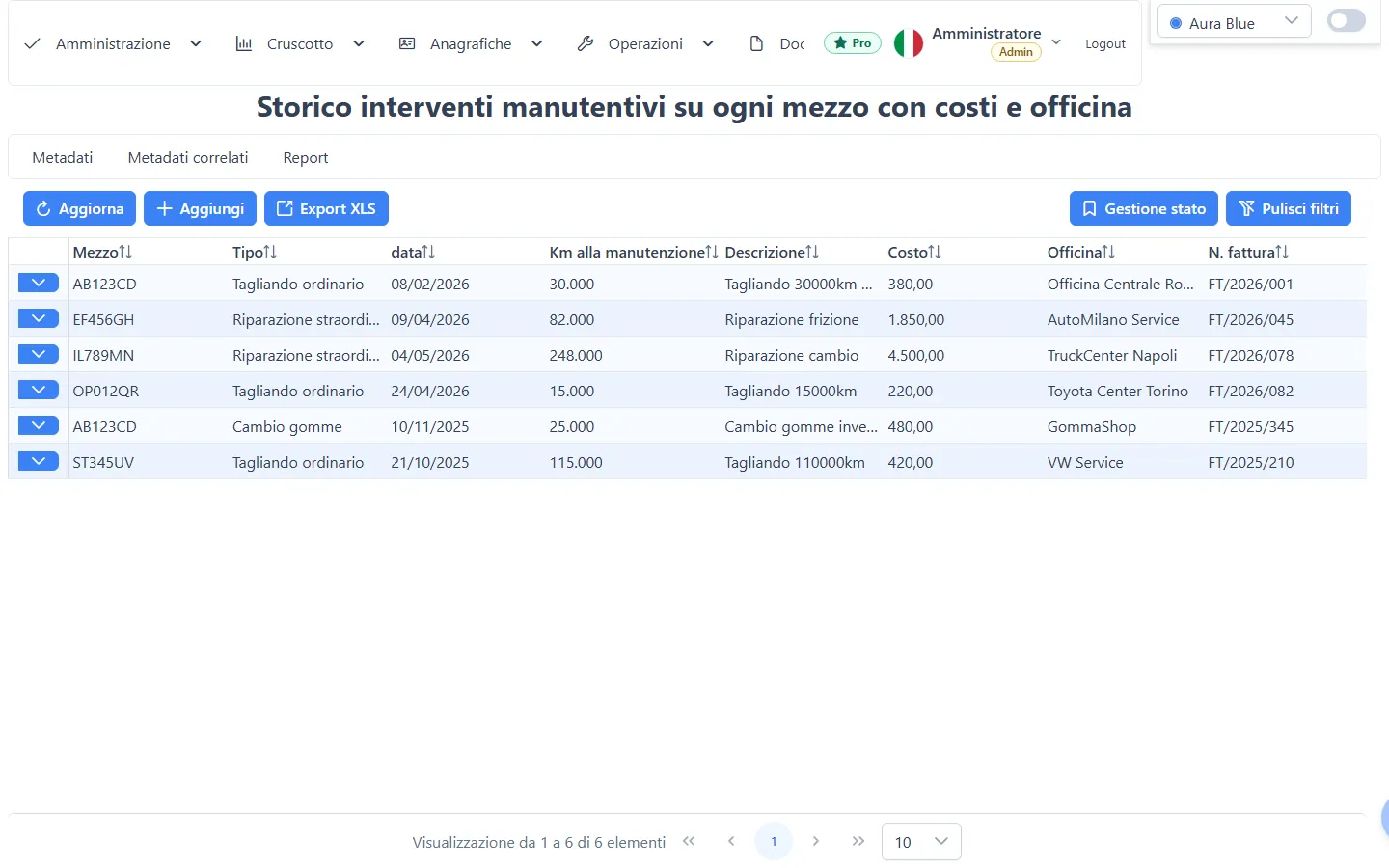
- Maintenance: vehicle, type of work, date, mileage at the time, description, cost, workshop and invoice number. The mileage entered is checked against the vehicle's.
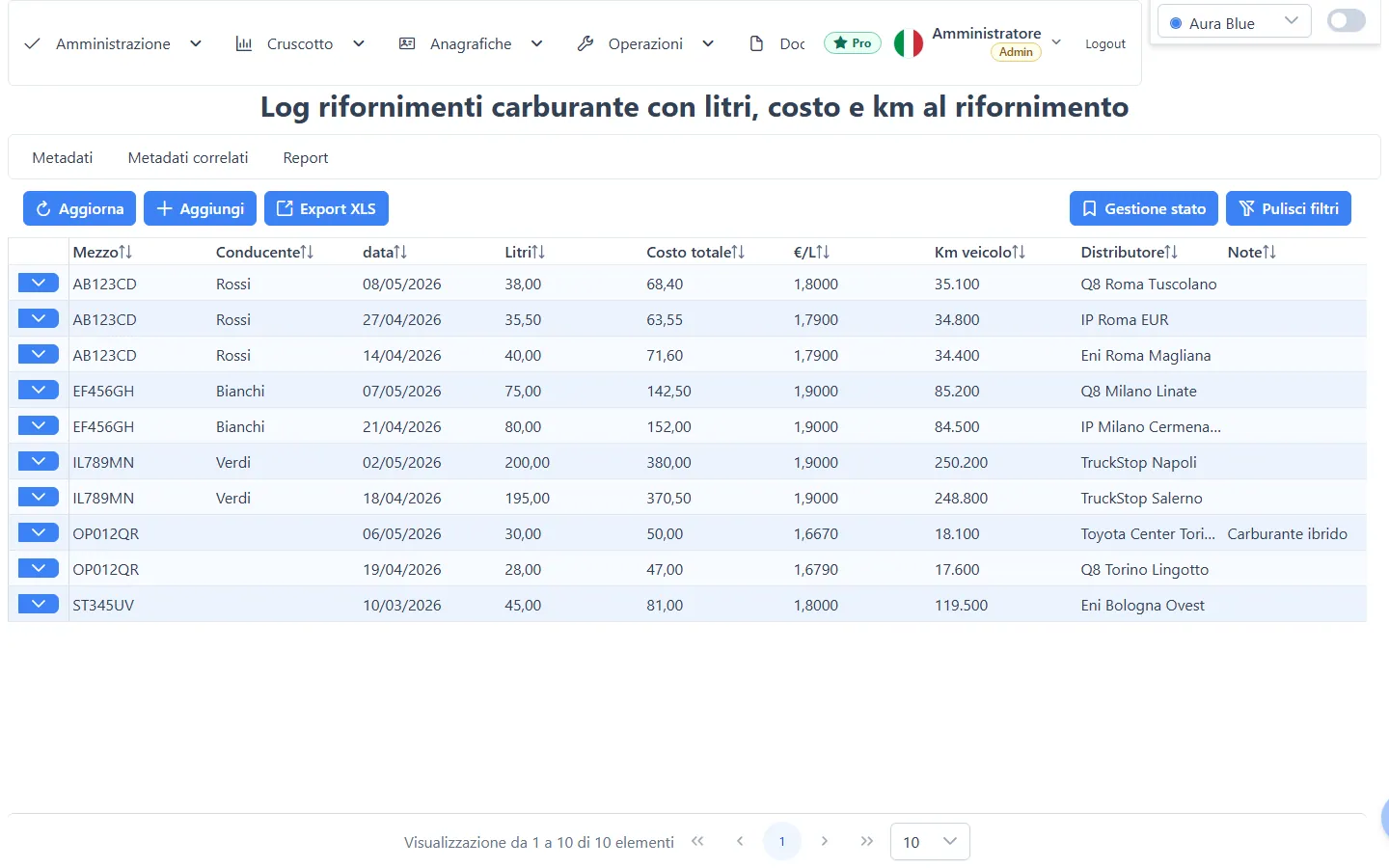
- Refuelling: vehicle, driver, date, litres, total cost, price per litre, vehicle mileage and fuel station.
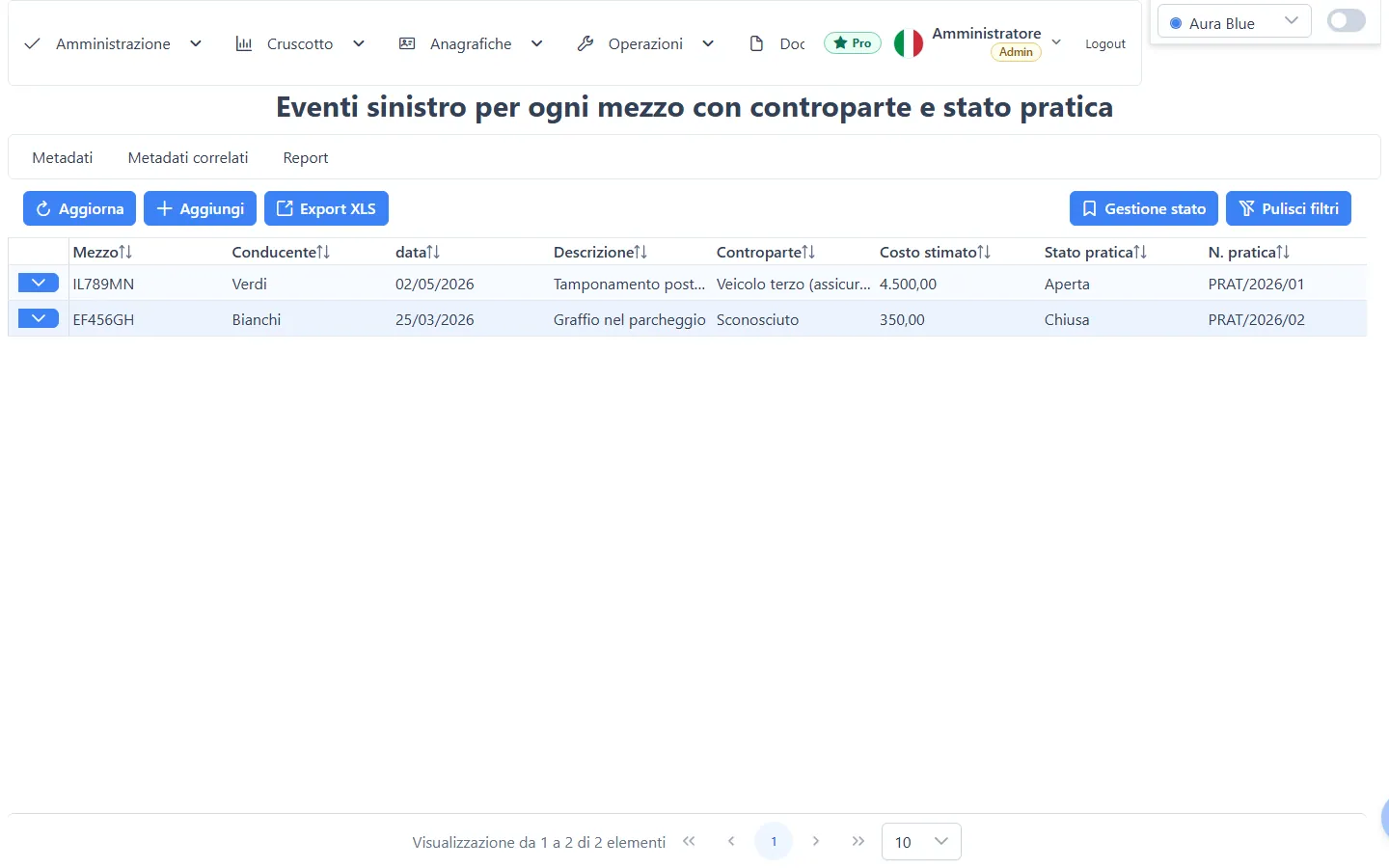
- Accidents: vehicle, driver, date, description, other party, estimated cost, status and claim number. A recorded accident updates the vehicle's status.
- Maintenance, refuelling and accidents feed the cost dashboards; a nightly job recalculates the aggregates.
Fines
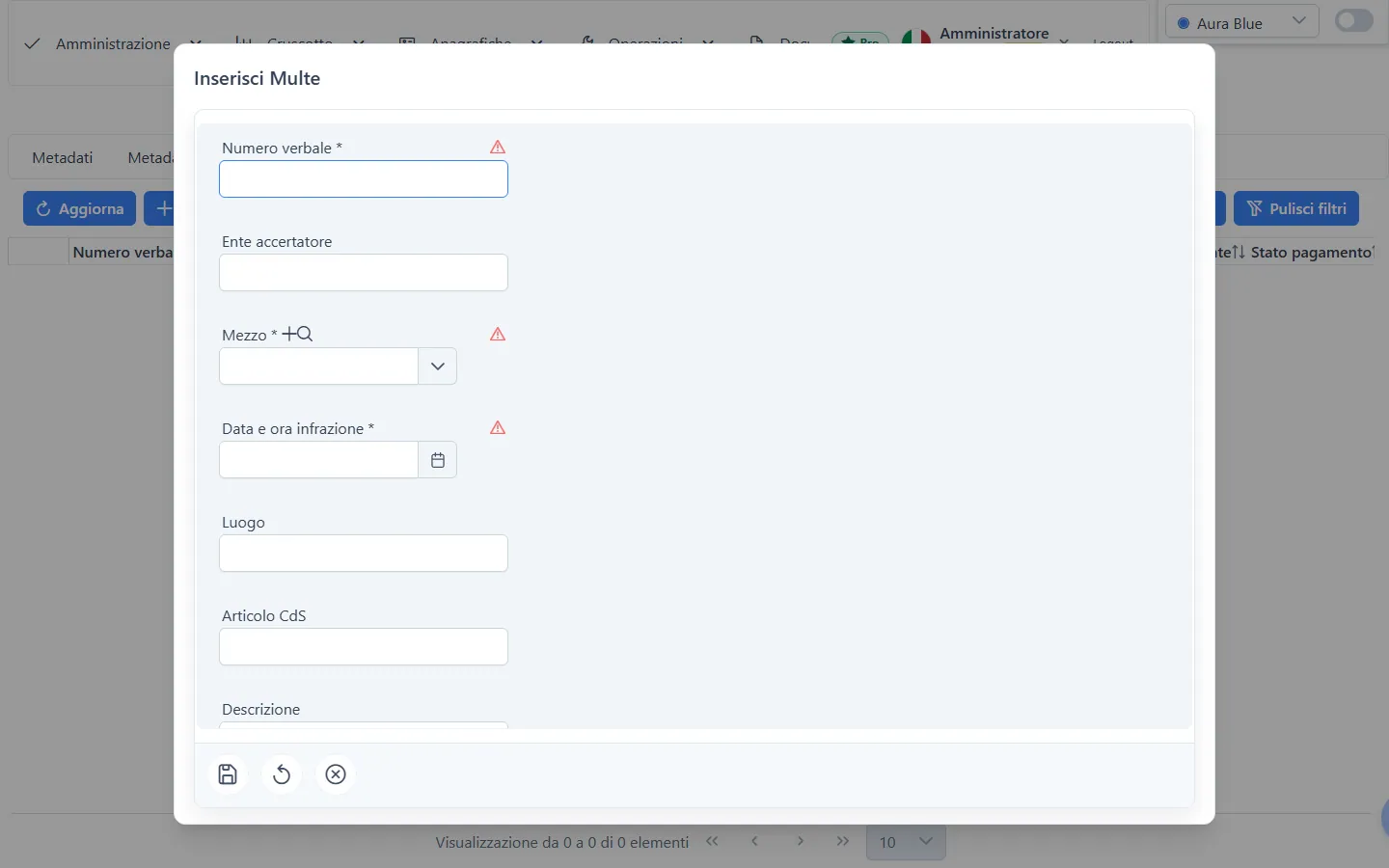
- Each fine records report number, issuing authority, vehicle, date and time of the offence, place, article of the Italian Highway Code, description, amount.
- Automatic driver: if not given, the application derives it from who had the vehicle at that date and time, looking first at bookings and then at the assignment history. A driver entered by hand stays as chosen.
- Calculated deadlines: reduced payment within 5 days (70% of the fine plus notification costs), ordinary payment within 60 days, communication of the driver's data within 60 days, counted from the notification of the report or, if missing, from the date of the offence. Deadlines cannot be edited by hand.
- Automatic reminders every morning: in-app notification to fleet managers and administrators 2 days before the reduced-payment deadline and 10 days before the ordinary payment and driver communication deadlines, only once per fine and per deadline type.
Documents: policies and inspections
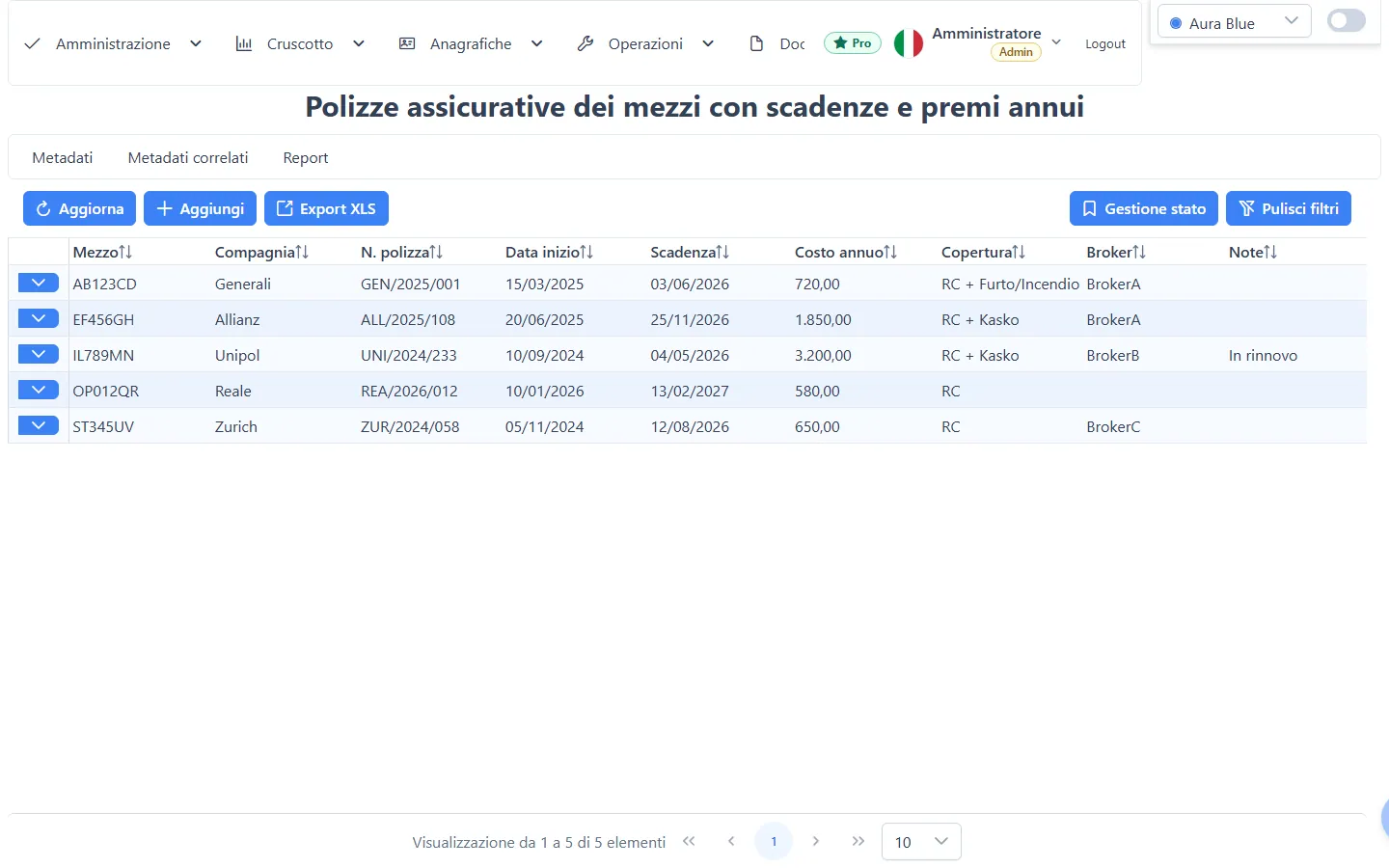
- Insurance contracts: vehicle, company, policy number, start date, expiry, annual premium, coverage (third-party liability, theft/fire, comprehensive), broker and notes.
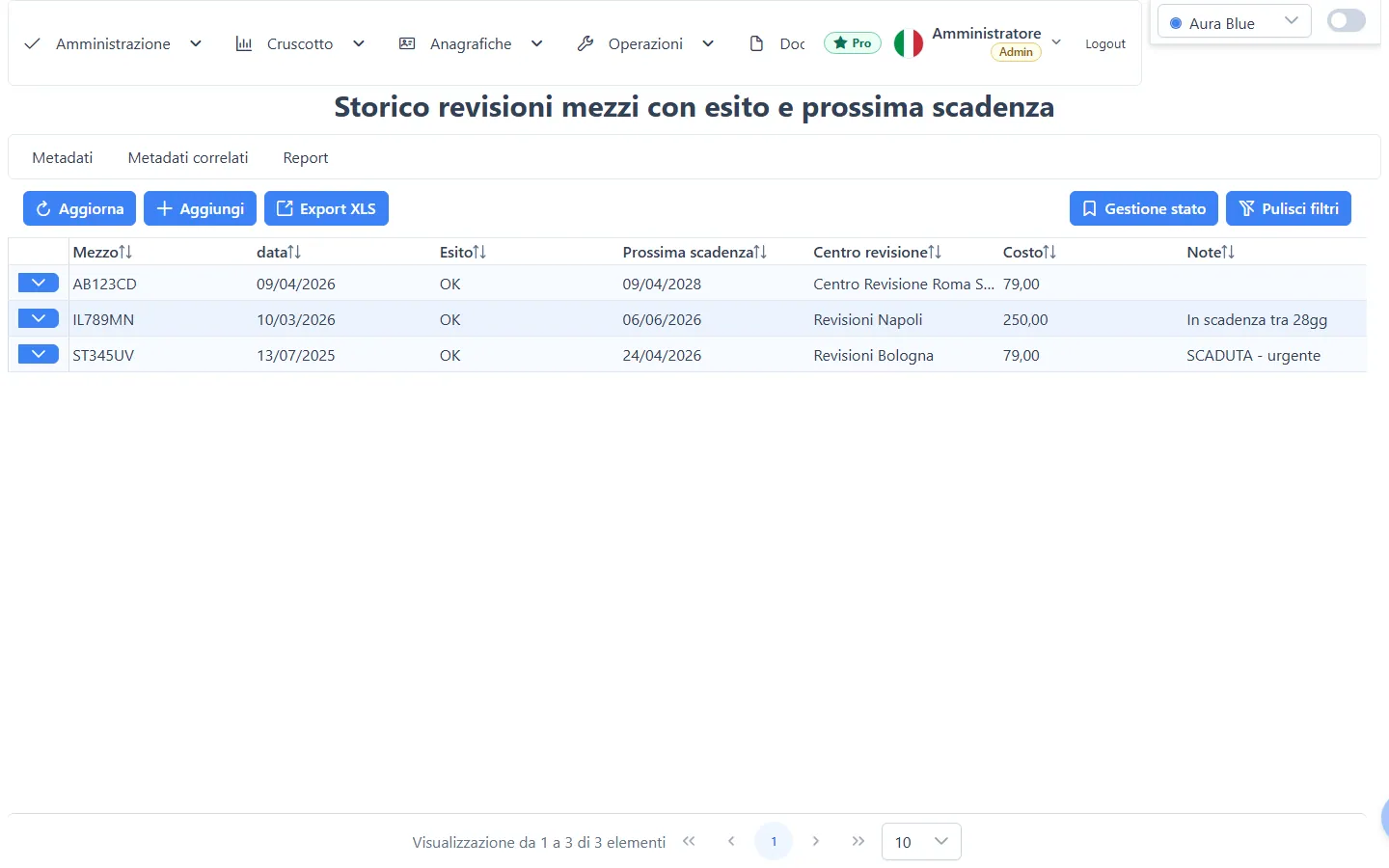
- Inspections: vehicle, date, outcome, next due date, inspection centre, cost and notes.
- Policies, inspections and driver licences all flow into the Deadline aging dashboard.
- A job checks every morning at 7 the deadlines of the next 30 days and those already passed.
Pool car booking
- Users book a vehicle for a period with a destination; the Booking calendar shows bookings in month, week and day views, with a filter by vehicle.
- No double bookings: two active bookings of the same vehicle cannot overlap, whatever path they come from; the user gets a message with the conflicting plate and period. A booking starting when the other ends is allowed; rejected, cancelled or completed bookings do not block the vehicle.
- Approval process: request, approval or rejection by a fleet manager, pick-up with starting mileage, return with ending mileage (not lower than at pick-up), completion; the request can be cancelled until the vehicle is in use.
- The rules also apply outside the interface: only a manager or an administrator approves, pick-ups and returns without mileage are rejected, approver and dates are recorded.
- The return mileage updates the vehicle's, and the booking is the first source used to attribute a fine to a driver.
Workflows
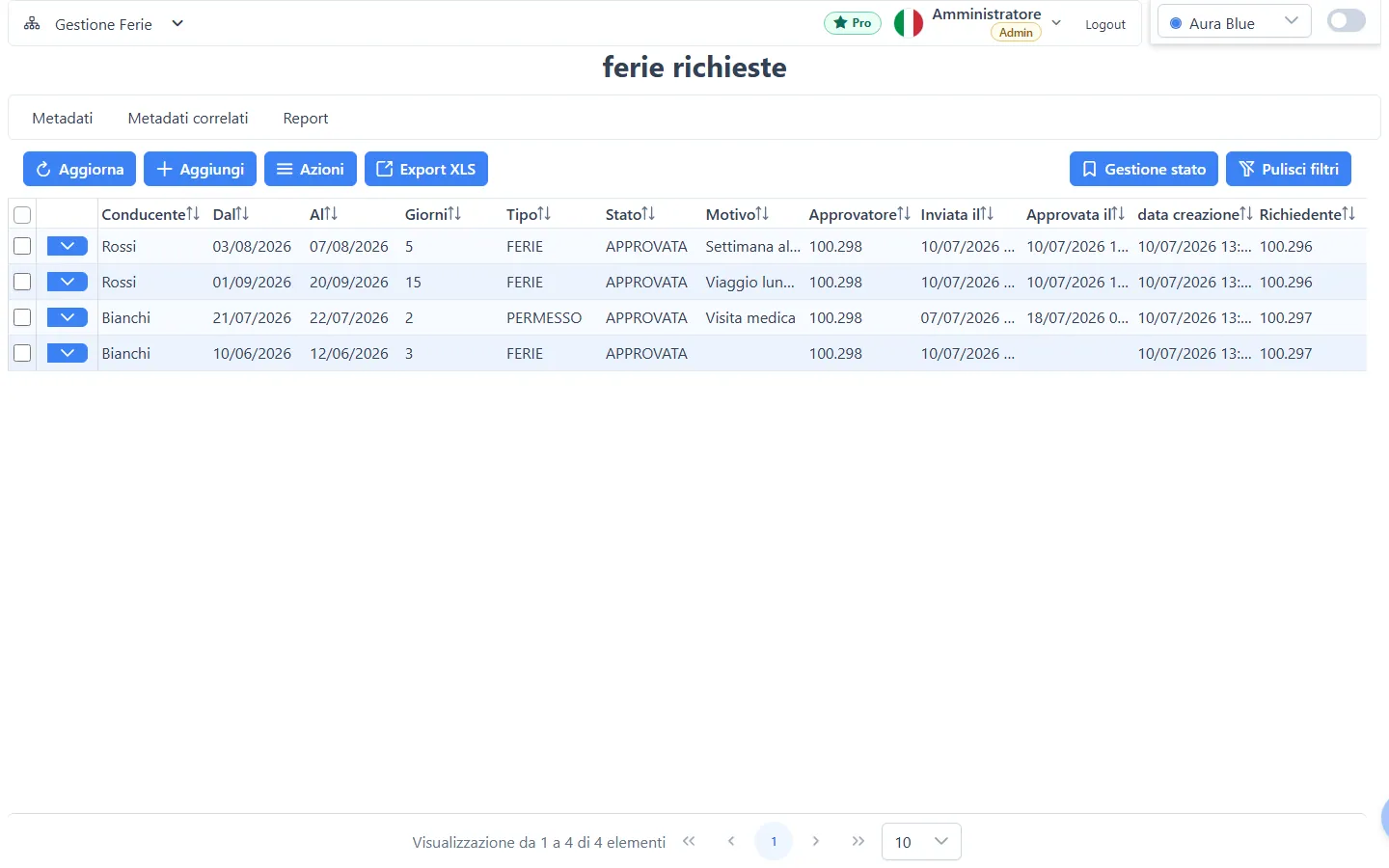
Two ready-made processes, each with its own menu entry:
- Bookings: the process described above, with the "to approve" and "in progress" queues.
- Drivers' leave management: the driver submits the request; it is approved or rejected by their manager, found through the user hierarchy, or by the manager's delegate during the delegation period. Requests longer than 10 days also go through the HR office. If a request waits more than 48 hours a reminder goes to the role; the outcome is notified to the requester. A rejected request goes back to draft and can be submitted again.
- Every case keeps its history of transitions, and the process menu entries show the number of cases in the queue.
- Processes are edited with the graphical workflow designer, from the Administration menu.
Scheduled jobs and notifications
- Deadline check every day at 7:00 (policies, inspections, licences expiring within 30 days or already expired).
- Fine reminders every day at 7:30, with in-app notification.
- Cost aggregation every night at 2:00.
- Pending leave reminder, every 5 minutes.
- Cost sending to the FatturazioneElettronica integration, every minute.
- Jobs are visible and editable from Administration > Scheduler.
Integrations and API
- To FatturazioneElettronica: every maintenance, refuelling or fine with an amount generates the
cost.registeredevent (amount including VAT, rate, date) exactly once through the framework's webhook hub, even when the delivery has to be retried. Endpoint and secret are configured at installation with a dedicated script or from Administration > Webhook hub. - GPS positions: the endpoint for sending vehicle coordinates, described above.
- Costs per vehicle: an endpoint returns the cost report per vehicle (maintenance, fuel, accidents) over a range of years, for users with the administrator, fleet manager or read-only role.
Roles, users and permissions
- Roles included: Admin, Amministratore, gestore_flotta, autista, meccanico, readonly, hr_flotta.
- The sample databases contain a demo user for every role (including those of the leave process), to be changed or disabled before entering real data.
- Permissions per menu entry, table and column, managed from the framework's administration pages.
- Interface in 5 languages (Italian, English, French, Spanish, German), messages and alerts included.
- A user Manual is available from the Administration menu.
What is in the package
Two zips per version, from the site's Downloads page, Free apps section:
Binary (FlottaMezzi-iis-v<version>-with-dbs.zip) |
Source (FlottaMezzi-src-v<version>.zip) |
|
|---|---|---|
| Contents | application compiled for IIS, the two sample databases (db/data.bak, db/metadata.bak), INSTALL.md, upgrade\ folder |
C# source, Angular client, configuration, the same two databases, INSTALL-src.md, VS Code workspace and AGENTS.md for coding assistants |
| WUIC license | not needed: the binary carries a license bound to this application as distributed, valid on as many servers as you like | needed to run the recompiled application: a WUIC license covering SQL Server (Launch price or Enterprise); without a license it runs in Trial mode (at most 20 records per query) |
Installing the binary, in short (about 10 minutes):
- Requirements: Windows Server 2019 or later with IIS and the ASP.NET Core 10 Hosting Bundle; SQL Server 2017 or later (Express is enough). SQL Server only.
- Restore the package's two backups on your SQL Server.
- In
appsettings.json: the two connection strings and your own Google Maps JavaScript API key (GoogleMaps.ApiKey). Without a key the maps do not load. - In IIS, create a "No Managed Code" application pool and a site pointing to the extracted folder; give the pool identity write permission on the folder.
- Open the site and sign in with
admin/admin, then change the password immediately, together with those of the demo users.
Source: from PowerShell, install.ps1 -Src -App FlottaMezzi from the site installs what is missing (.NET SDK 10, Node.js, SQL Server Express, git), downloads and verifies the zip, creates a git repository with a vendor branch and a work branch, restores the databases and prepares the project.
Upgrade: an existing installation moves to the new version keeping data and customizations with the upgrade\ folder of the new zip (procedure in the Upgrading a free app documentation page). The zip's backups are only for a new installation.
Built with WUIC
FlottaMezzi is a WUIC framework application: lists, forms, filters, export, permissions and translations come from metadata, so a field added to a table appears in the interface without writing code. It uses the framework's components for maps, calendar and dashboards, the workflow engine with dynamic assignment, delegations, timers and notifications, the job scheduler and the webhook hub for the integration with FatturazioneElettronica. Menus, forms, processes and dashboards are customized from the application; metadata lifecycle compares the installation with the vendor's version.