Who it is for
- Italian small and mid-sized businesses that want to send and receive electronic invoices without paying an intermediary a fee per VAT number: with the DirectPec provider, sending to the SDI goes through your own PEC mailbox.
- Accounting firms that follow several companies and prefer to keep the data on their own server.
- Companies that already have an ERP and want an e-invoicing module kept in-house, connected to the rest with webhooks.
- Software houses and developers who need to build a vertical product with e-invoicing: signing, validation and sending are already done, and with the source zip they can be extended.
For those who issue only a few invoices a month, a cheap subscription to an online service costs less than running a server.
Home page and finance dashboards
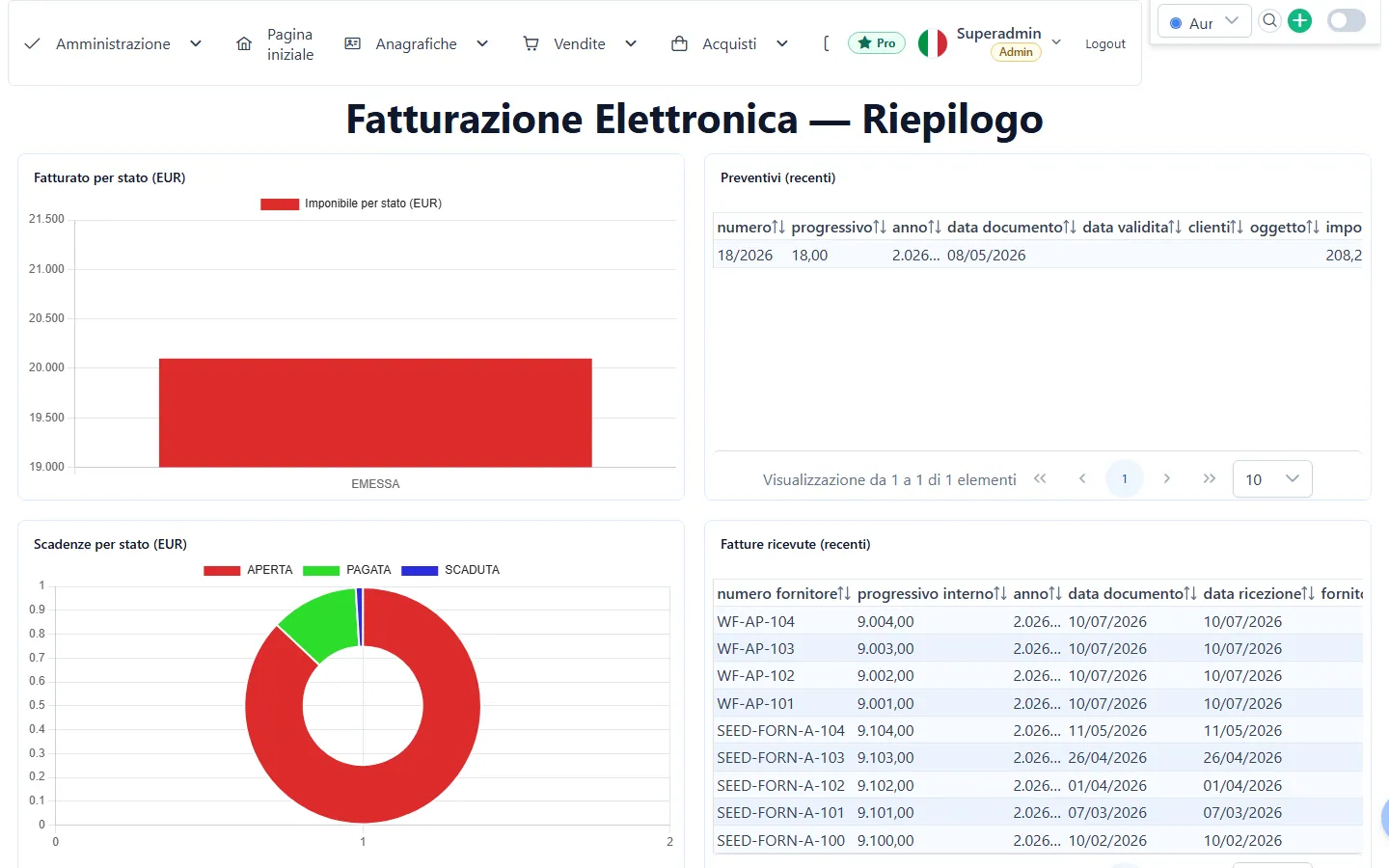
- The Home page summarizes revenue by status, payments due by status (open, paid, overdue), recent quotes and recent received invoices.
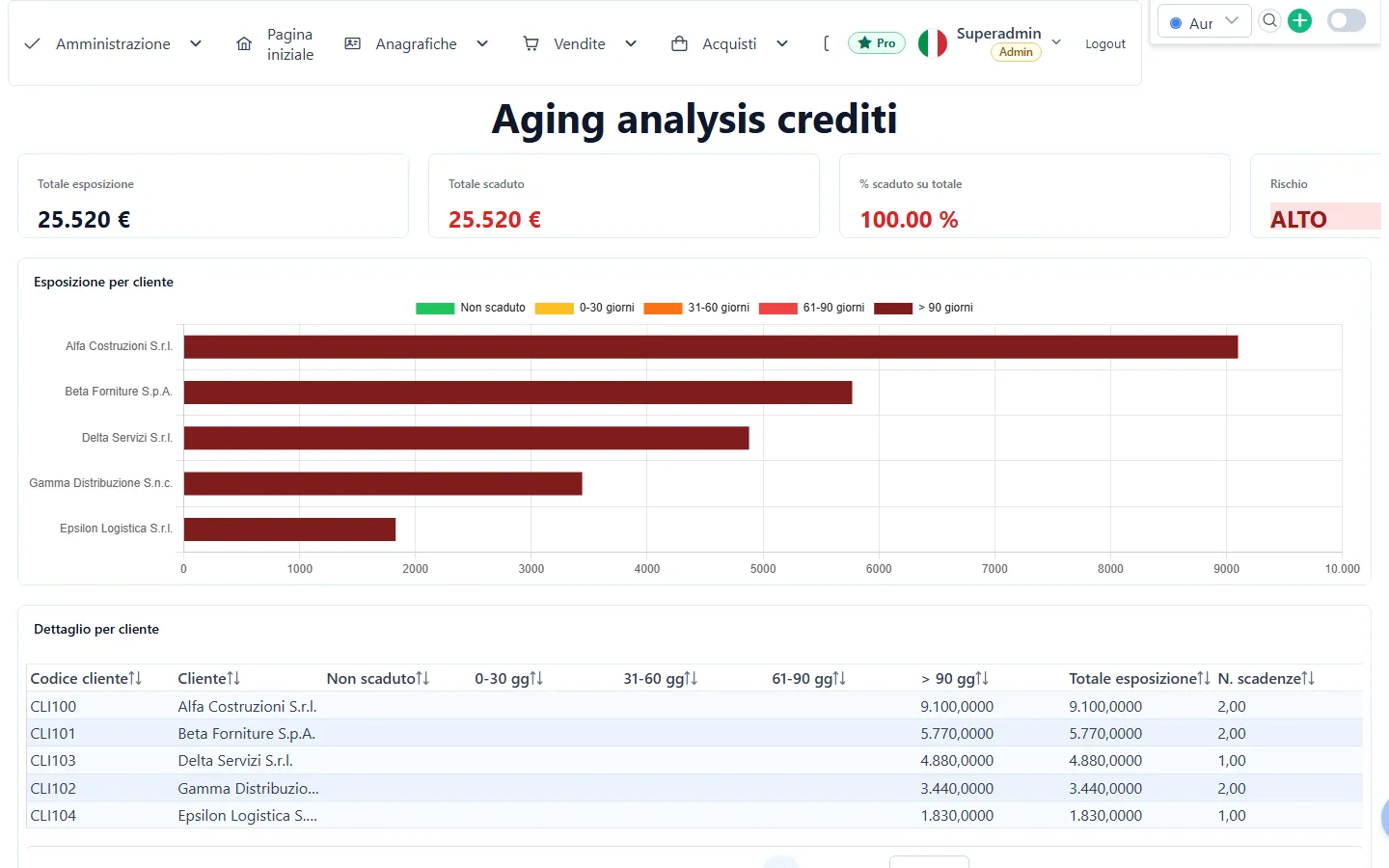
- Receivables aging: total exposure, how much is overdue and in what percentage, risk level, exposure per customer split into bands (not due, 0-30, 31-60, 61-90, over 90 days) and detail per customer.
- Payables aging: the same analysis on supplier invoices.
- 90-day cash flow forecast: expected collections and payments, cumulative balance day by day.
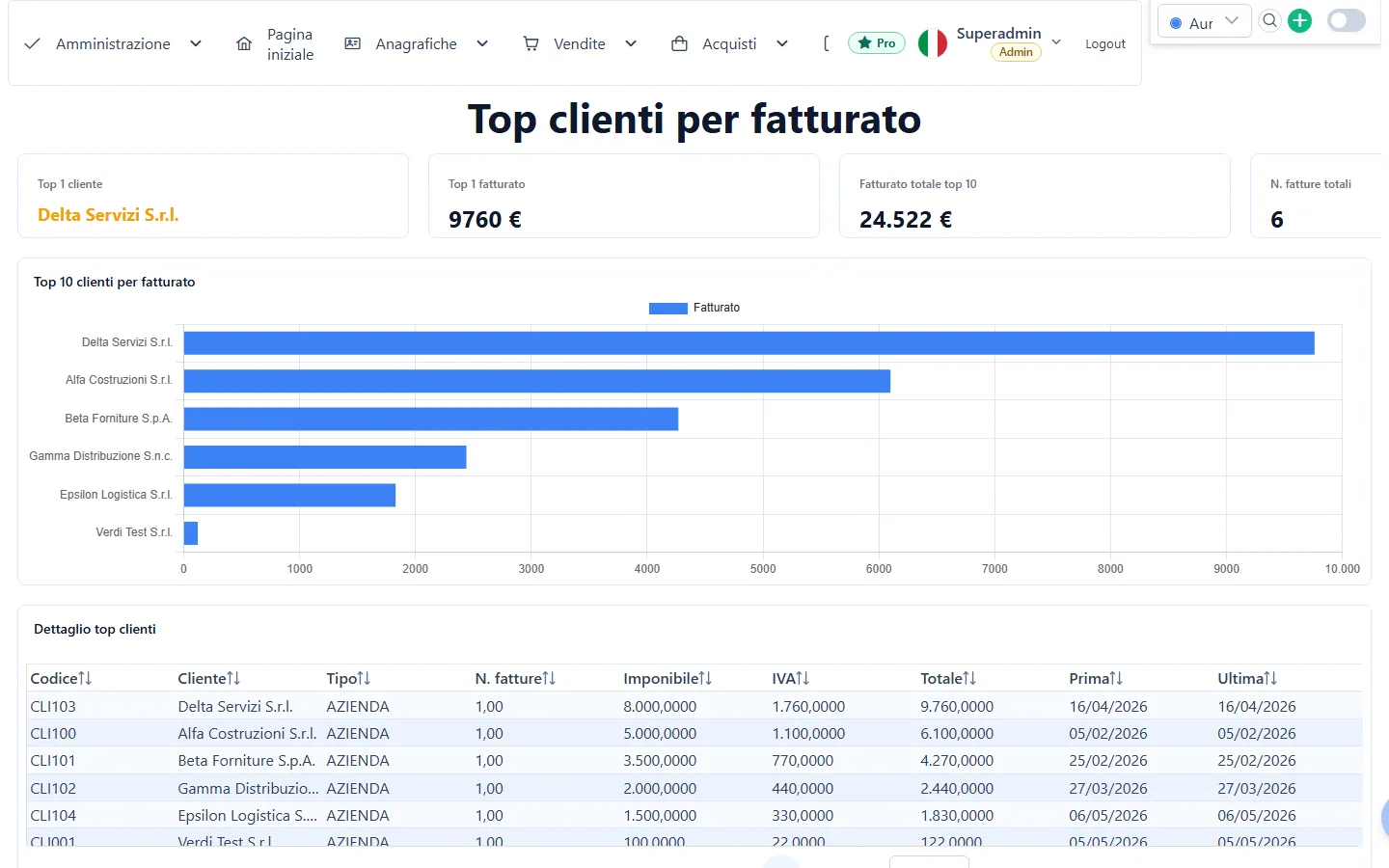
- Top customers by revenue: first customer, revenue of the top ten, number of invoices, chart and table with taxable amount, VAT, total, first and last invoice.
- Credit notes enter the totals with a minus sign; paid invoices and overdue items are excluded where they must not count.
Records and price lists
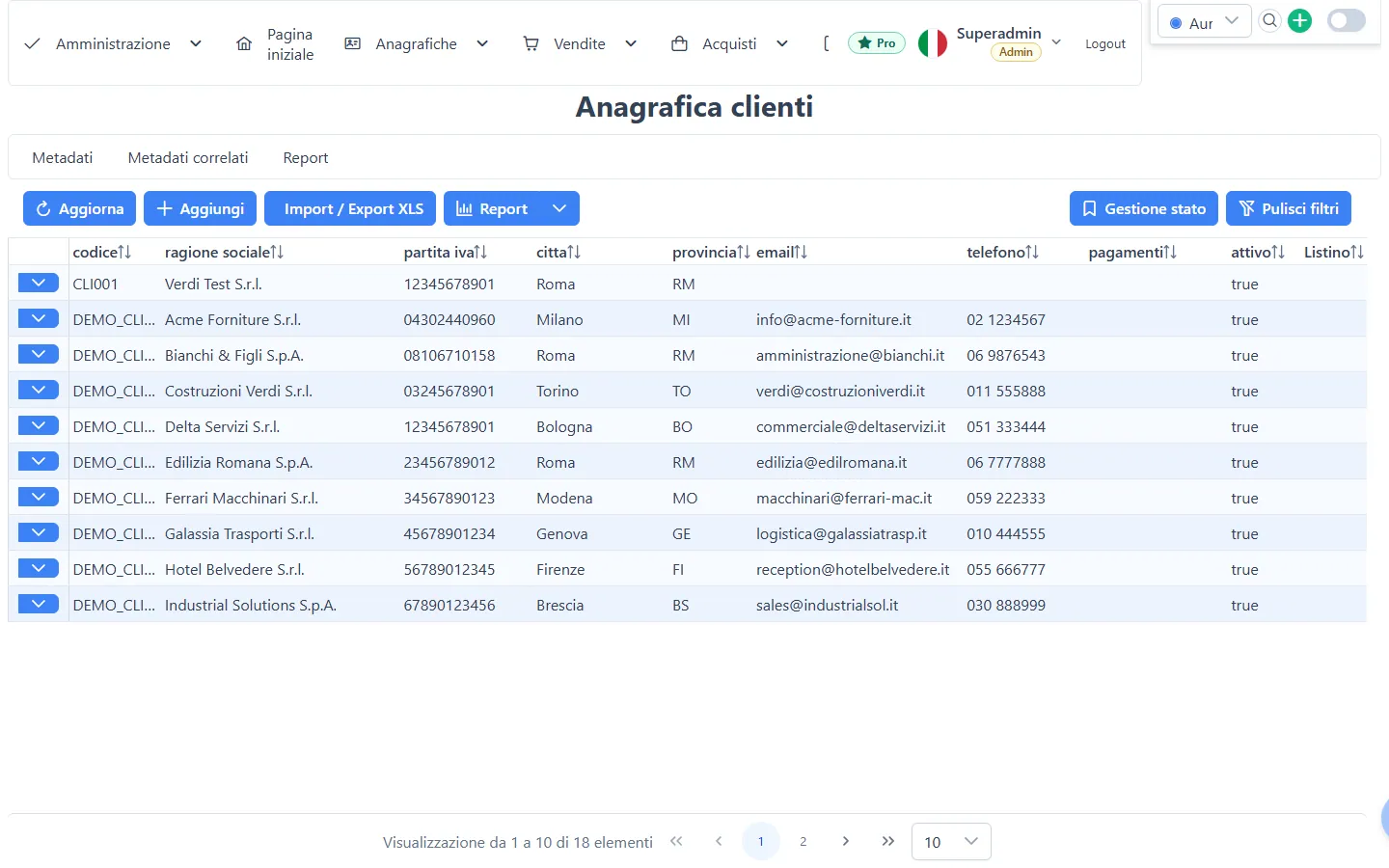
- Customers and suppliers with VAT number, tax code, SDI recipient code, PEC, address, payment terms and price list.
- Unified registry: customers and suppliers in a single list, for those who are both.
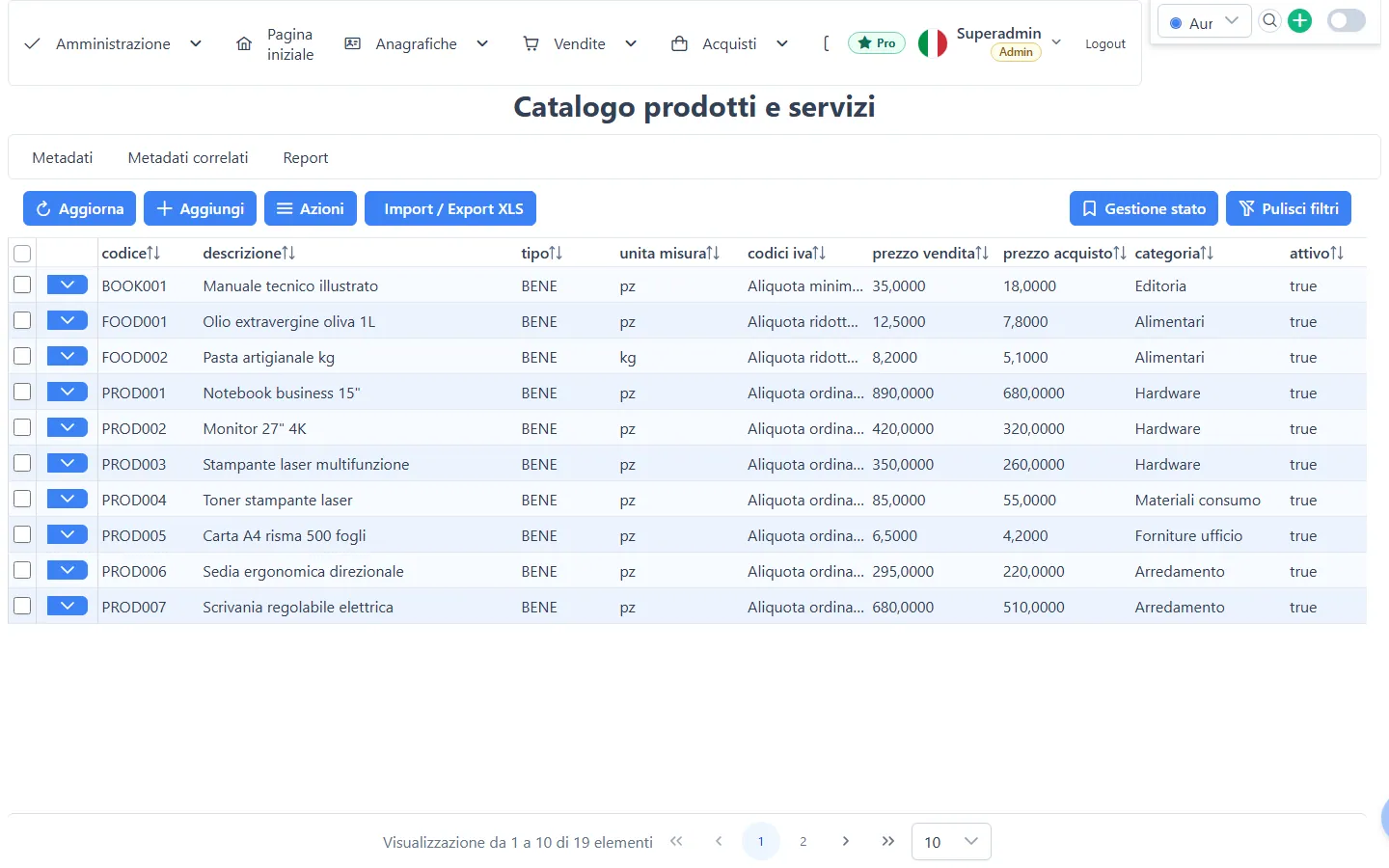
- Products and services: code, description, type (goods or service), unit of measure, VAT code, sale and purchase price, category.
- Multiple price lists, with the price resolved per customer and per product.
- Product variants: attributes (for example size and color), values, and the Generate variant matrix action that creates all combinations; a dedicated dashboard summarizes variants and attributes.
- Base tables: banks, payment terms, VAT codes, units of measure, reasons.
- Recycle bin: deleted records of the main tables are found in a list and restored with one click.
Sales cycle: from quote to invoice
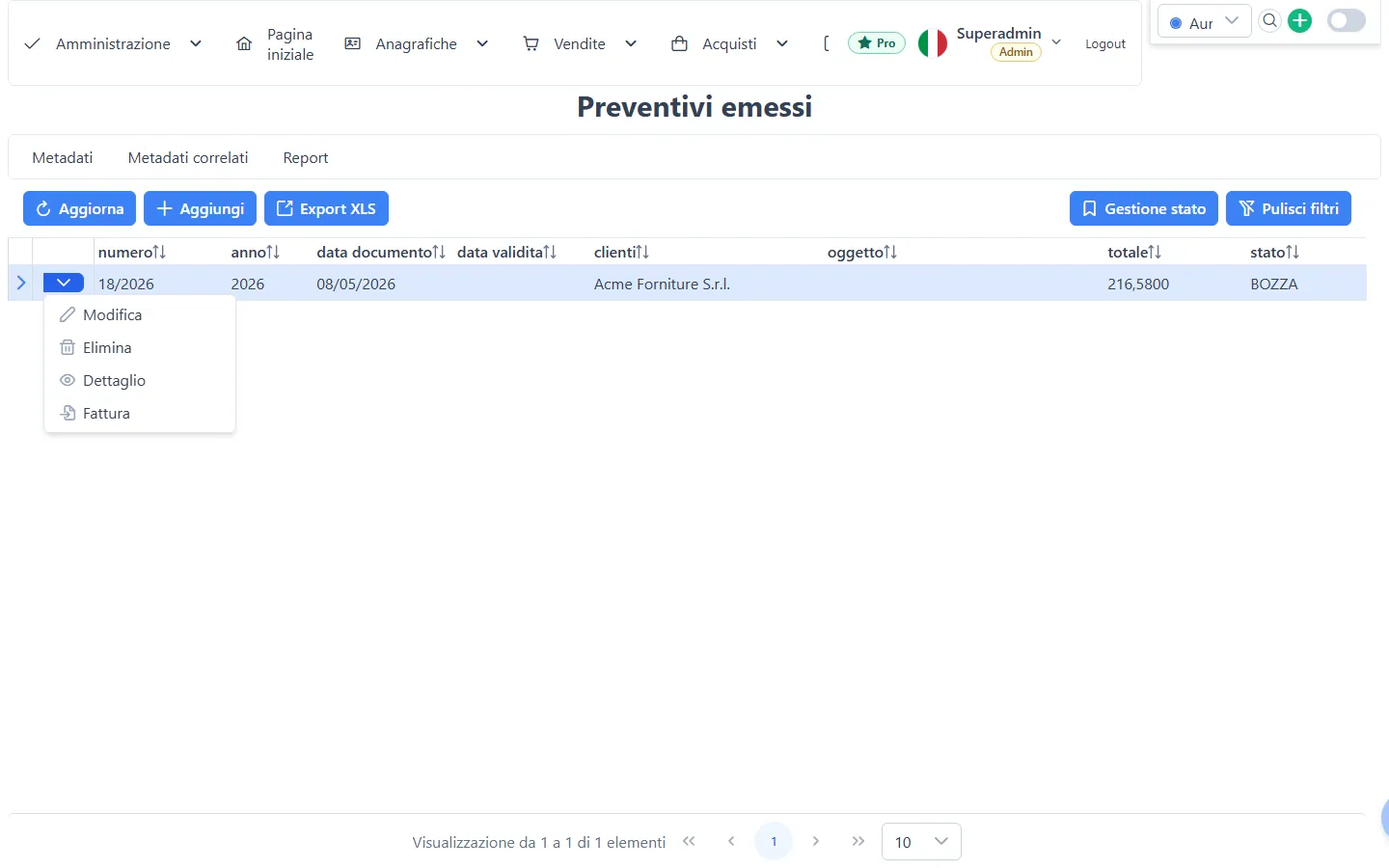
- Sales documents: quotes, orders, received electronic orders (NSO for public administration), delivery notes, pro forma, invoices and credit notes.
- Document numbering is automatic per series and year; the proposed number skips deleted documents.
- A quote becomes an invoice with the dedicated row action.
- Lines with product, quantity, price, VAT per line and discounts; totals, taxable amount and VAT are calculated as you type.
- Payment instalments: on first save the invoice generates the payments due from the payment terms; they can be adjusted by hand, and on save the application checks that their sum matches the total and offers to realign them.
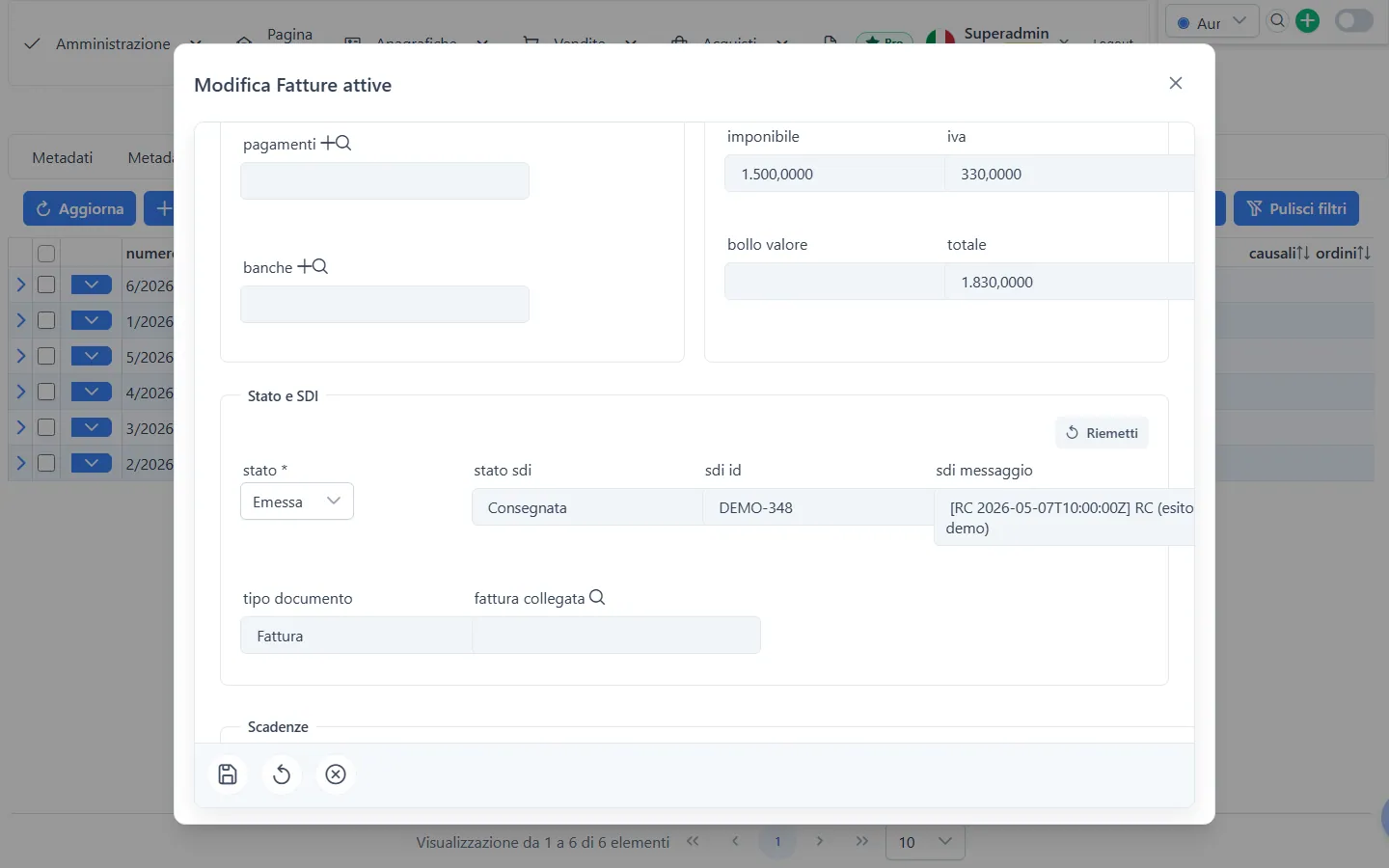
- Once out of draft, an invoice can no longer be changed: header, lines and instalments stay locked, in the database too. Corrections use Correct and resend (invoice rejected by the SDI: it goes back to draft with the same number) or Reissue (delivered invoice: in one step the application creates the credit note for the full amount and a new draft invoice, both linked to the original).
Sending to the SDI
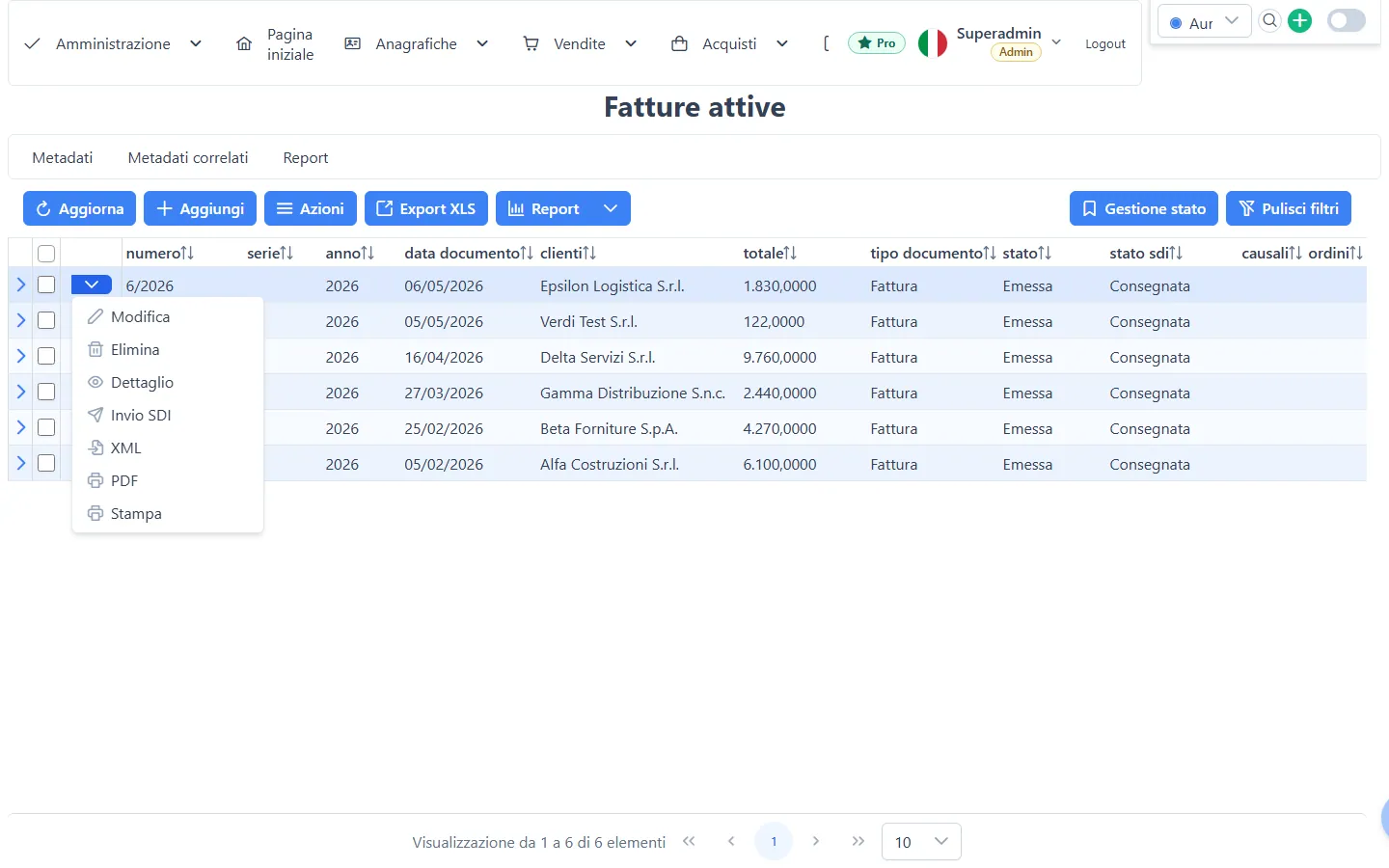
- From every invoice: SDI send, download of the FatturaPA 1.2 XML, PDF preview and Print.
- Bulk send: select several invoices or drafts and run Send to SDI; each invoice is processed only once, and the outcome of each arrives in the notification bell with a final summary.
- Before sending, the XML is validated against the official XSD schemas and signed CAdES-BES with the company certificate (PKCS#12 file).
- Five sending channels, interchangeable by configuration: DirectPec (free: sending from your own PEC mailbox), ArubaPec, FatturePec, PecIt, Notarify (paid intermediaries). With no channel configured the application uses a simulator, useful for trying it; with more than one channel configured it refuses to start, so as not to send real invoices by mistake.
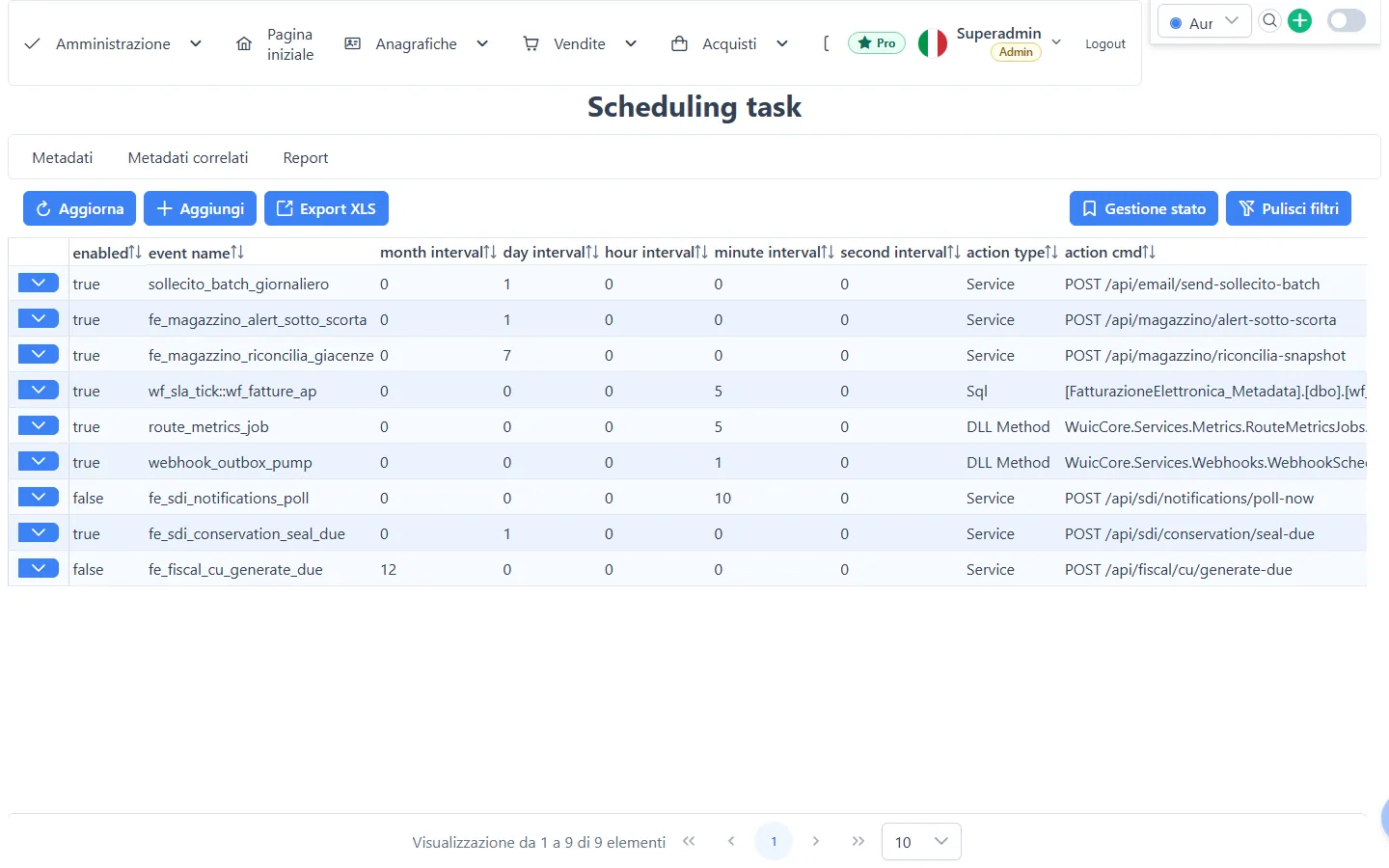
- SDI receipts (delivery, rejection, failed delivery and the others) update the invoice status, with identifier and message visible in the record. A scheduler job reads them every 10 minutes from the PEC mailbox or the intermediary: it is off in the package and is switched on after configuring the sending channel.
- The tax data of the issuing company live in the configuration: if they are missing, XML generation stops with an explicit error instead of producing a wrong document.
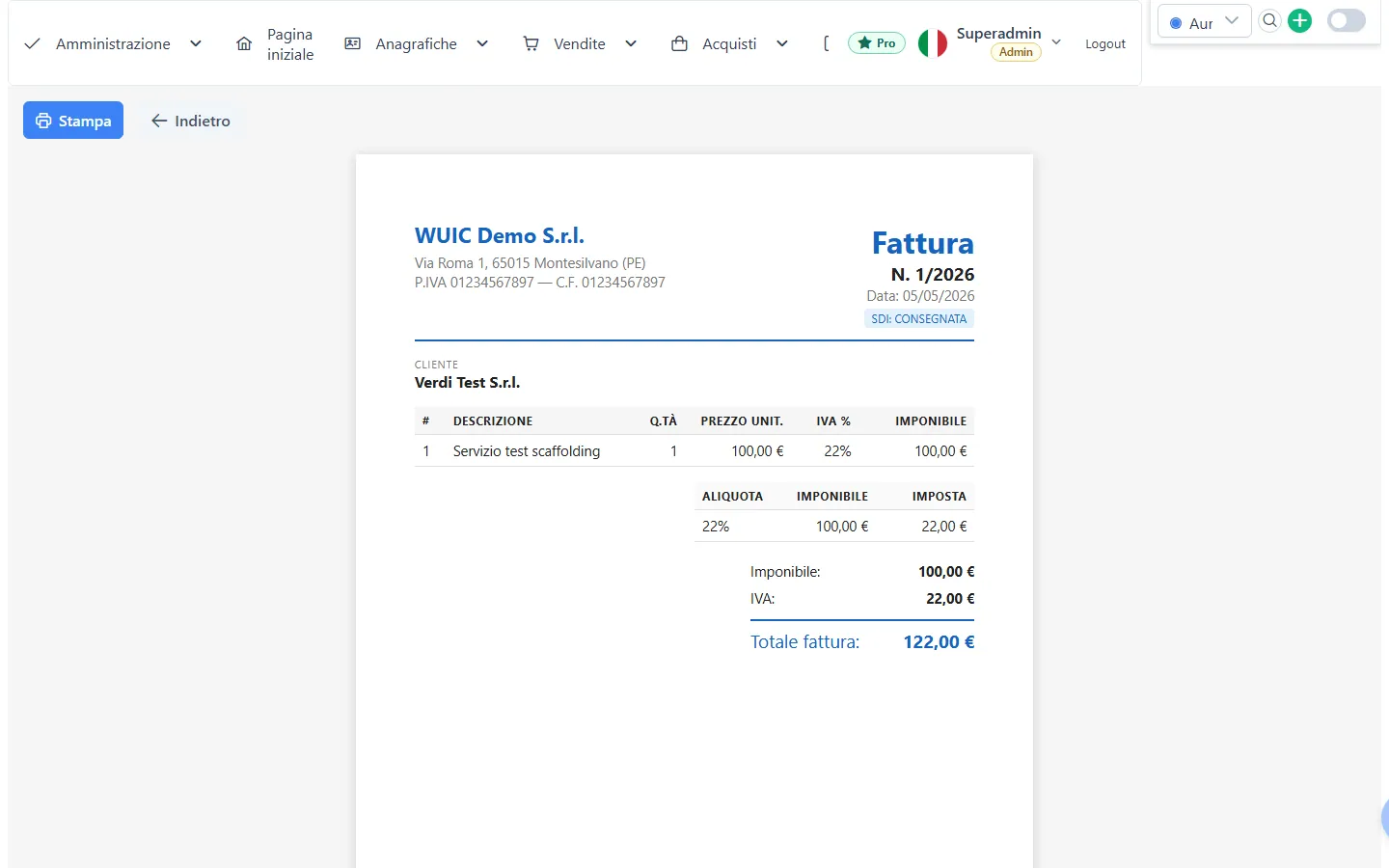
- The print preview (the invoice's PDF action) shows the issuing company's data taken from the same configuration as the XML, the customer, the lines with their VAT rate and the summary per rate, with amounts in Italian format.
Purchase cycle and supplier invoice approval
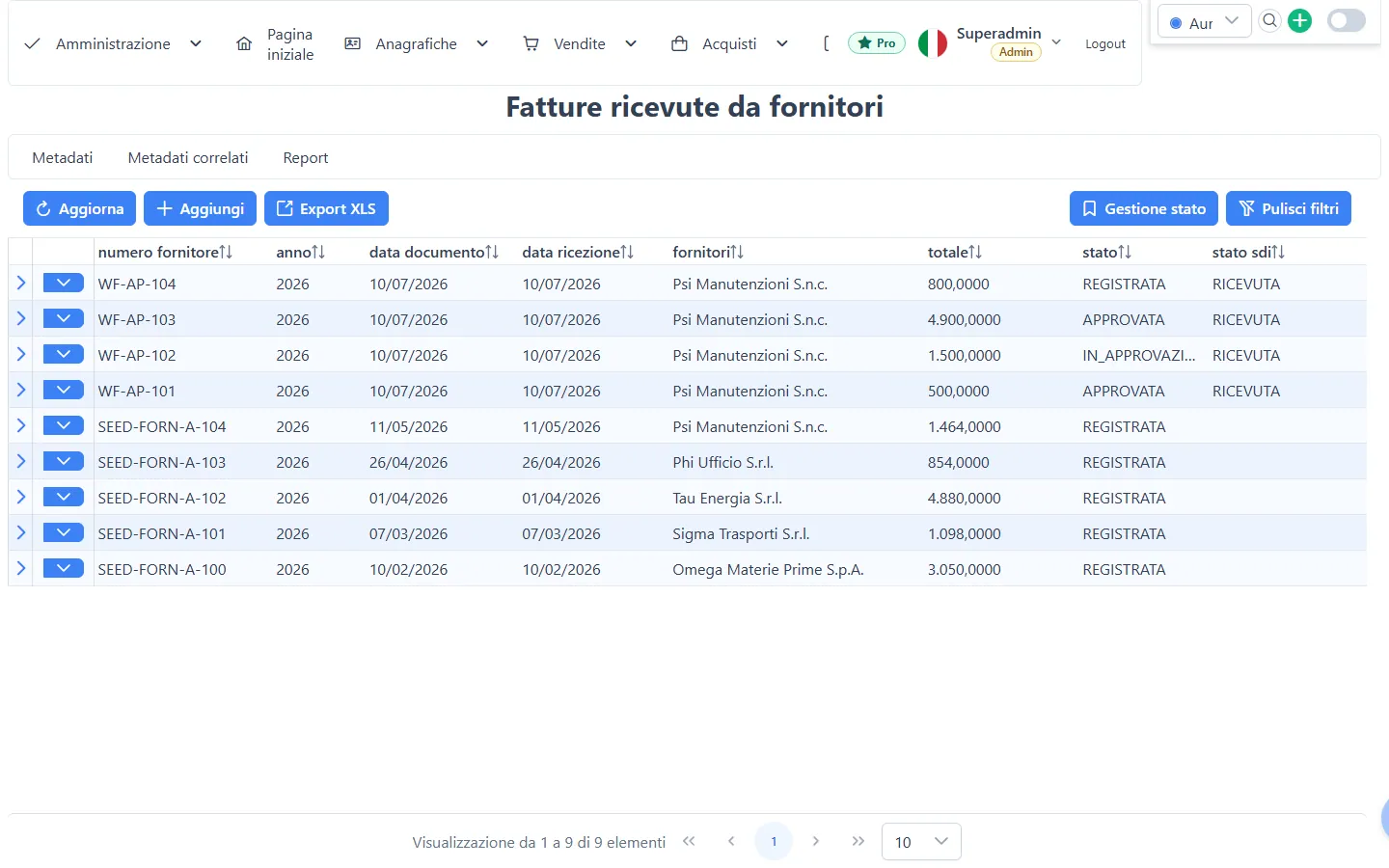
- Received invoices: they arrive from the SDI or are entered by hand. Lines and amounts of invoices received as XML can never be changed; manual ones only until approval starts.
- Purchase orders to suppliers.
- Expected purchase invoices: costs announced by other applications (for example FlottaMezzi's maintenance and refuelling) waiting for the real invoice.
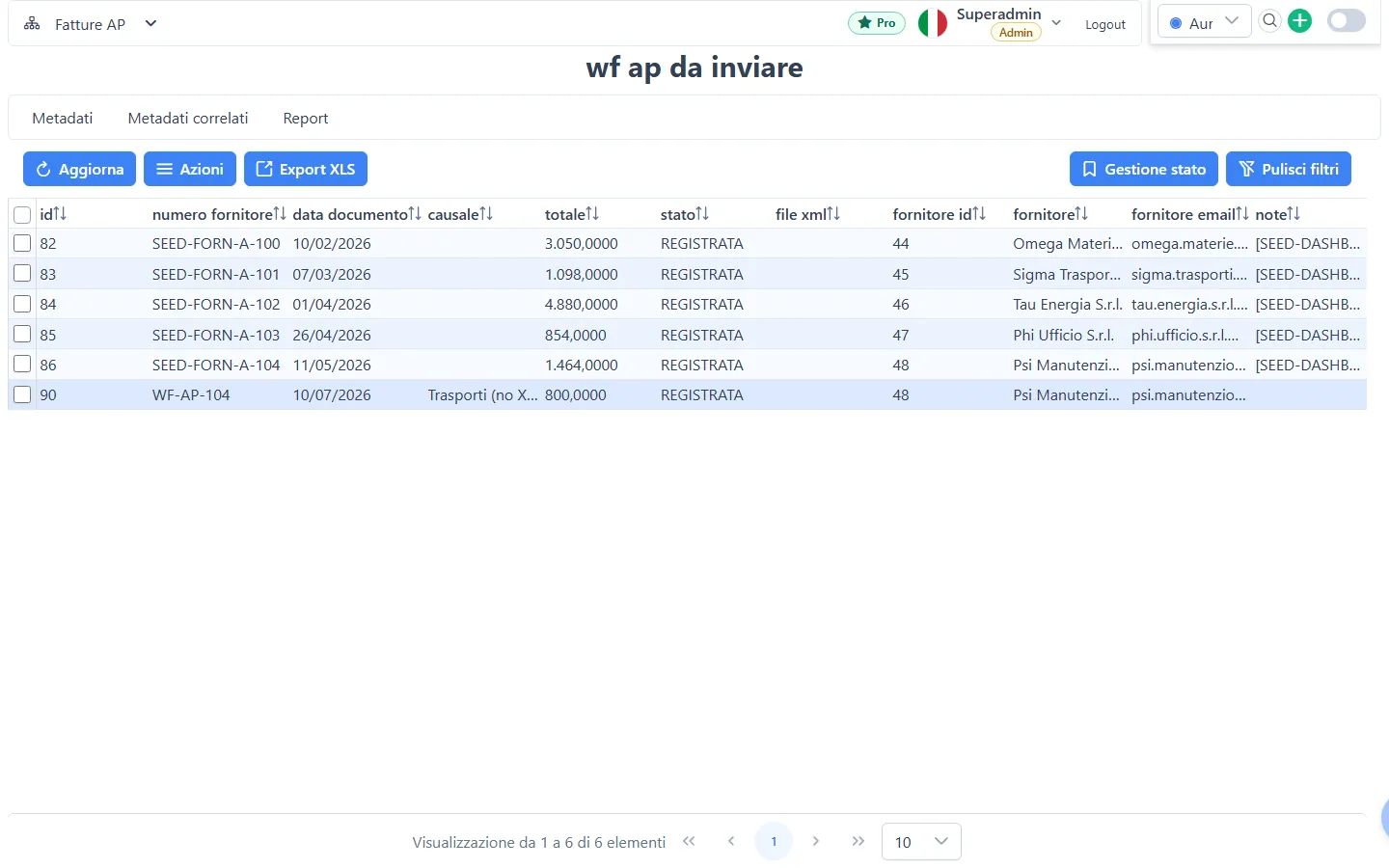
- Approval process (AP invoices menu): the invoice goes into approval; up to 2,000 euros it is approved by the purchasing manager, above that the CFO is also needed. An invoice stuck for more than 48 hours at the first level triggers a reminder to the role; at the end of the process the email to the supplier is prepared.
Payment schedule, bank and accounting
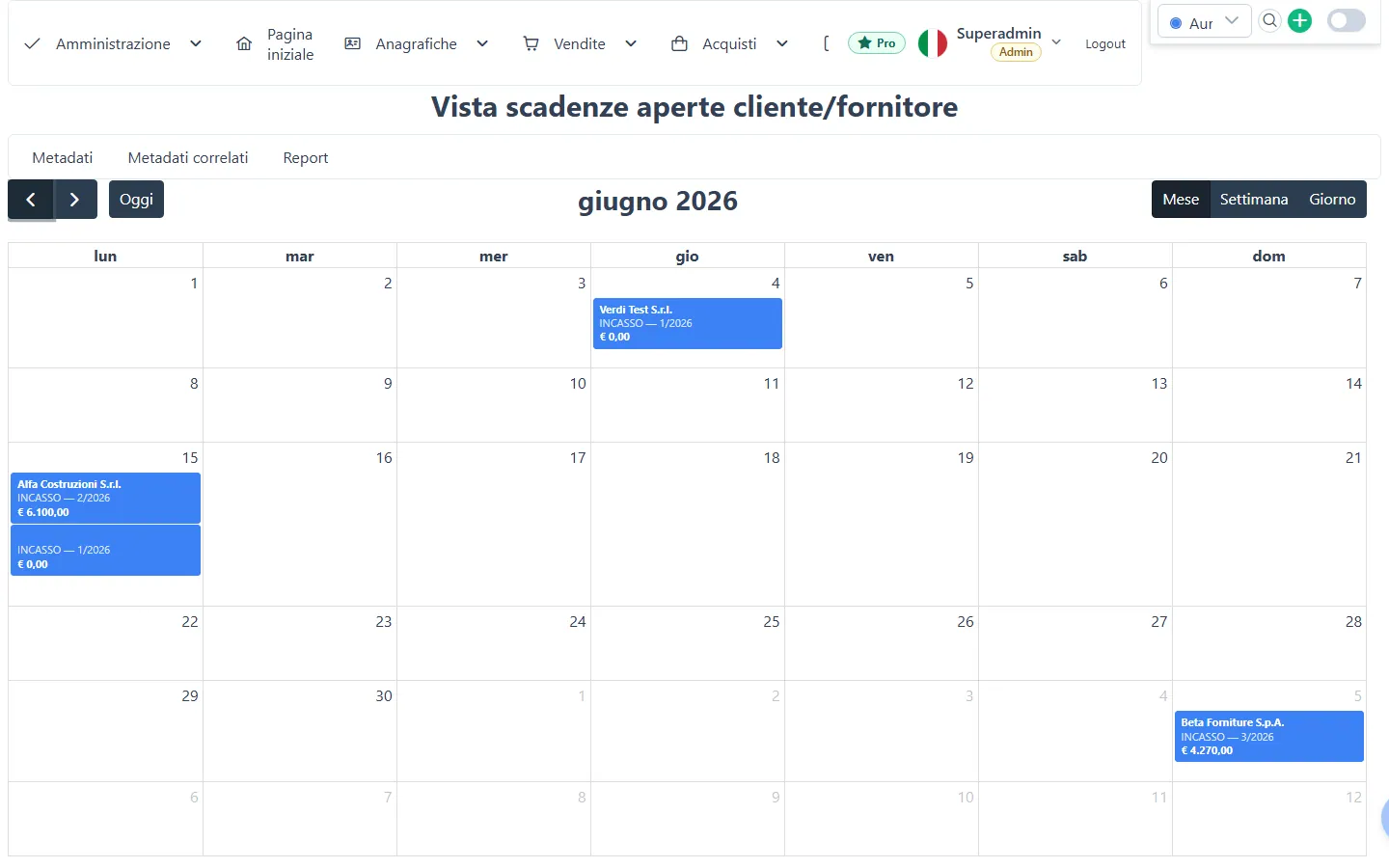
- Calendar payment schedule (Finance menu): collections and payments day by day, by month, week or day; each item shows customer or supplier, type, document and remaining amount.
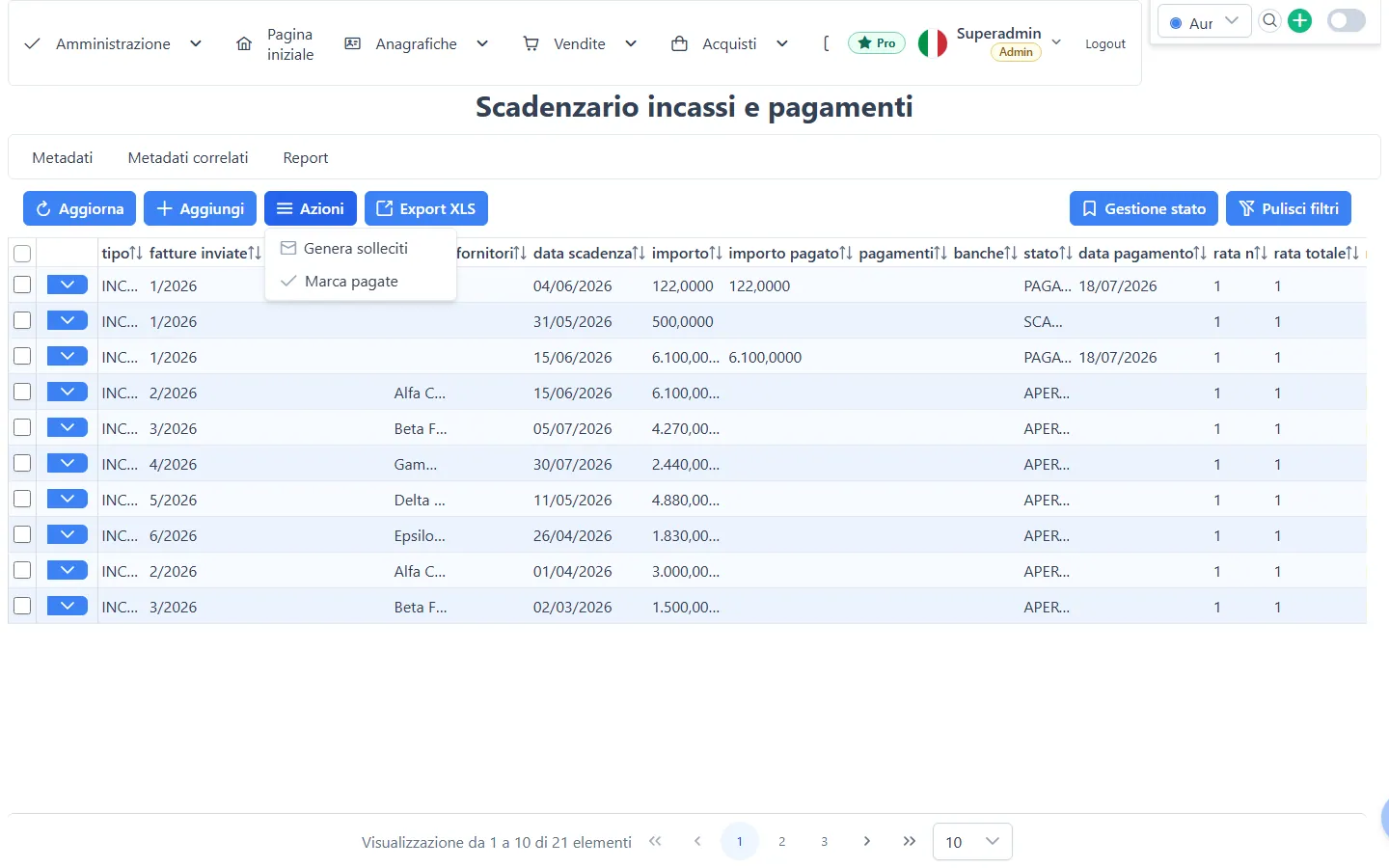
- Payments due list (Finance menu): amount, amount paid, status, payment date, instalment.
- Mark as paid: several items are closed in one step.
- Generate reminders: prepares reminder emails for open items, with templates of different tone (mild, firm, legal); a job sends them once a day.
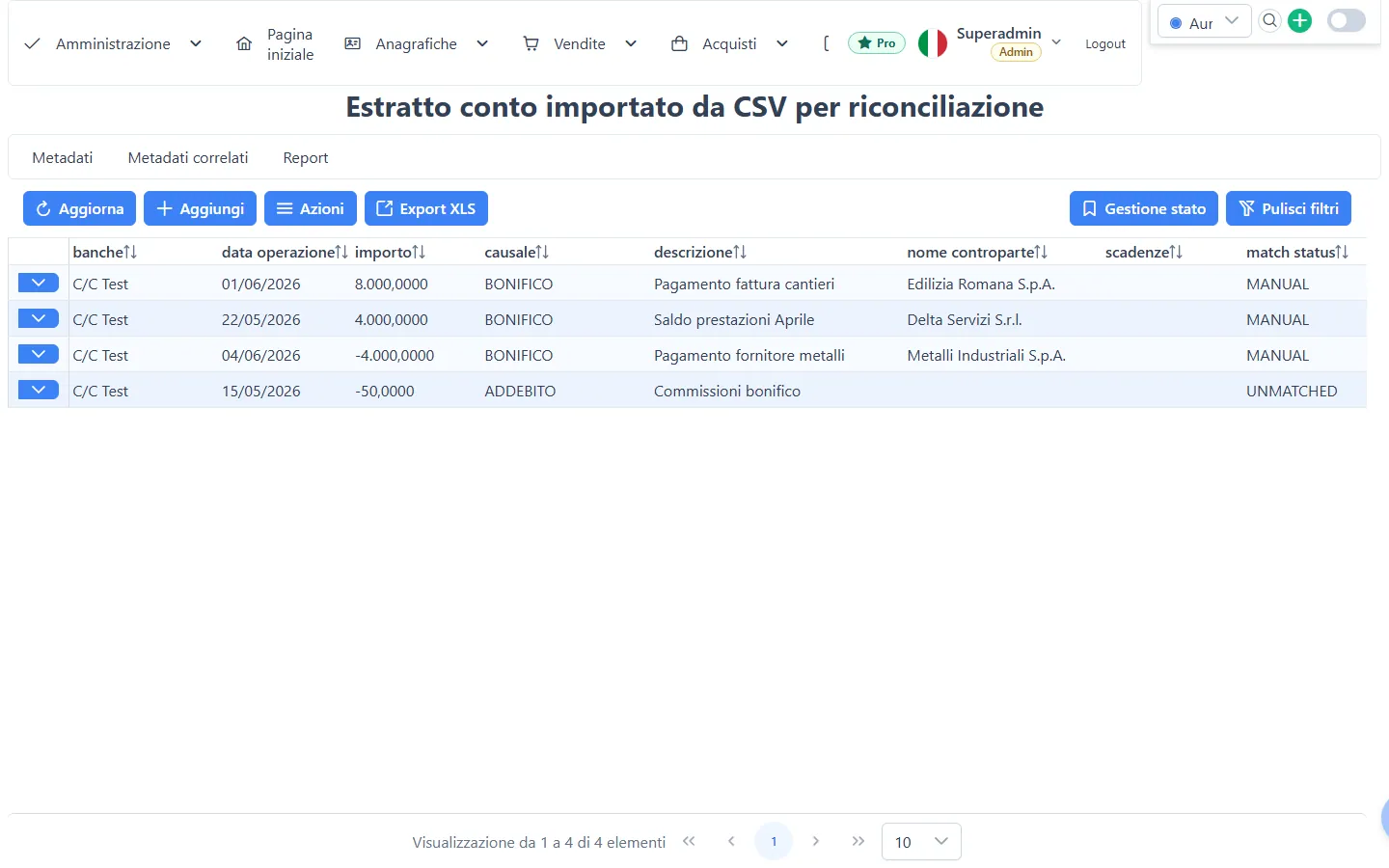
- Bank reconciliation: Import movements loads the bank statement from a CSV or Excel file and automatically matches movements to payments due; unmatched ones are left to be fixed by hand.
- Daily cash book and register of receipts.
- Cash book export of the year to a text file in the layout used by accounting programs (a delimited layout).
- Automatic emails: HTML templates with placeholders (invoice number, company name, due date) and a log of the emails sent.
VAT and tax filings
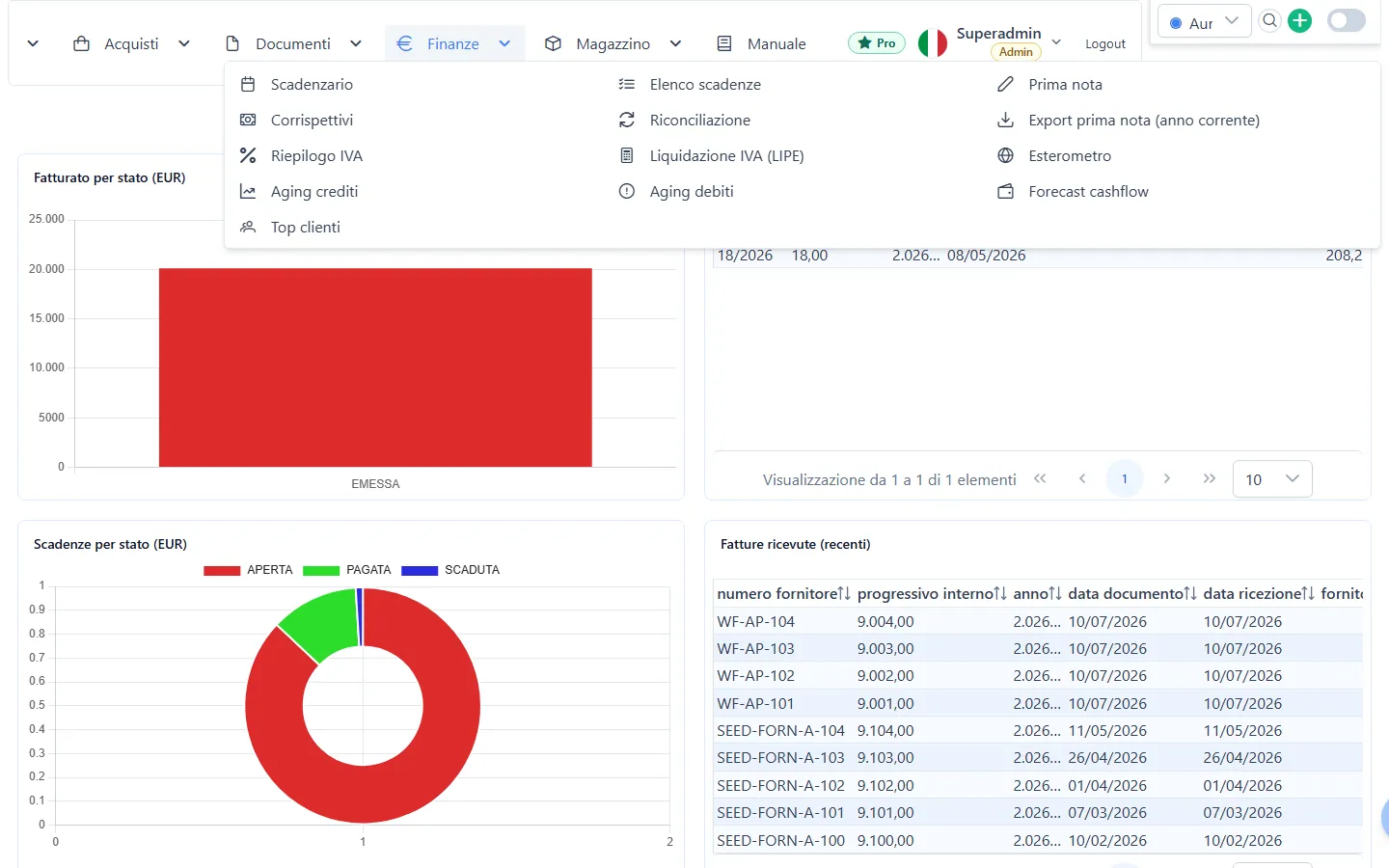
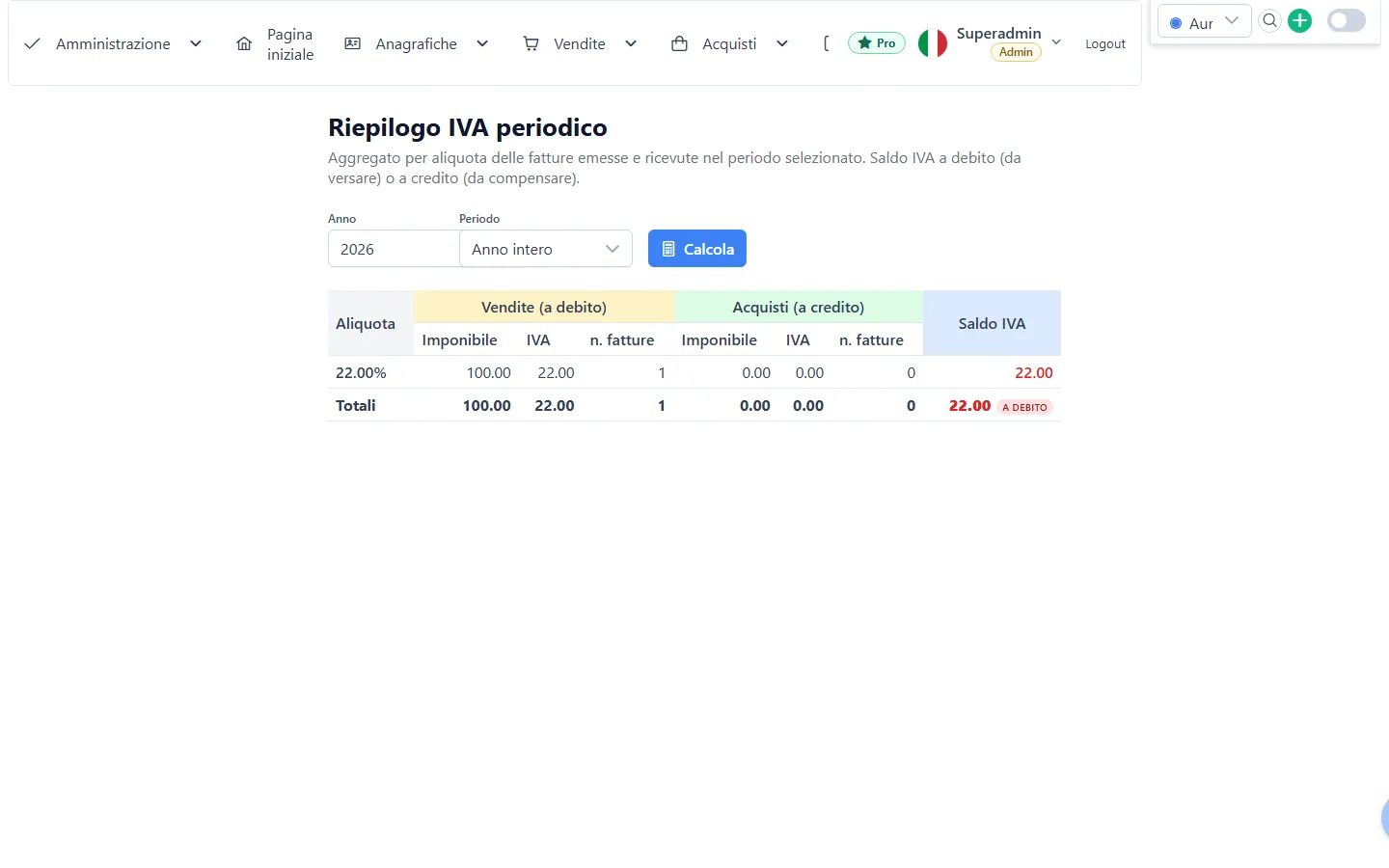
- Periodic VAT summary (Finance menu): by year and period (whole year, quarter or month), taxable amount and VAT of sales and purchases per rate, with the balance payable or receivable.
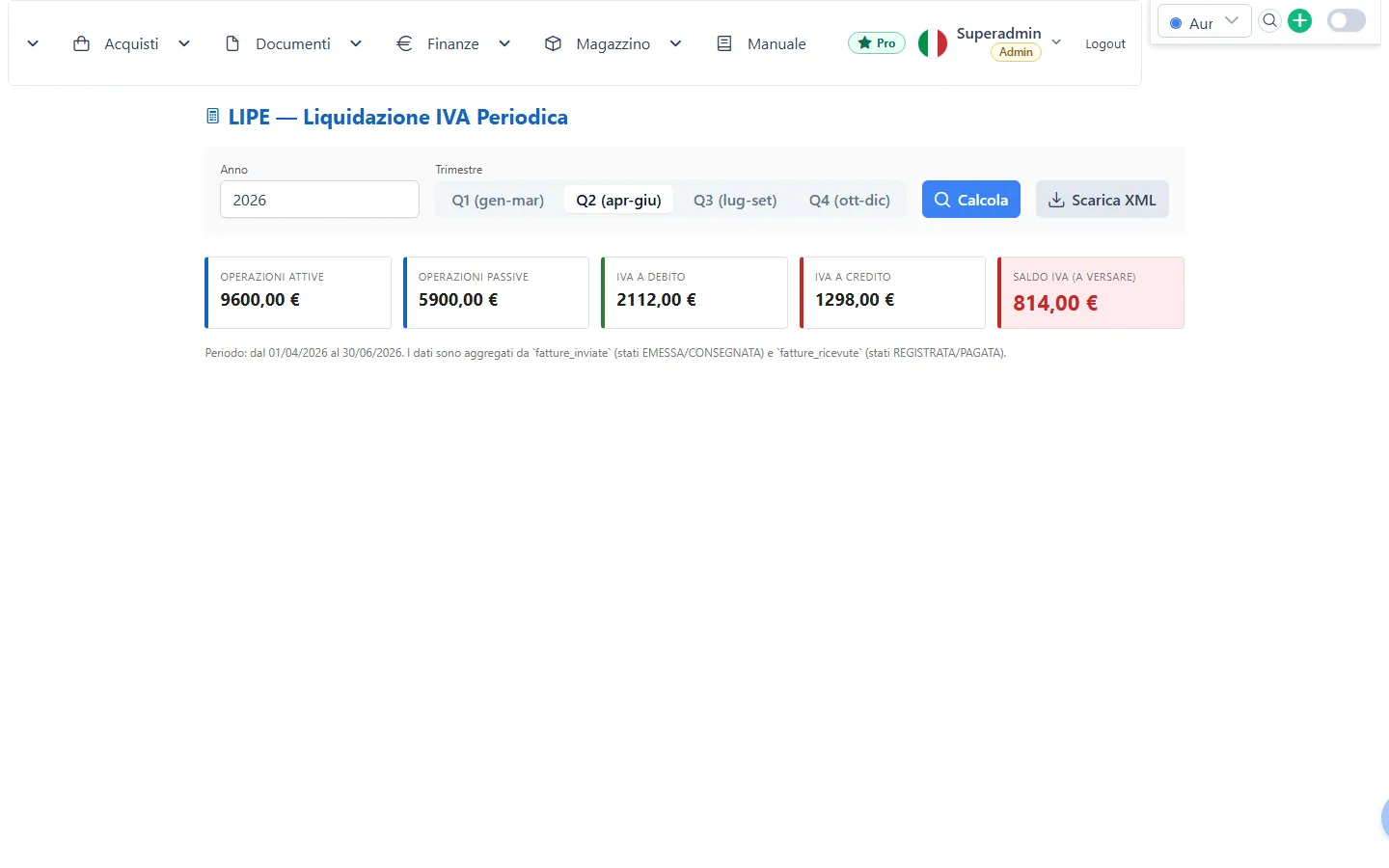
- VAT settlement (LIPE) per quarter and Esterometro (cross-border transactions) per month (Finance menu): dedicated pages that calculate the period and produce the XML ready to upload to the Italian Revenue Agency's channels.
- CU (Certificazione Unica) in XML: a yearly job on 1 March prepares it for the previous year. It is off in the package, because collaborators' fees come from the payroll system: it is switched on when that data is connected.
- Digital preservation: every night a job seals the delivered invoices not yet preserved, with an RFC 3161 timestamp on local disk or by handing them to an accredited preservation provider (Aruba or InfoCert); the integrity of every package can be verified later.
Warehouse
- Warehouses, stock levels (available, reserved, free, reorder threshold, average cost, value) and movements (receipts, issues, adjustments).
- Actions: Manual movement, Physical inventory, Reconcile snapshot, reverse adjustment of a movement, movement history of a product.
- Low-stock alert once a day and weekly reconciliation of stock levels.
- Two dashboards: Warehouse (stock value, products below minimum, movements of the week) and History (receipts, issues and adjustments of the last 30 days).
Productivity
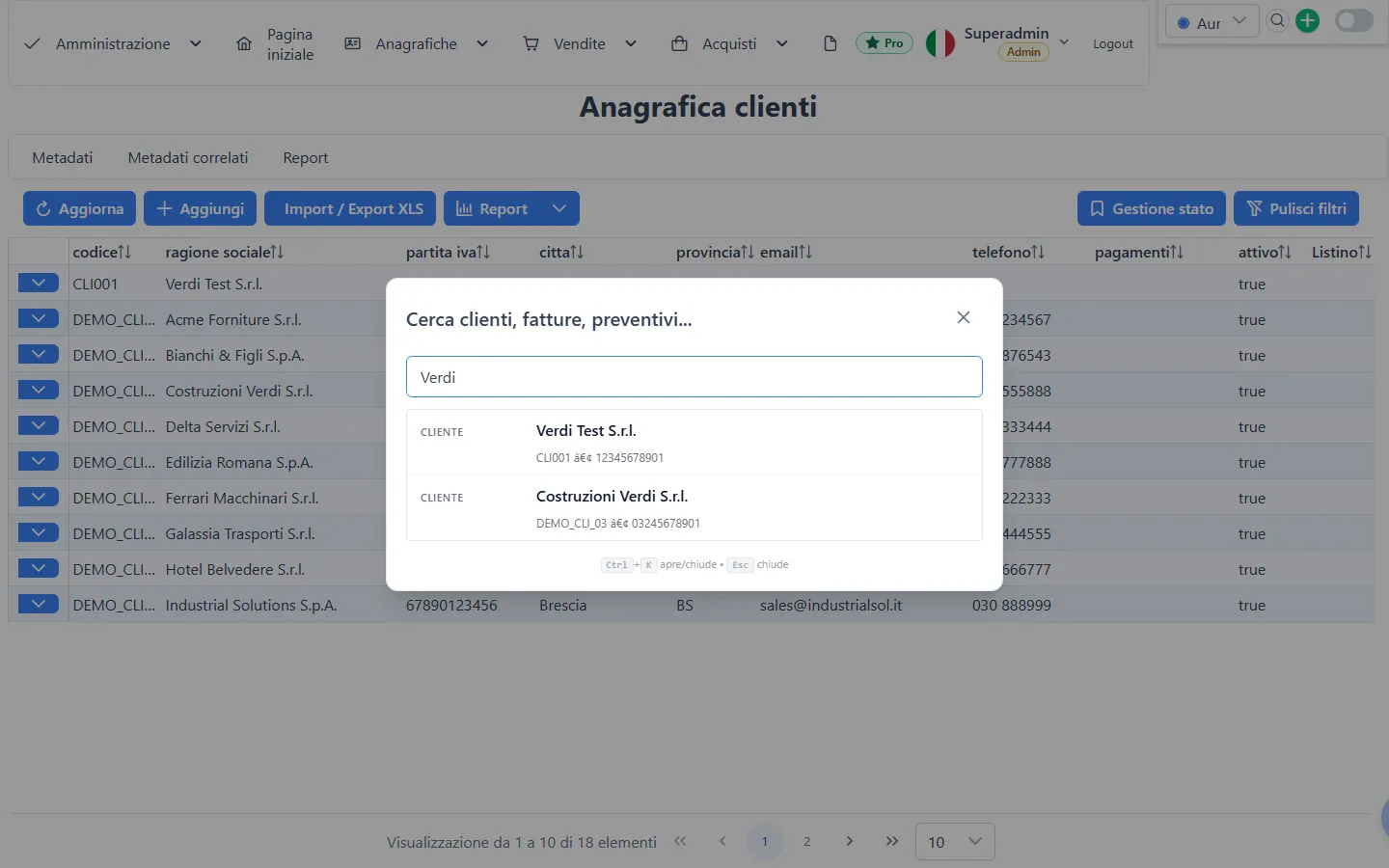
- Global search (Ctrl+K or the magnifier in the header) on ten kinds of data: customers, suppliers, sent and received invoices, quotes, products, payments, banks, VAT codes, units of measure.
- Quick create (Alt+N or the "+" button in the header) to add a customer, a supplier, a quote or an invoice from any page.
- Stimulsoft reports: invoice, revenue and customer registry, editable with the report designer.
- Every list has filters, sorting and Excel export; every change is recorded with user and date.
- A complete Manual is available from the menu.
Integrations
- From the CRM (
quote.accepted): a quote accepted in CrmApp arrives as a draft order, with the customer found or created from the billing data. - From FlottaMezzi (
cost.registered): the costs of maintenance, refuelling and fines become expected purchase invoices. - To the CRM (
invoice.paid): when an invoice is paid the application notifies the CRM, which records the collection. - Events are signed with a shared secret; until the secret is set, the endpoints stay off.
Roles and users
- Roles included: Admin, Amministratore, commercialista, imprenditore, resp_acquisti, readonly.
- The sample databases contain demo users for these roles, to be changed or disabled before entering real data.
- Permissions per menu entry, table and column from the framework's administration pages; interface in 5 languages.
What is in the package
Two zips per version, from the site's Downloads page, Free apps section:
Binary (FatturazioneElettronica-iis-v<version>-with-dbs.zip) |
Source (FatturazioneElettronica-src-v<version>.zip) |
|
|---|---|---|
| Contents | application compiled for IIS, the two sample databases (db/data.bak, db/metadata.bak), INSTALL.md, upgrade\ folder |
C# source, Angular client, reports, configuration, the same two databases, INSTALL-src.md, VS Code workspace and AGENTS.md for coding assistants |
| WUIC license | not needed: the binary carries a license bound to this application as distributed, valid on as many servers as you like | needed to run the recompiled application: a WUIC license covering SQL Server (Launch price or Enterprise); without a license it runs in Trial mode (at most 20 records per query) |
Installing the binary, in short (about 10 minutes):
- Requirements: Windows Server 2019 or later with IIS and the ASP.NET Core 10 Hosting Bundle; SQL Server 2017 or later (Express is enough). SQL Server only.
- Restore the package's two backups on your SQL Server.
- Write the two connection strings in
appsettings.json. - In IIS, create a "No Managed Code" application pool and a site pointing to the extracted folder; give the pool identity write permission on the folder.
- Open the site and sign in with
admin/admin, then change the password immediately.
To invoice for real, again in appsettings.json: the tax data of the issuing company, the signing certificate (PKCS#12 file and password) and only one of the SDI sending channels (DirectPec with your own PEC, or an intermediary). Until a channel is configured, the application works with the simulator.
Source: from PowerShell, install.ps1 -Src -App FatturazioneElettronica from the site installs what is missing (.NET SDK 10, Node.js, SQL Server Express, git), downloads and verifies the zip, creates a git repository with a vendor branch and a work branch, restores the databases and prepares the project.
Upgrade: an existing installation moves to the new version keeping data and customizations with the upgrade\ folder of the new zip (procedure in the Upgrading a free app documentation page). The zip's backups are only for a new installation.
Built with WUIC
FatturazioneElettronica is a WUIC framework application: lists, forms, filters, export, permissions and translations come from metadata, and the finance and warehouse dashboards are composed with the framework's components without dedicated code. It uses the workflow engine for supplier invoice approval, the scheduler for reminders, warehouse, SDI receipts, preservation and CU, in-app notifications, Stimulsoft reports and the webhook hub to talk to CrmApp and FlottaMezzi. The specific part (signing, validation, SDI channels, preservation, tax XML) is the application's .NET code, available in the source zip.