Who it is for
- Small and mid-sized B2B sales teams that want to manage customers, deals and quotes without a per-user subscription.
- Companies that must keep their data in-house: the application runs on your own server and writes to your own SQL Server, no third-party cloud.
- Teams that also do after-sales support: cases with SLA deadlines, support contracts and a helpdesk process live in the same application as sales.
- Developers and system integrators looking for a CRM base to extend: tables, forms, menus, permissions and processes are changed from inside the application, and with the source zip you can work on the code too.
It is not a marketing automation tool (no campaigns or email sequences) and it has no native mobile app: the interface is web-based and adapts to small screens.
Home and dashboards
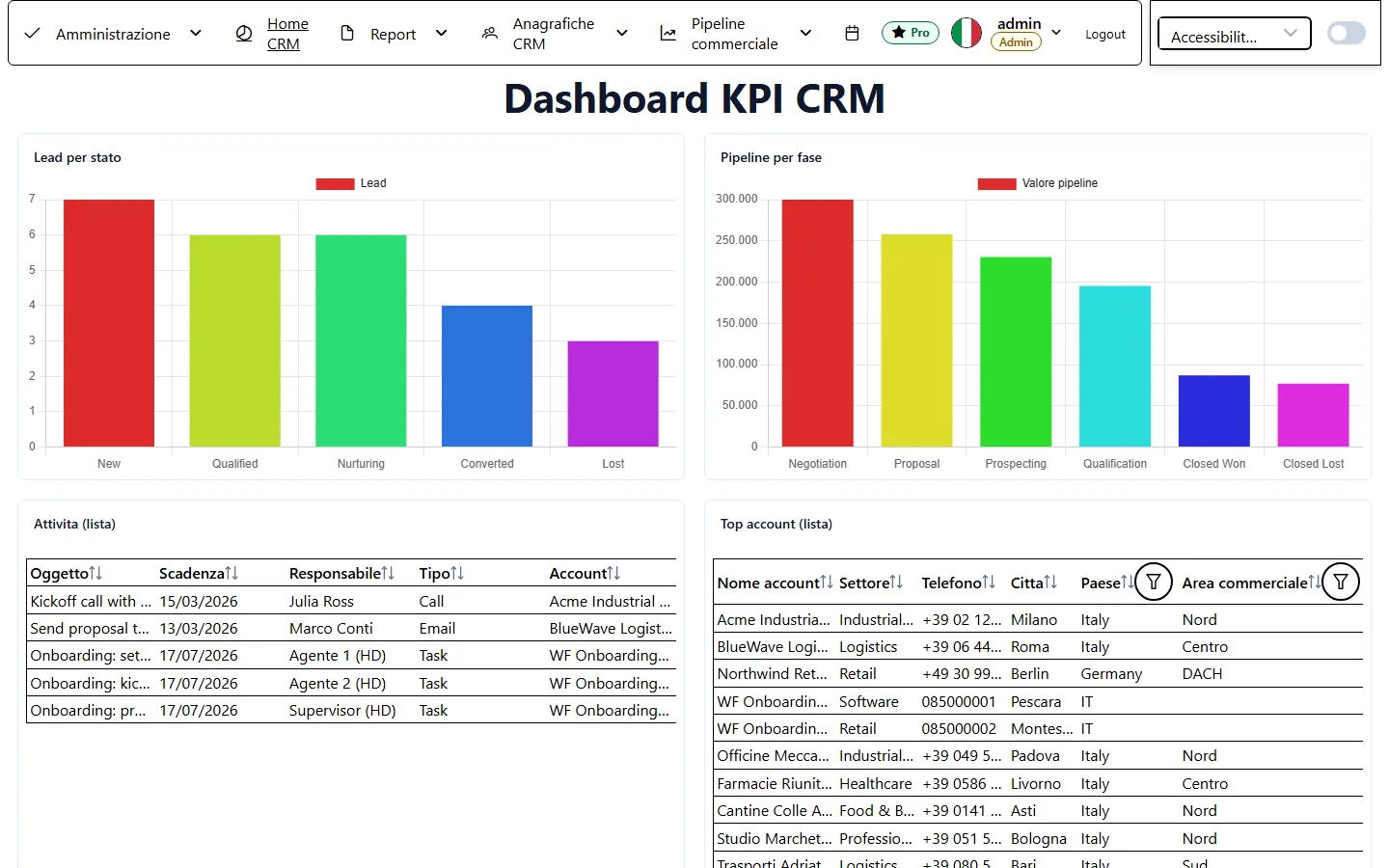
- After signing in, users land on the CRM home: a chart of leads by status, a chart of pipeline value by stage, the list of activities and the top accounts.
- The widgets are real lists and charts: they can be sorted, filtered and paged like any list in the application.
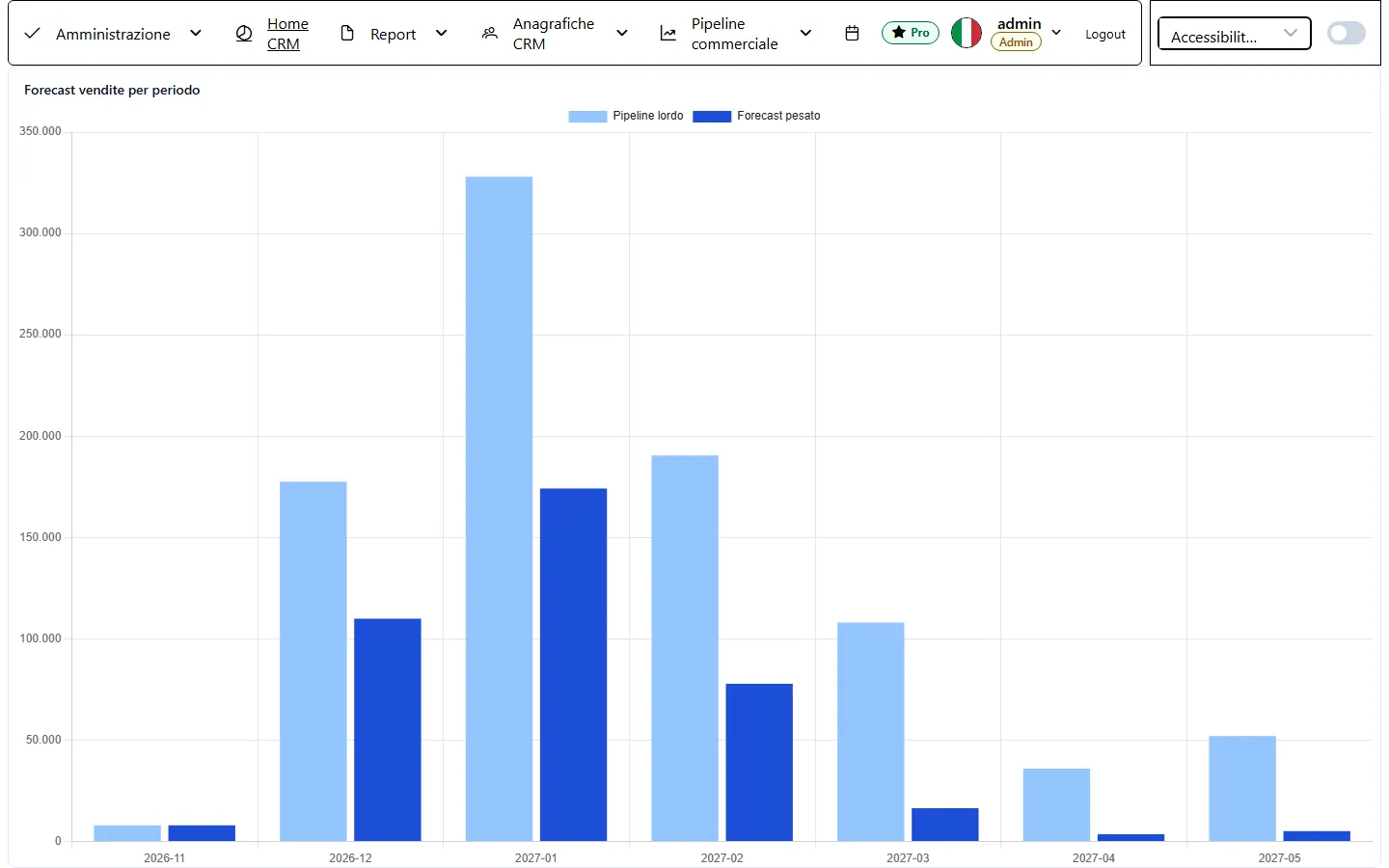
- The Sales pipeline > Sales forecast menu opens a dashboard with the expected revenue per month: gross pipeline compared with the forecast weighted by the closing probability of each stage.
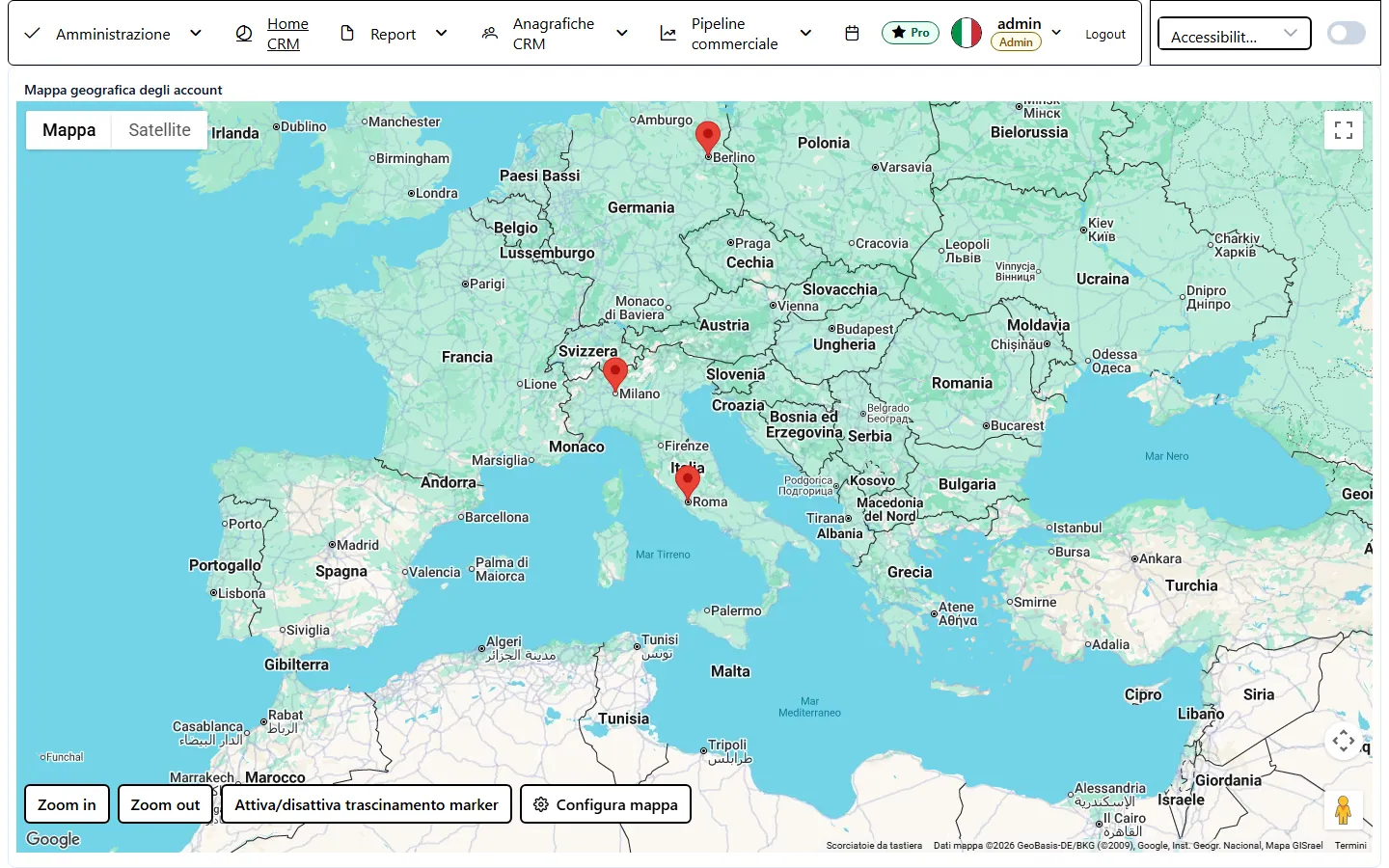
- CRM records > Account map shows customers on a map (Google Maps, map or satellite view), with zoom and a marker for every site.
- The Sales pipeline > Lead analytics and Pipeline chart menus show the same lists as charts, configurable and exportable.
Accounts and contacts
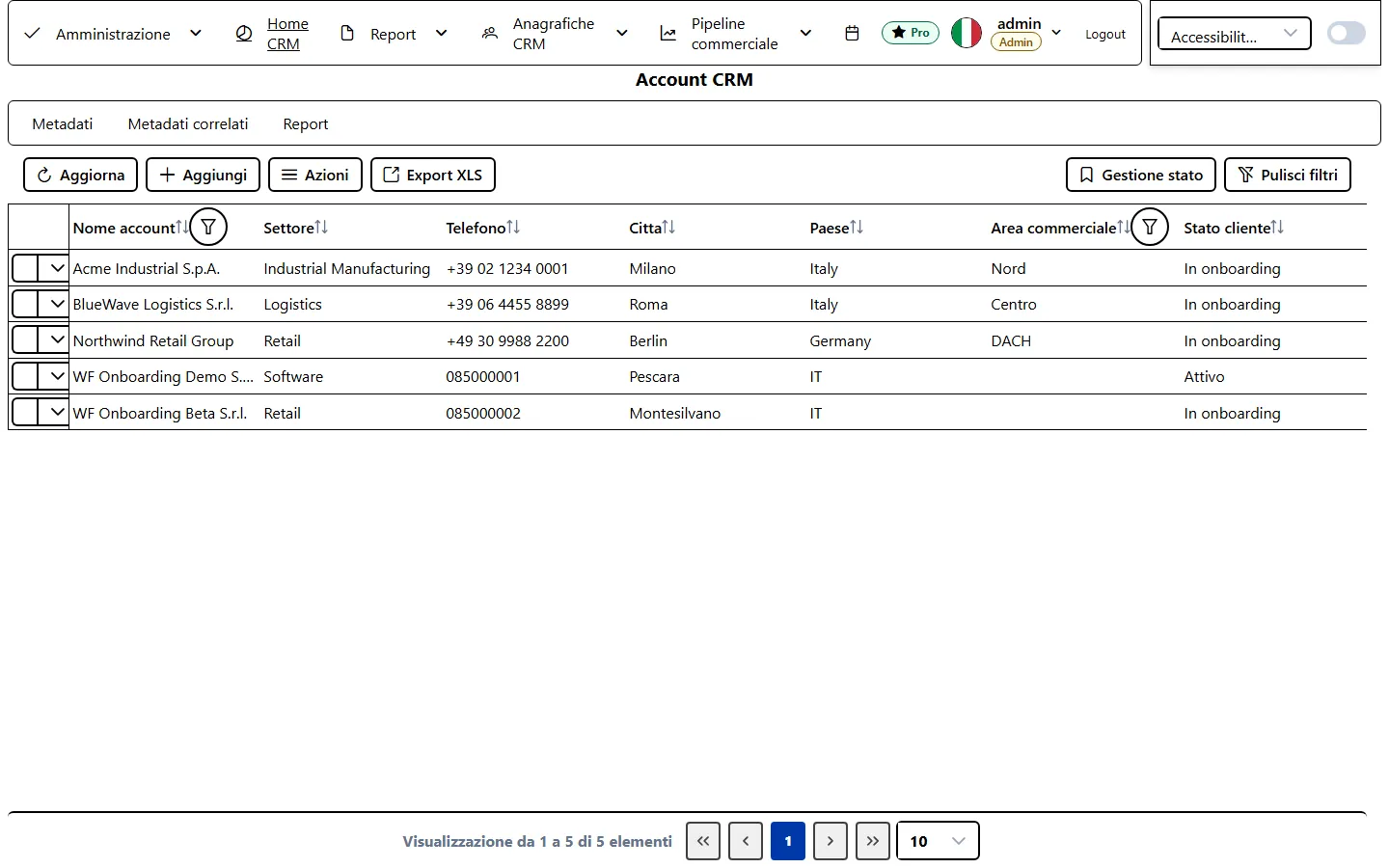
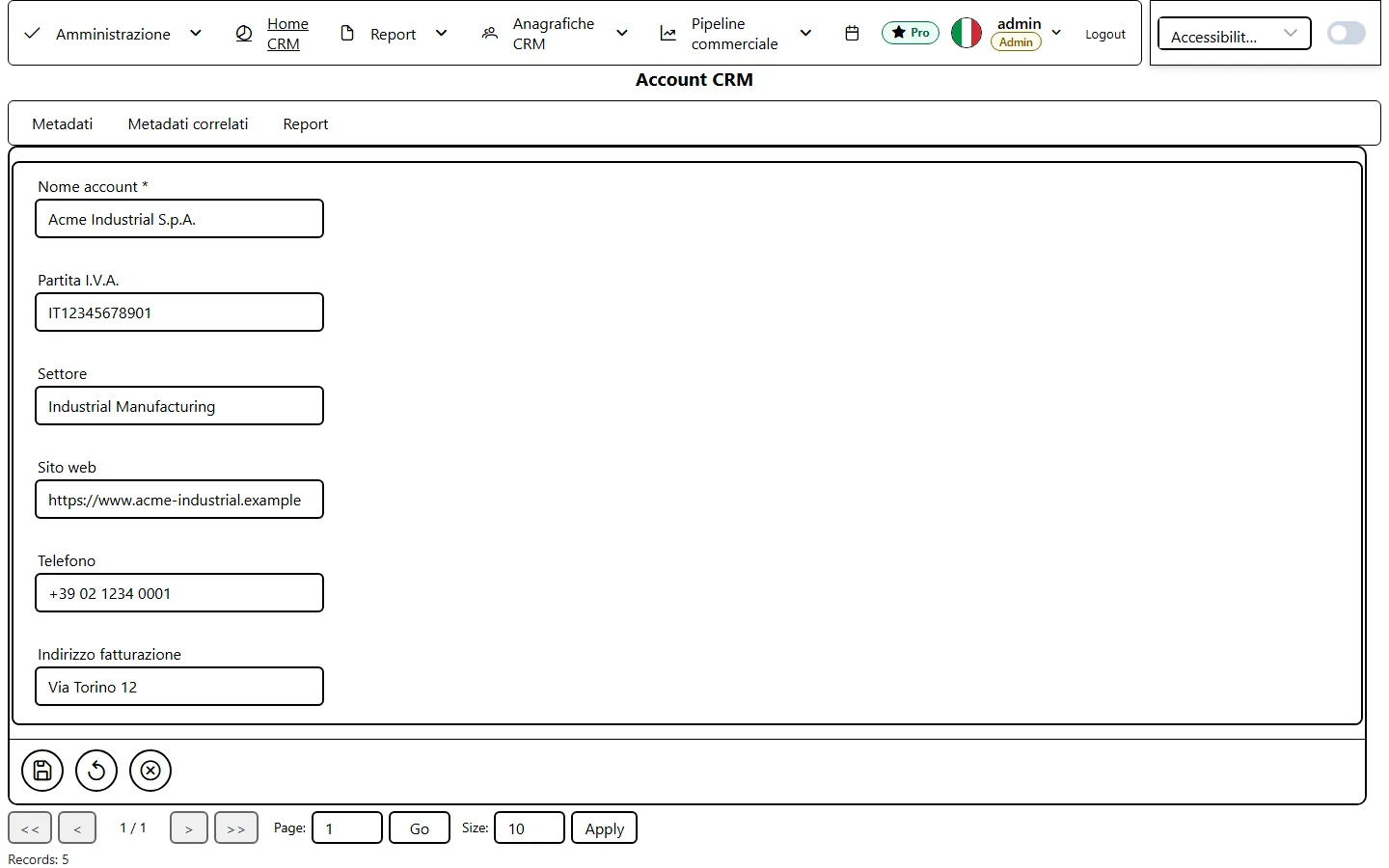
- Accounts: company name, VAT number, industry, website, phone, billing address, sales area and customer status (for example "Onboarding" or "Active"). Accounts also carry the Italian e-invoicing data: tax code, email, certified email (PEC), SDI code, postcode and province.
- Contacts: the people inside each customer, linked to the account; a Quick new contact form is also available from the menu.
- Each row has its own actions: Open 360 view (customer summary) for accounts, Send email for contacts.
- From the account list toolbar you can run Merge duplicate accounts; from the contact list, Import contacts creates the missing contacts from leads.
- Account card opens the customer's detail form directly.
- Lookup tables the user can edit: activity types, lead statuses, case statuses, opportunity stages (with closing probability), products.
- Product price list (bulk) opens the price list in a spreadsheet view to fix many prices at once; the Update price list action applies a bulk change.
Leads
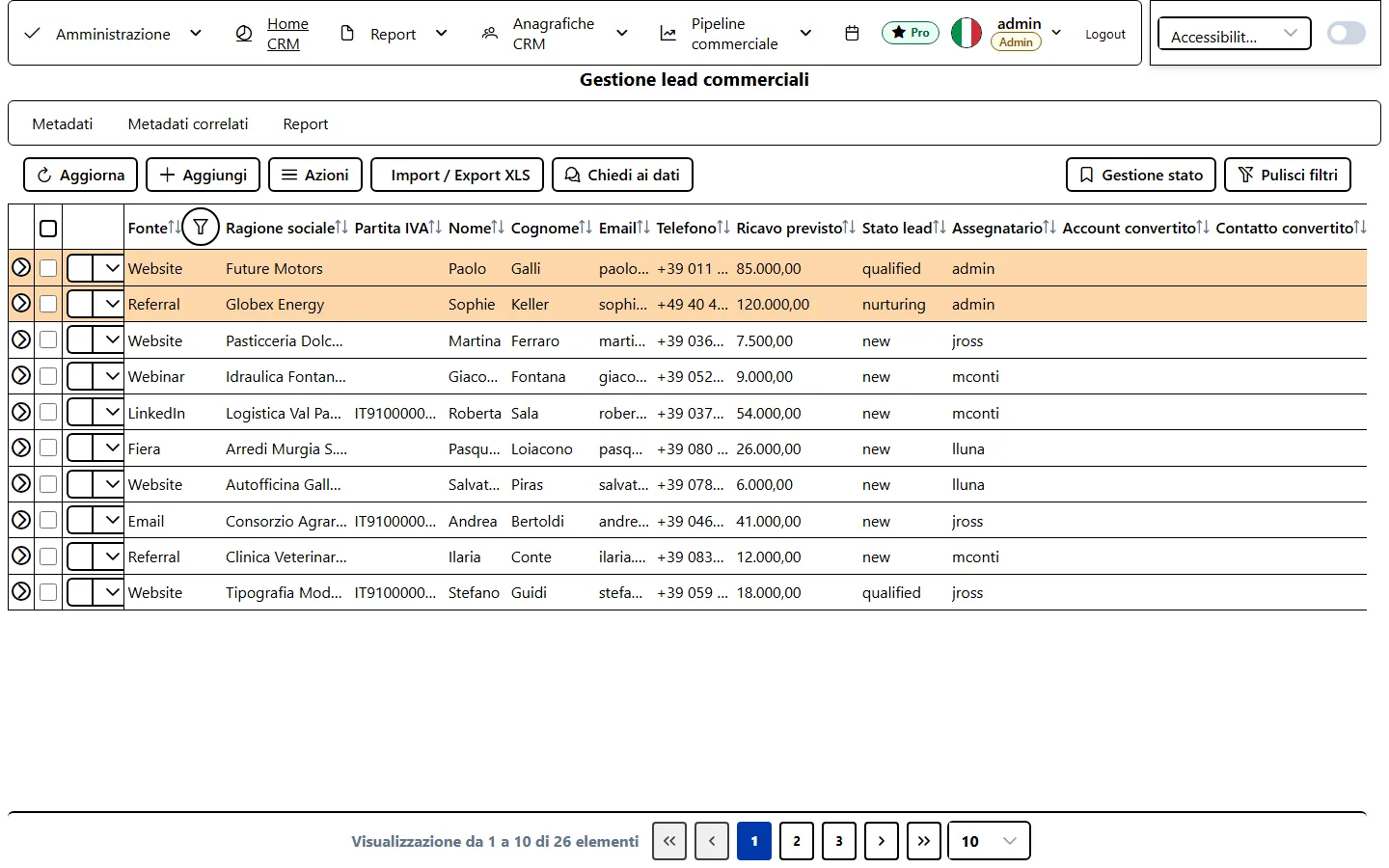
- Each lead records source, company name, VAT number, first name, last name, email, phone, expected revenue, status and owner.
- Rows are colored automatically by visual rules: leads idle for seven days stand out in the list.
- Import from file: the list's Import / Export button loads leads from an Excel or CSV file. Before inserting, the application looks for duplicates by email and, when the email is missing, by VAT number (also within the same file): with "inserts only" duplicates are skipped, with "inserts and updates" they update the existing lead. The import log reports every duplicate in the user's language.
- Convert lead: a row action creates the account, the contact and an opportunity in the qualification stage with expected closing in 30 days, and marks the lead as converted.
- Bulk lead assignment: select several leads and assign them to a salesperson in one step.
- Each lead can have attachments.
- New leads, changes and deletions create in-app notifications.
Opportunities and pipeline
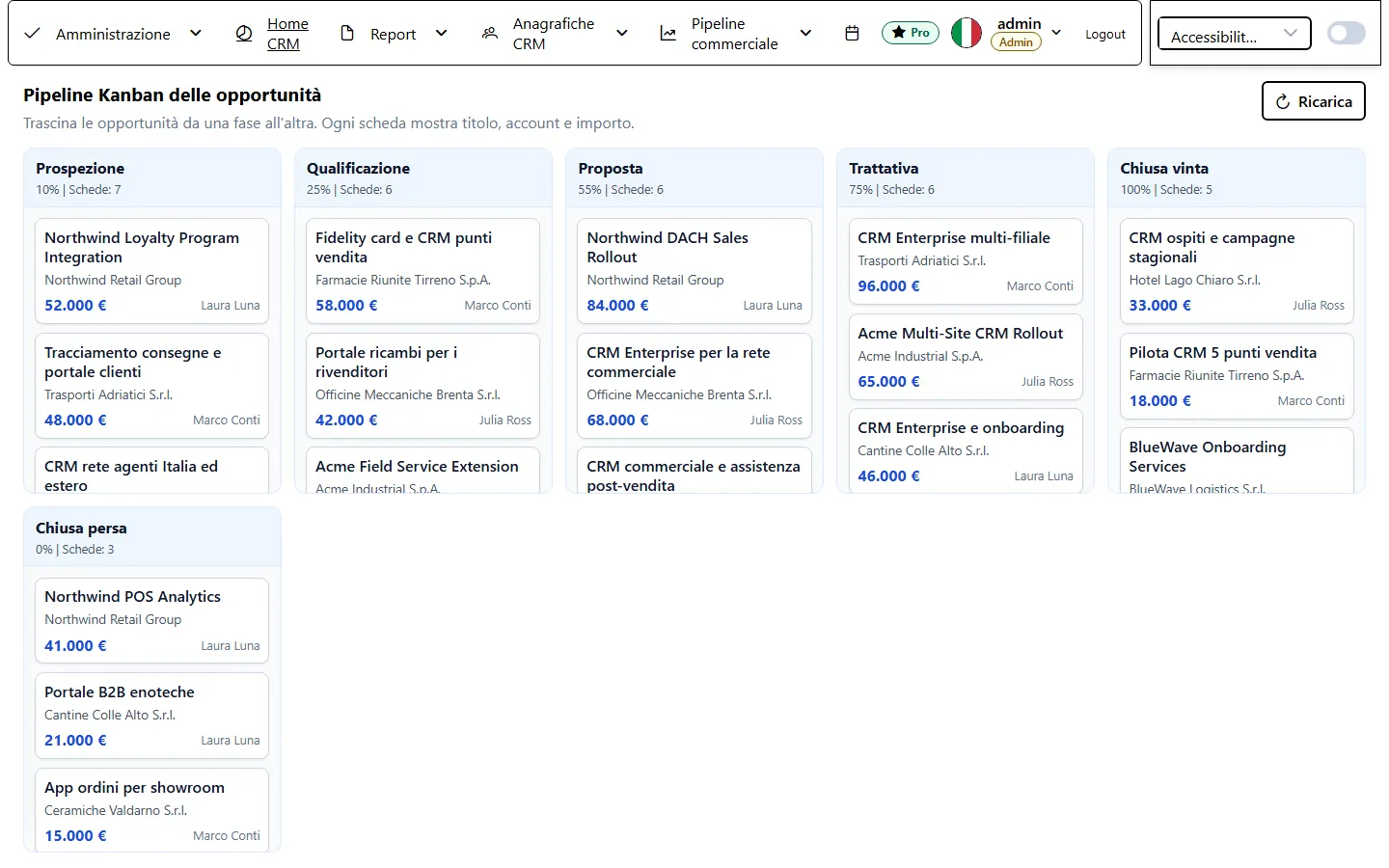
- Kanban pipeline: one column per stage (prospecting, qualification, proposal, negotiation, closed won, closed lost) with the stage probability and the number of cards; each card shows title, account, amount and owner. Cards are dragged from one stage to another. The page and the stage names follow the user's language.
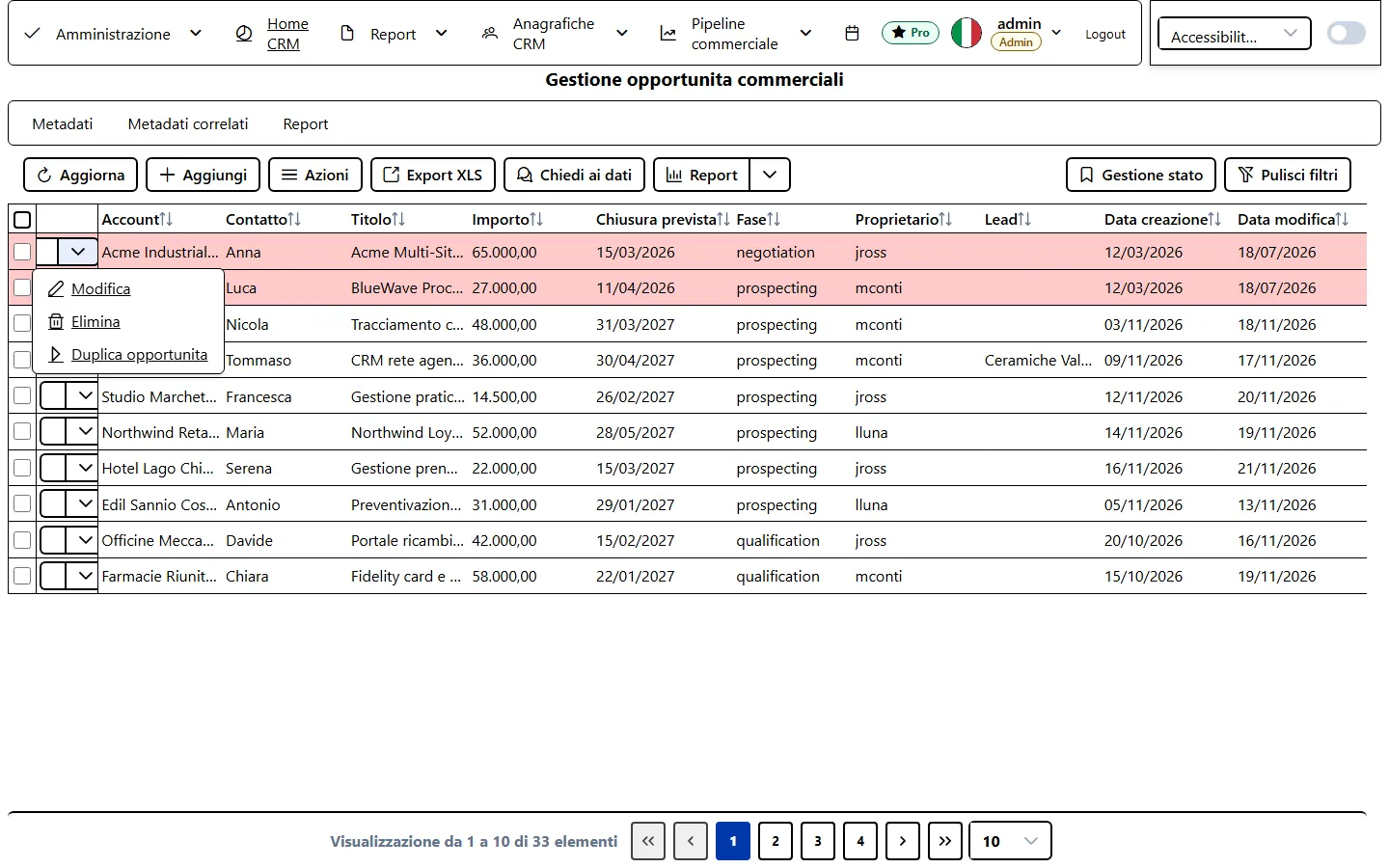
- Opportunity list: account, contact, title, amount, expected closing date, stage, owner, originating lead. Opportunities whose expected closing date has passed are highlighted.
- Row actions: edit, delete and Duplicate opportunity; from the toolbar, Bulk stage update moves several opportunities together.
- Opportunity products: lines with product, quantity and price; totals are recalculated (Recalculate opportunity totals action) and a standard discount can be applied line by line. Lines can also be fixed in bulk in the Opportunity lines (bulk) spreadsheet view.
- On stages, Recalculate probability updates the closing probability used by the forecast.
- Opportunity attachments: documents uploaded and stored on disk, linked to the opportunity.
- Guided new opportunity: a step-by-step procedure (account, contact, opportunity, products) that walks the user through creating a complete deal.
Quotes
- Quotes are linked to a customer and an opportunity and get an automatic number in the form
PRV-<year>-<number>. - Lines take price and description from the product price list when left empty; the line total and the quote's taxable total are calculated automatically.
- The status (draft, sent, accepted, rejected) is not changed by hand in the form but with the row actions Mark as sent, Accepted by customer, Rejected by customer: the application checks that the transition is allowed and that the quote has at least one line.
- PDF print: every quote is printed with a dedicated report template.
- When a customer accepts a quote, the CRM can notify an external system (for example the FatturazioneElettronica free app) with the customer's billing data and the lines (see "Integrations").
Activities, calendar and notes
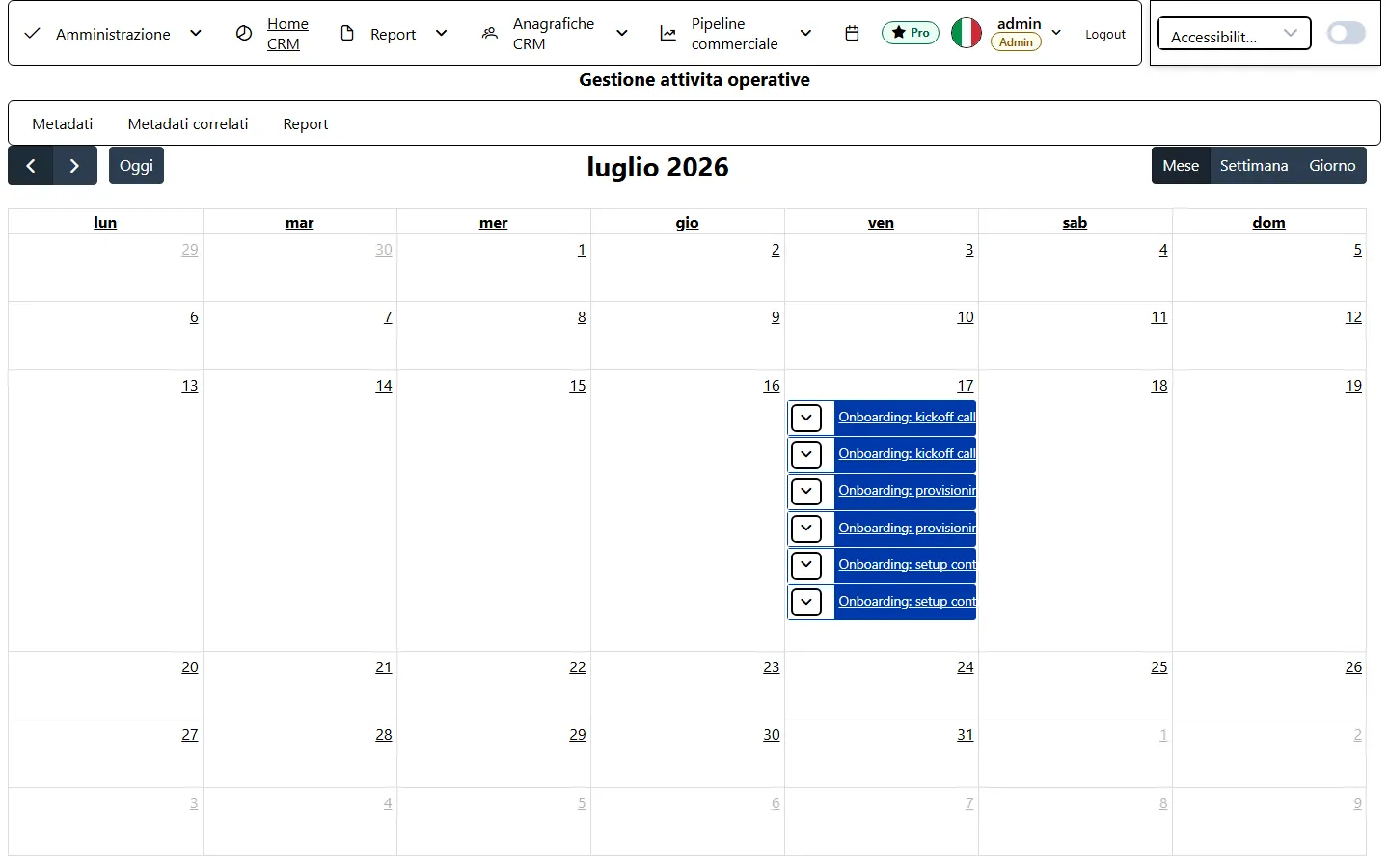
- Activities (calls, meetings, emails, tasks) have a subject, due date, owner, type and linked customer.
- The Activity calendar shows the same activities in a calendar, with month, week and day views.
- Mark completed closes an activity from its row; Complete selected activities closes several at once.
- Completed and overdue activities are recognizable at a glance in the list.
- An activity coming due sends an in-app notification to its owner.
- Notes keep the history of contacts with the customer; Export notes timeline gathers the latest notes of a customer or a case in chronological order, with the linked contact, opportunity and case.
Support: cases, SLA and contracts
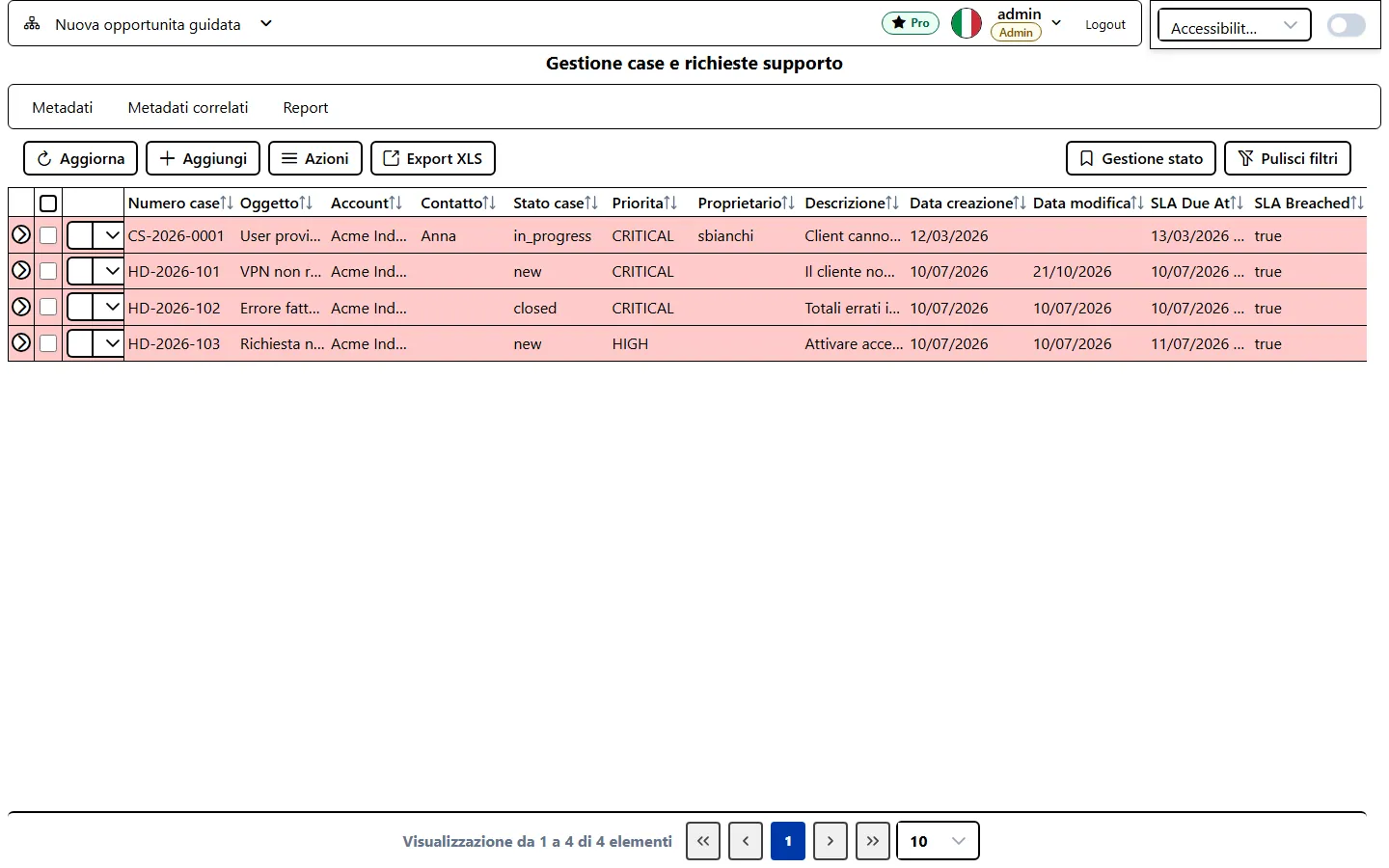
- Each case has number, subject, customer, contact, status, priority, owner and description.
- The SLA deadline is calculated at creation from the case priority; if the customer has a valid support contract, the contract's hours apply, even when the contract is linked later.
- A job checks the deadlines every 15 minutes: cases past their SLA are marked as breached and the row turns red.
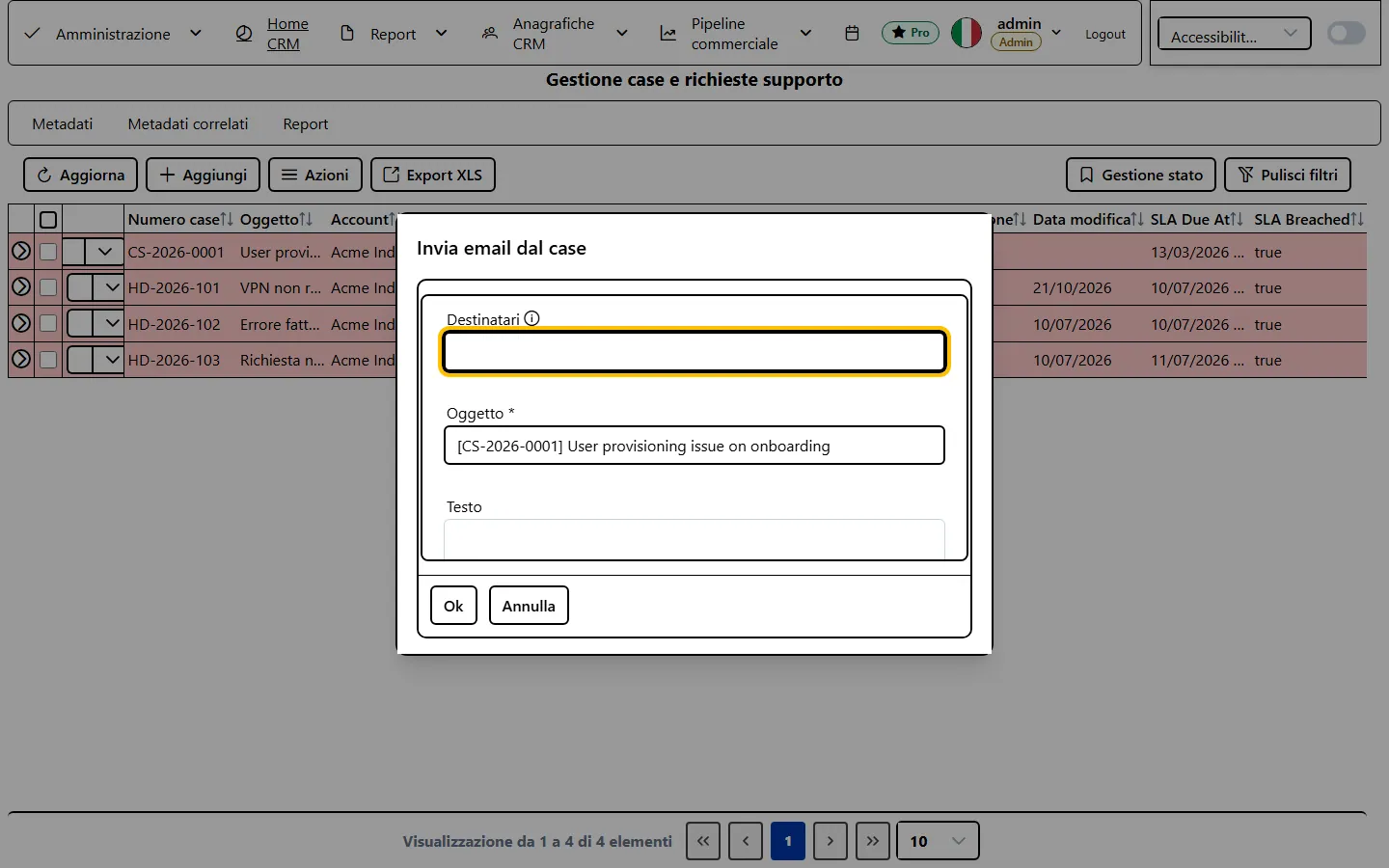
- Actions: Take ownership of cases (bulk), Close case, Send email. The email goes to the case contact or to the addresses given (at most 5 recipients, at most 20 emails every 10 minutes per user) and enters the application's mail queue; if SMTP is not configured it is recorded without being sent.
- Assigning a case creates an in-app notification.
- Support contracts: customer, period, SLA hours, notice days, annual fee. Every 6 hours a job creates a "Contract renewal" activity for the customer's owner when a contract enters its notice period, once per period.
- Case attachments: documents linked to the case, stored on disk.
Workflows
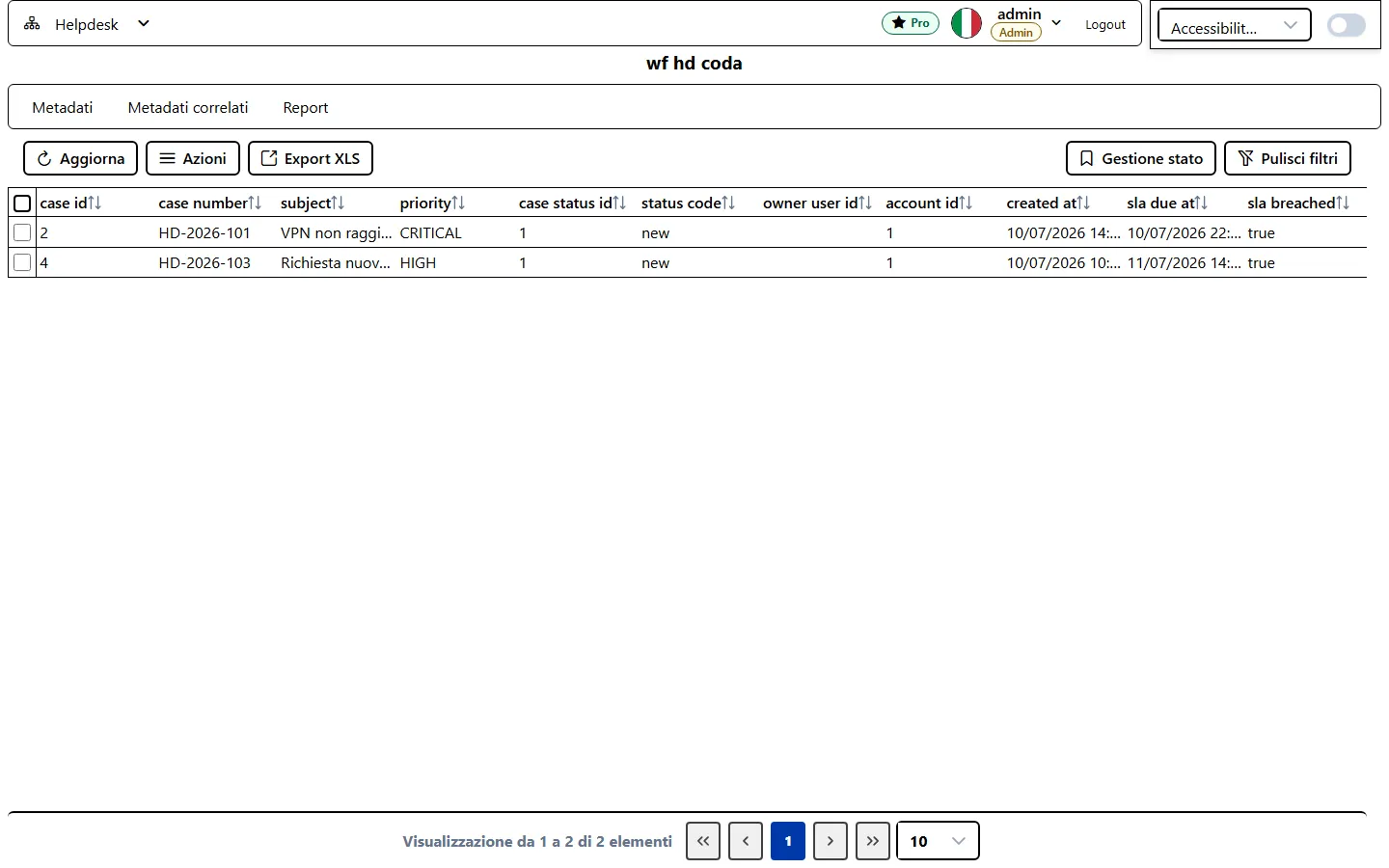
The application includes two ready-made processes, each with its own menu entry:
- Helpdesk: tickets enter a queue; an operator takes them (or releases them), puts them waiting for customer, resolves, closes or reopens them. If a ticket stays in the queue for more than 4 hours, the process alerts the supervisor (notification to the role).
- Customer onboarding: from new customers you start onboarding, which opens the start-up tasks in parallel; when they are all closed the customer is activated and the activation notification goes out.
- The Guided new opportunity described above is also a process, in steps.
- Processes are edited with the graphical workflow designer in the Administration menu.
Reports
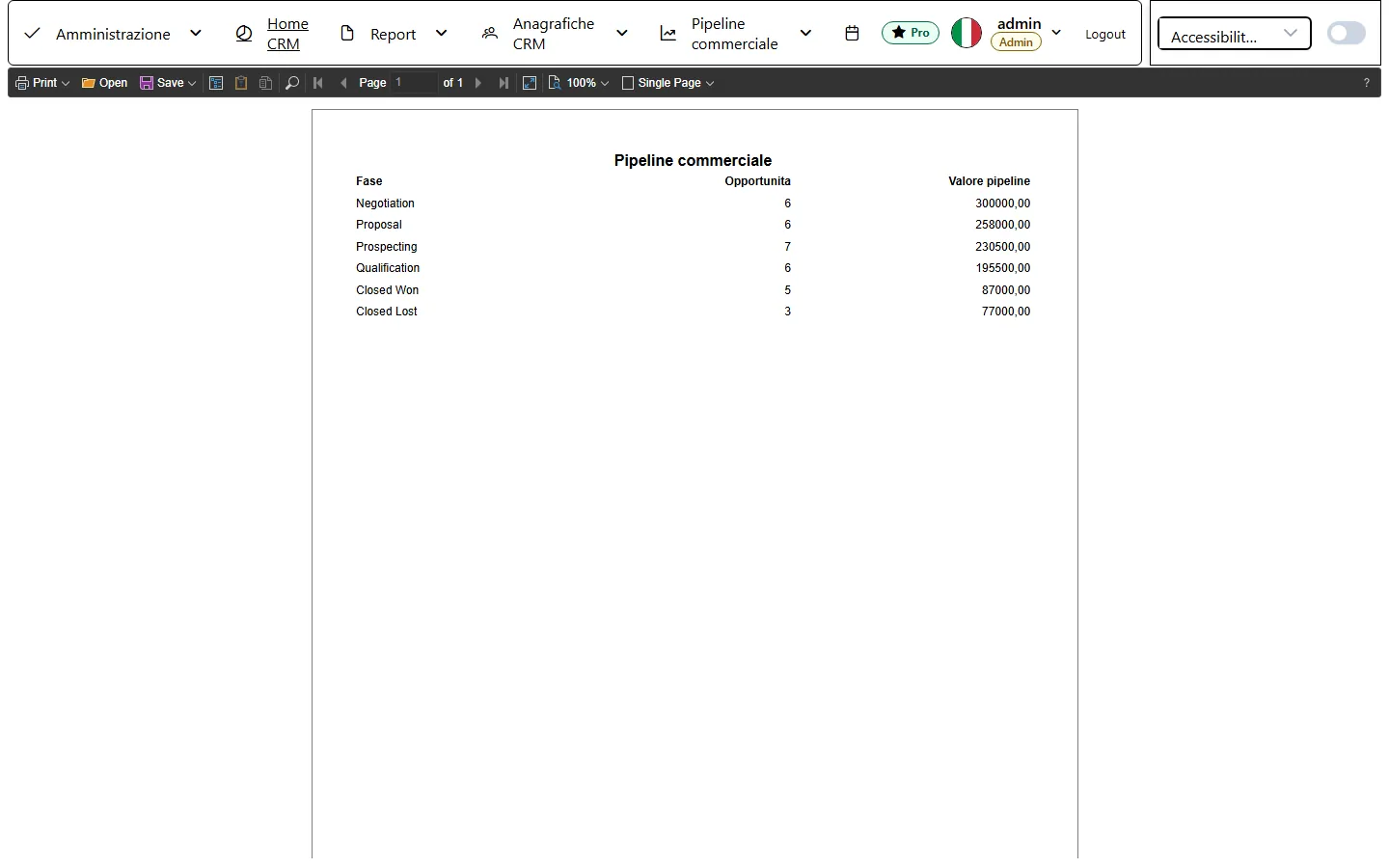
- Four printable reports in the Reports menu: Sales pipeline (opportunities and value by stage), Activities by user, Customers by area, Sales forecast.
- Plus the Quote PDF template, opened from the quote's row action.
- Reports open in the built-in viewer, with print, export and save; report texts are translated into 5 languages and follow the user's language.
- Templates are edited with the framework's report designer.
Notifications and scheduled jobs
- In-app notifications for new leads and their changes, for case assignments and for activities coming due.
- Scheduled jobs already configured: case SLA check (every 15 minutes), contract renewal reminder (every 6 hours), Helpdesk process timer (every 5 minutes).
- Jobs are visible and editable from Administration > Scheduler.
Import and export
- Every list has Excel export (and reports have PDF).
- Leads are imported from Excel or CSV files with the de-duplication described above.
- For bulk fixes, products and opportunity lines open in a spreadsheet view.
Integrations
- Outgoing: when a quote is accepted the CRM publishes the
quote.acceptedevent (customer with billing data, net lines, taxable total) through the framework's webhook hub. Sending the same quote again does not duplicate the delivery. Endpoints and subscriptions are configured from Administration > Webhook hub; the natural recipient is FatturazioneElettronica. - Incoming: the CRM accepts the signed
invoice.paidevent. It finds the customer by VAT number, records an "invoice paid" activity and, if the payment refers to a quote, marks the opportunity as collected (date, invoice number, amount, Closed Won stage). Duplicate events have no double effect. - The incoming endpoint stays off until the administrator sets a shared secret in the configuration.
Roles, users and permissions
- Roles included: Admin, Amministratore, CRM Manager, CRM Sales, CRM Support, CRM Readonly.
- The sample databases contain demo users for the sales, support and Helpdesk roles, to be changed or disabled before entering real data.
- Permissions per menu entry, table and column, managed from the framework's administration pages.
- On roles: Clone role and Open permission matrix; on users: Enable/Disable user and Send password reset.
- Every data change is recorded in the change history (Change master): who changed what and when.
- Passwords are stored with PBKDF2 hashing.
- Interface in 5 languages (Italian, English, French, Spanish, German), with a per-user language switch.
What is in the package
Two zips per version, from the site's Downloads page, Free apps section:
Binary (CrmApp-iis-v<version>-with-dbs.zip) |
Source (CrmApp-src-v<version>.zip) |
|
|---|---|---|
| Contents | application compiled for IIS, the two sample databases (db/data.bak, db/metadata.bak), INSTALL.md, upgrade\ folder |
C# source, Angular client, reports, configuration, the same two databases, INSTALL-src.md, VS Code workspace and AGENTS.md for coding assistants |
| WUIC license | not needed: the binary carries a license bound to this application as distributed, valid on as many servers as you like | needed to run the recompiled application: a WUIC license covering SQL Server (Launch price or Enterprise); without a license it runs in Trial mode (at most 20 records per query) |
Installing the binary, in short (about 10 minutes):
- Requirements: Windows Server 2019 or later with IIS and the ASP.NET Core 10 Hosting Bundle; SQL Server 2017 or later (Express is enough). SQL Server only: other databases are not supported.
- Restore the package's two backups on your SQL Server.
- Write the two connection strings in
appsettings.json. - In IIS, create a "No Managed Code" application pool and a site pointing to the extracted folder; give the pool identity write permission on the folder.
- Open the site and sign in with
admin/admin, then change the password immediately (these are public credentials).
Source: from PowerShell, install.ps1 -Src -App CrmApp from the site installs what is missing (.NET SDK 10, Node.js, SQL Server Express, git), downloads and verifies the zip, creates a git repository with a vendor branch and a work branch, restores the databases and prepares the project.
Upgrade: an existing installation moves to the new version keeping data and customizations with the upgrade\ folder of the new zip (procedure in the Upgrading a free app documentation page). The zip's backups are only for a new installation.
To configure after installation, if needed: SMTP server (to actually send emails from cases), Google Maps key (for the account map), integration secret (to receive invoice.paid).
Built with WUIC
CrmApp is a WUIC framework application: lists, forms, filters, export, permissions and translations come from metadata, so a field added to a table appears in the interface without writing code. It uses the framework's components for kanban, calendar, map, dashboards, spreadsheet and reports, the workflow engine with timers and SLA, the job scheduler, in-app notifications, the mail queue and the webhook hub for integrations. Menus, forms, processes and reports are customized from the application; metadata lifecycle compares the installation with the vendor's version.